How to Export a Disclosure and Its Full Audit Trail
Last updated: September 30, 2026
Every disclosure request in Hadrius carries a complete record of how it was handled: who submitted it, who reviewed it, what changed along the way, and which steps the system performed automatically. This article explains how to open a resolved request, read its audit trail, and export the request together with that history as a PDF report. Use it when you need review-ready evidence for an examination, an internal audit, or a routine spot check of a completed workflow.
Before you begin
Exporting a PDF report is available on requests that have reached a reviewable state — approved, auto-approved, rejected, withdrawn, pending review, sent back, or pending FINRA filing. Requests still awaiting employee submission and unsent drafts do not offer the export action, because there is no submission to export yet.
1. Find the request in the queue
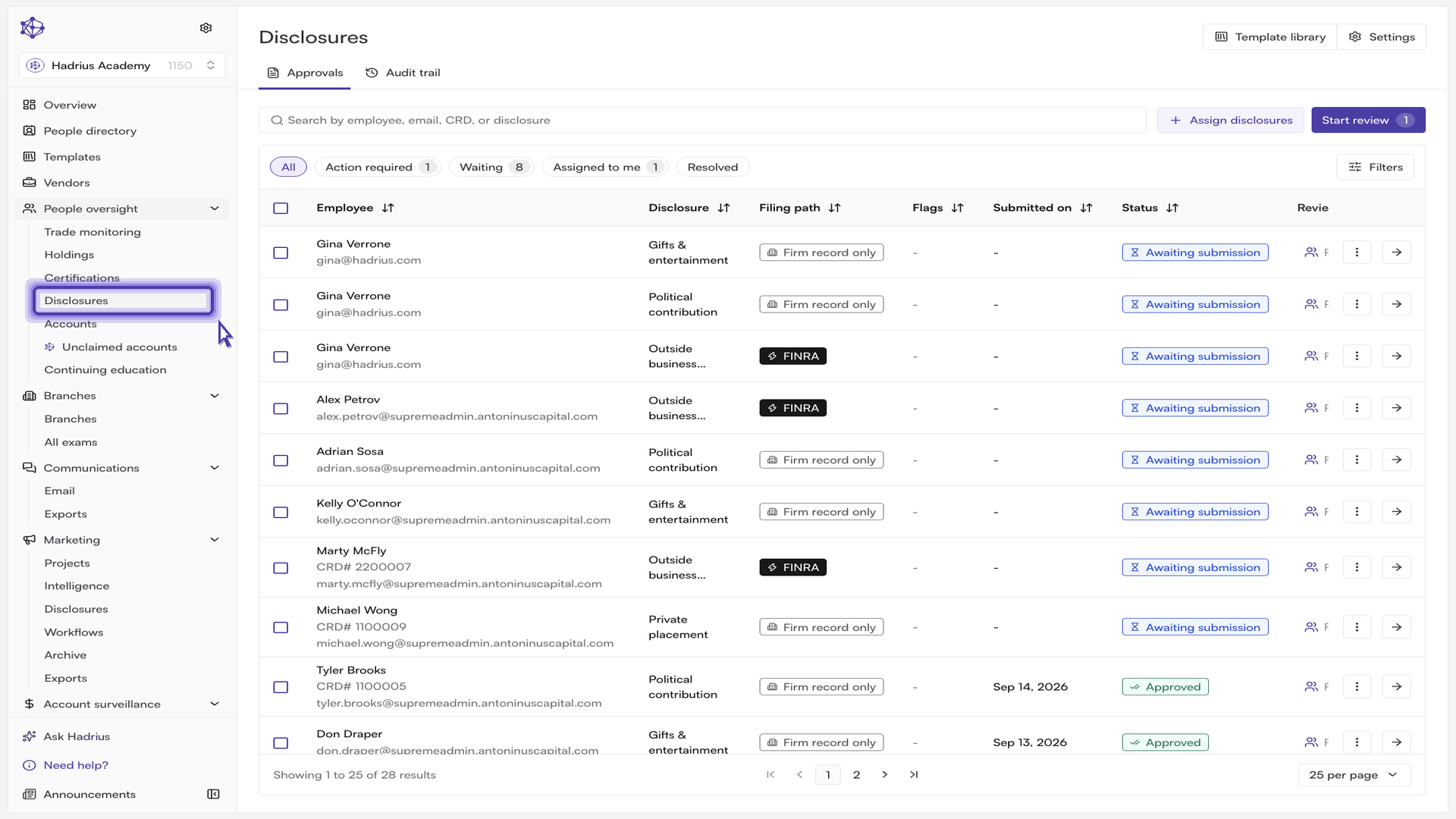
Open Requests in the Employees module. The Approvals tab is the firm-wide queue: every disclosure request across the firm appears here, whatever its stage. Each row shows the request type, the employee who submitted it, a status badge, and any compliance flags raised against it.
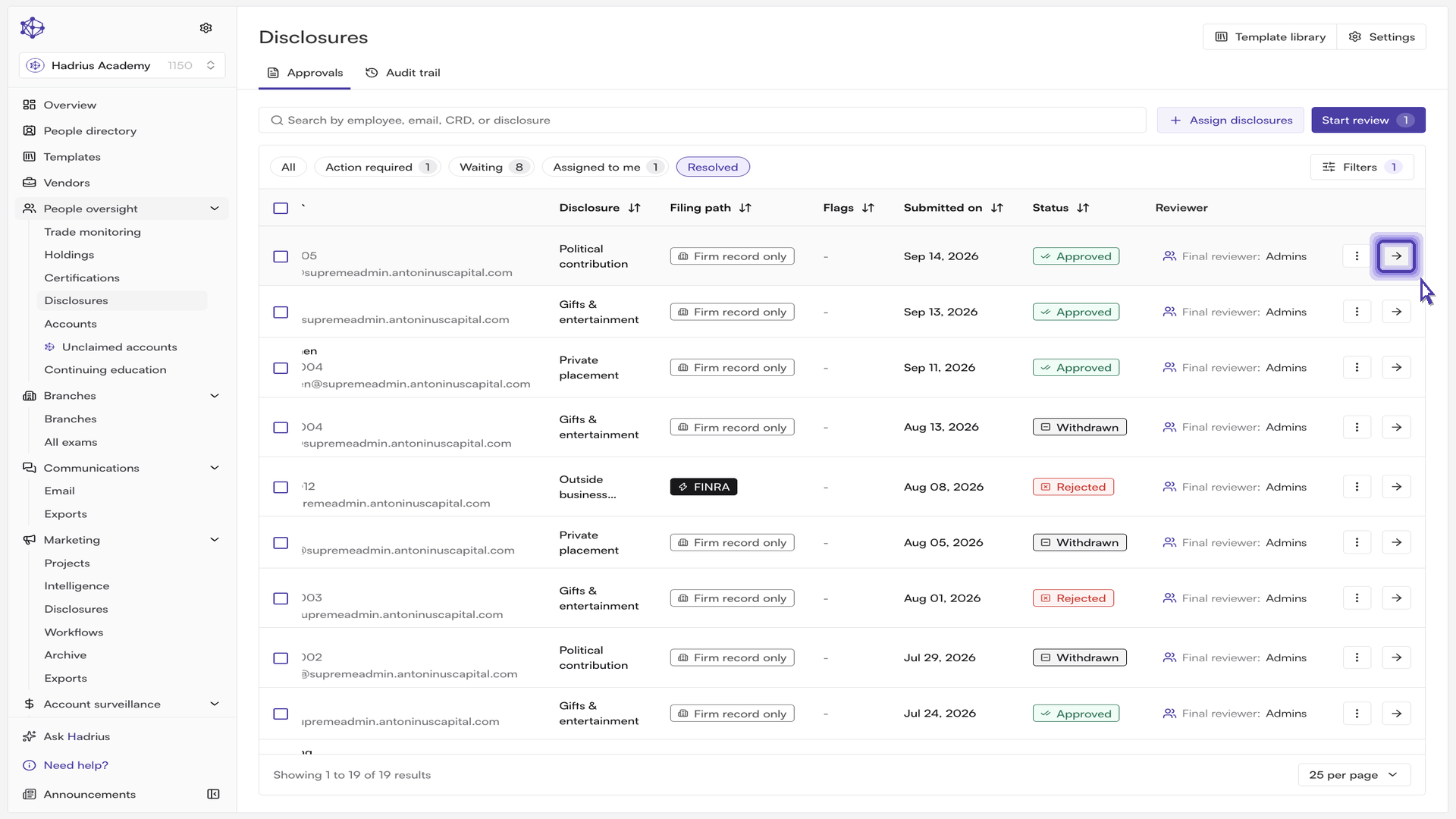
Use the search, status filters, and quick filters at the top of the table to narrow the list. To pull up a completed workflow end to end, filter to the resolved statuses — Approved or Auto-approved — so you are looking at requests that have already been through submission, review, and decision.
2. Open the record
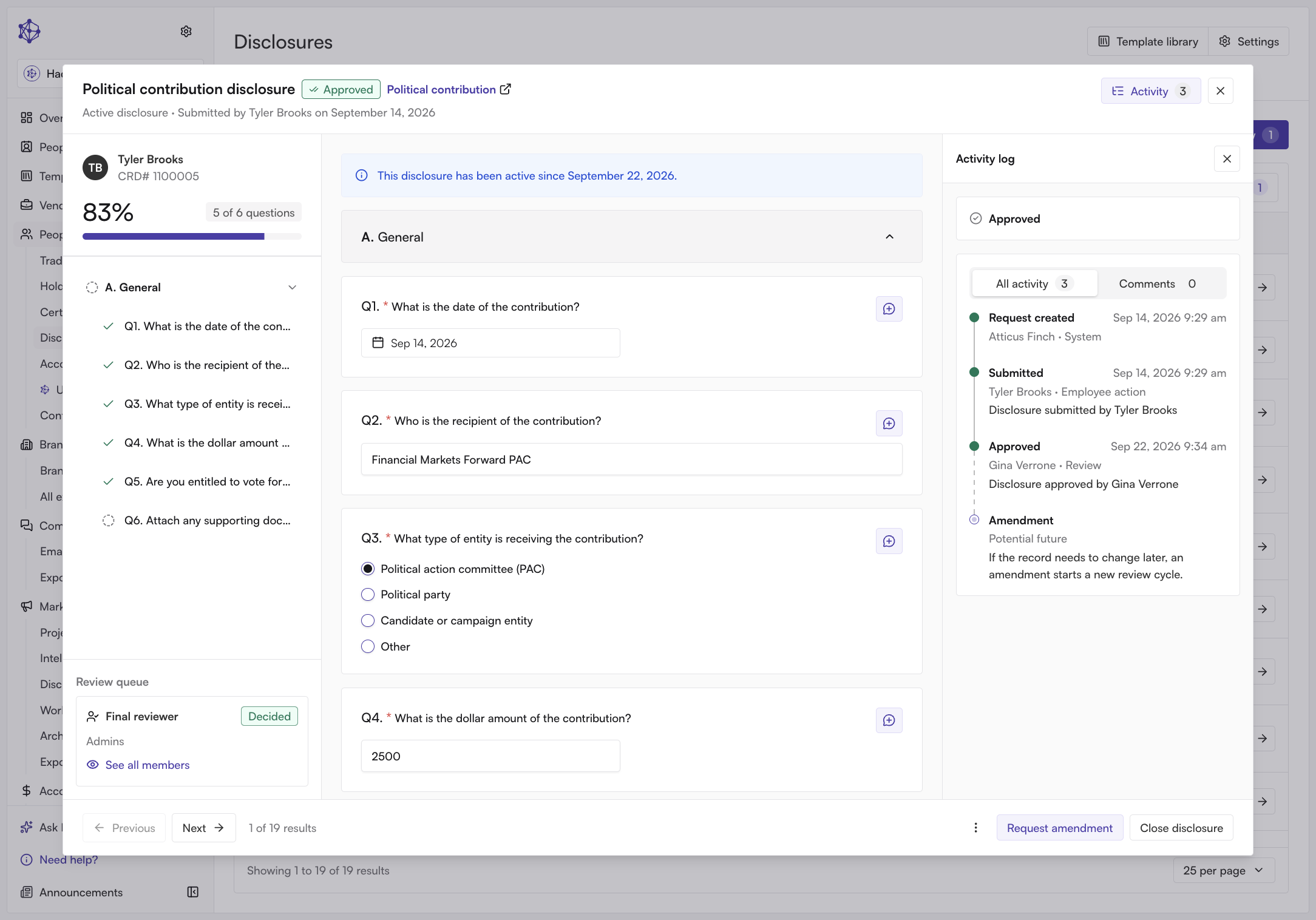
Select a row to open the request. The record shows the submitted questionnaire in the main pane, with tabs for Questionnaire, Details, and the request's history. Alongside it, on the right, sits the activity panel — the submission and its review history side by side, so you never have to leave the answers to see what was done to them.
3. Read the audit trail
The activity panel on the right is the request's full audit trail, ordered as a timeline. Every entry names the actor, the timestamp, and the category of the event: employee actions, reviewer assignments and reassignments, reminders, review decisions, FINRA steps, and system-generated events such as automatically raised compliance flags. Steps Hadrius performs on its own are logged the same way as human actions, attributed to the system, so there are no silent gaps in the record.
Reviewer notes and comments appear inline with everything else. Switch the panel between All and Comments to read the whole history or just the review discussion. Notes can carry attachments — supporting documents and linked communications — and those stay attached to the event that referenced them.
4. Export the request and its history
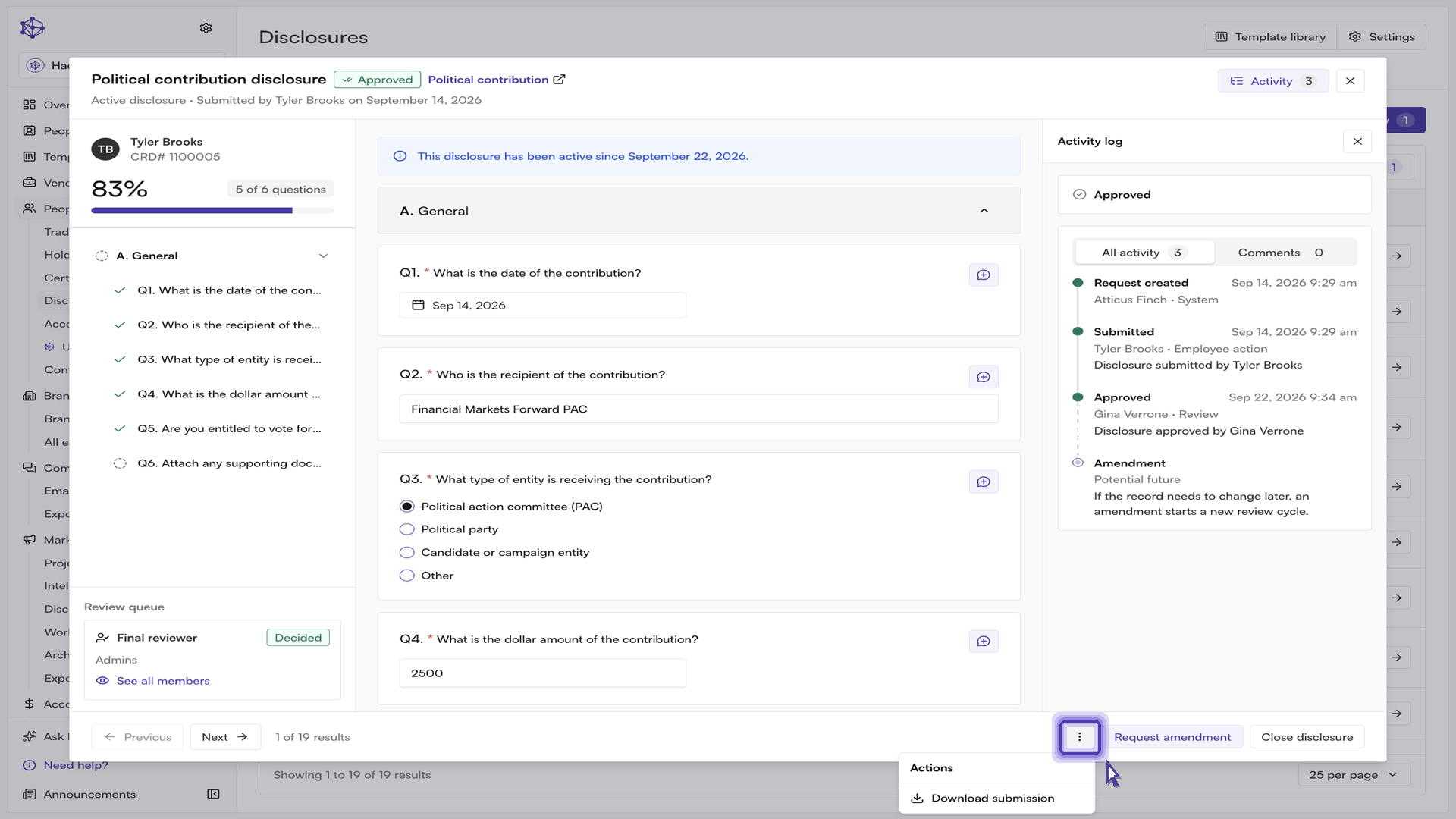
With the record open, select the More actions menu in the record header and choose Export PDF. The same action is available without opening the record, from the kebab menu on the row itself.
The Export Requests dialog asks two things:
Which version. Requests with amendments list each version, newest first, with the most recent marked "Latest". Choosing All versions puts every version into a single document. Requests with only one submission skip straight to the current version.
What to include. Review forms, Audit trail, and Amendment history are selected by default. Compliance markings — the compliant / non-compliant verdict recorded against each question — is optional and off unless you turn it on.
Leave Audit trail selected: that is the section that carries the event history described above into the report. Select Export to generate the PDF, or Cancel to close without exporting.
A note on exporting from the queue
The Export button in the queue toolbar is a different action. It exports the requests themselves as a list — the ones you have checked, or the full filtered result set if nothing is checked — rather than a per-request report with review forms and audit trail. For defensible evidence on a single disclosure, use Export PDF on the record.
What you get
The exported report is a self-contained history of the request: the submission as answered, the review forms as completed, and every logged event with its actor and timestamp. That is what makes a disclosure or certification defensible on request — the record is assembled as the work happens, so producing it for an examiner is a matter of choosing what to include and exporting it.