How to add a social media account for archiving
Last updated: October 17, 2026
Maintaining complete compliance records requires actively archiving all firm-associated social communications. This guide walks you through connecting a public social media profile to Hadrius so that external posts, media, and updates are automatically retained in your compliance archive.
Connecting a Social Profile
Navigate to Connected Channels: From your Hadrius dashboard, open Settings to access and manage your monitored channels.
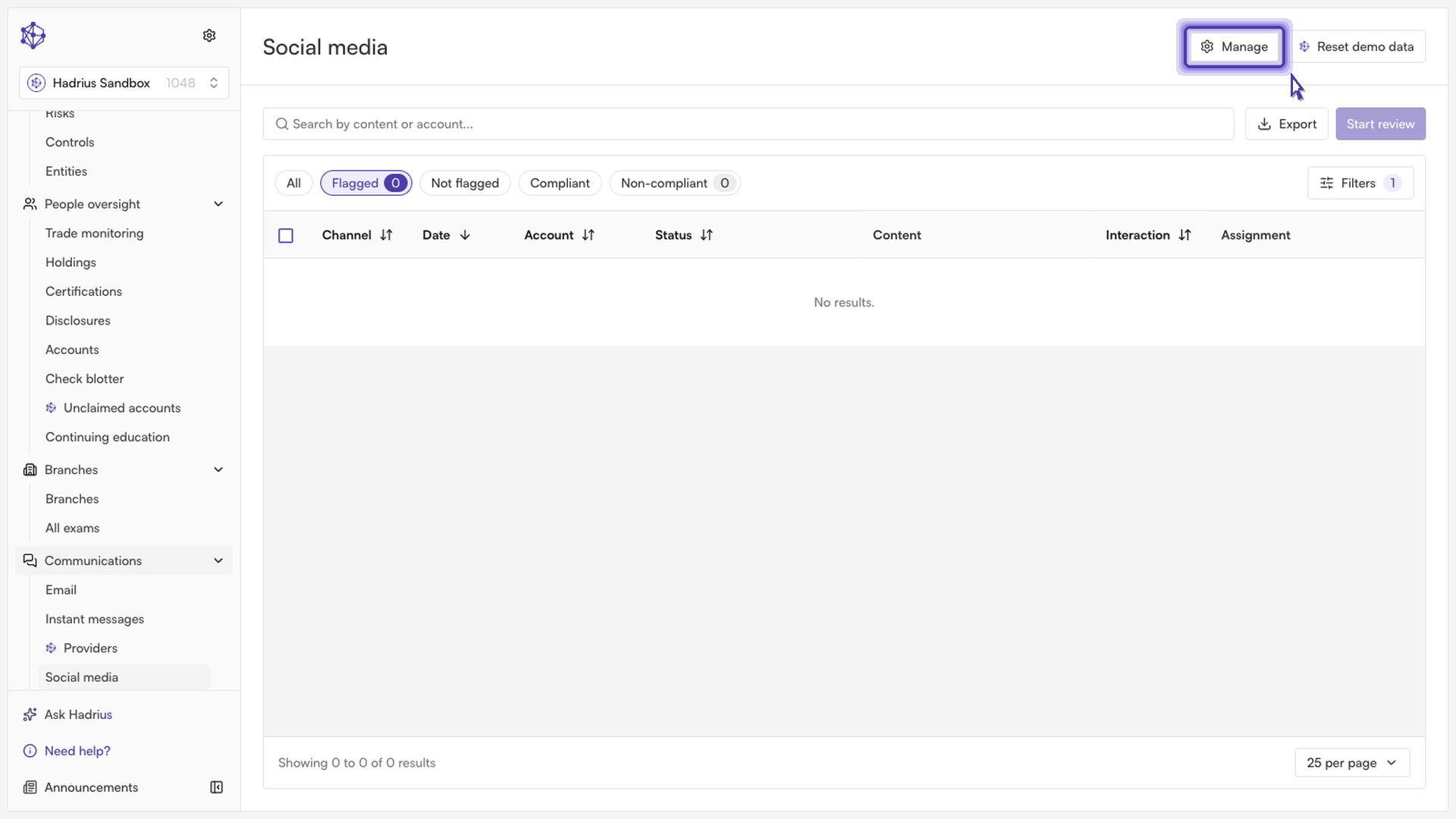
Register a new channel: Select the option to add or register a new channel for compliance monitoring.
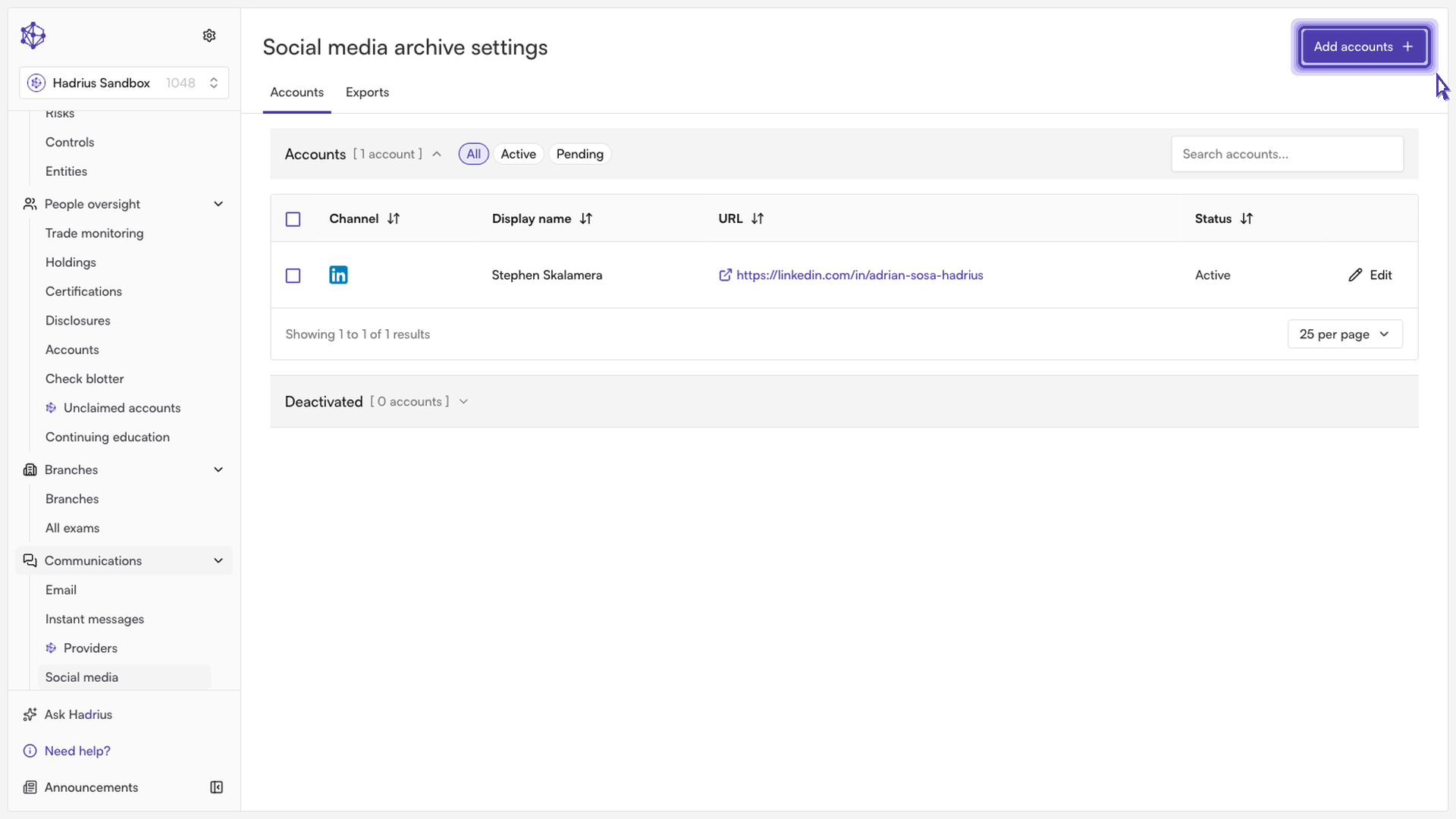
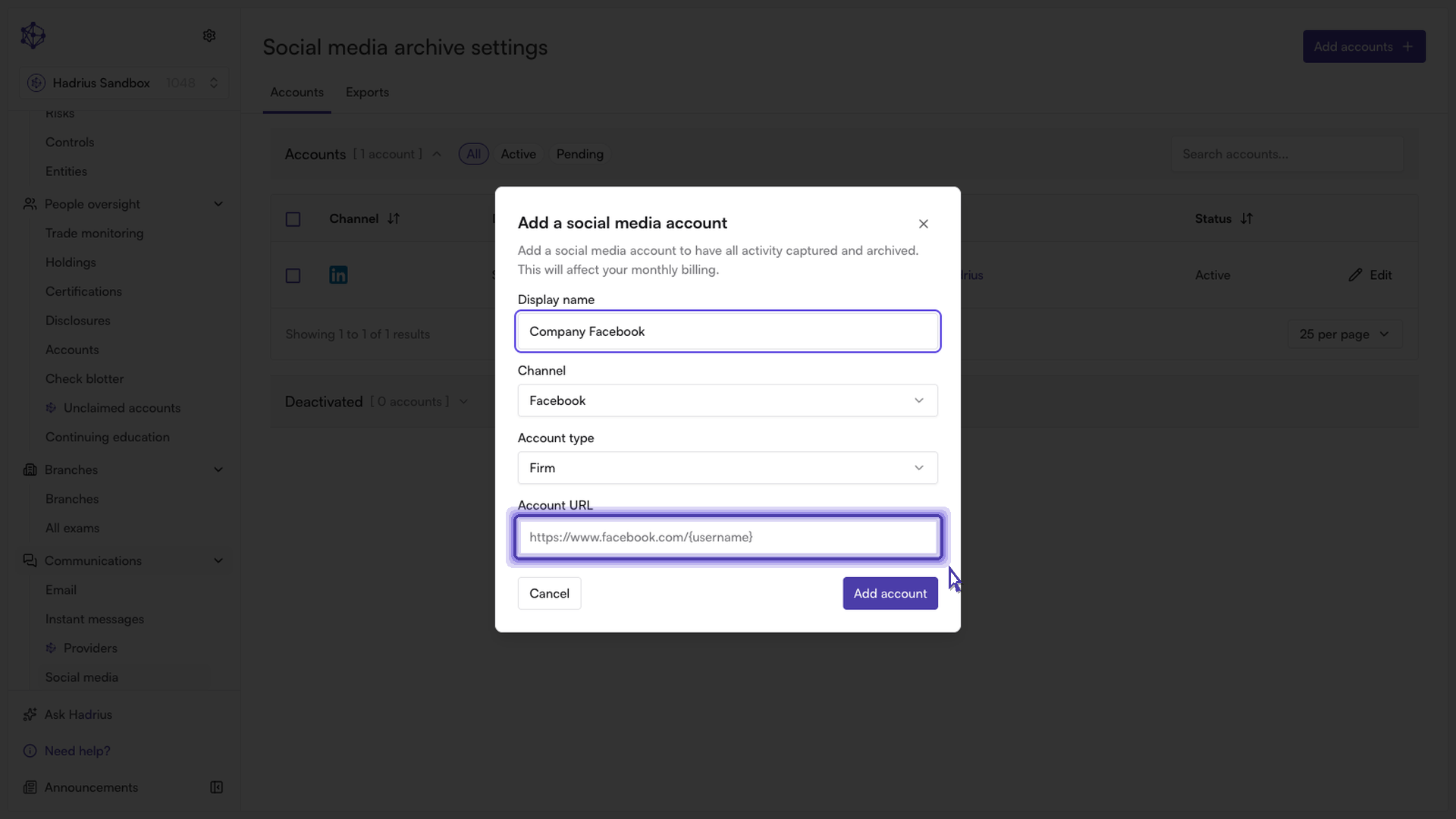
Enter channel details:
Label: Provide a clear, recognizable name for the account (such as the employee's name or department) so your compliance team can easily identify it.
Profile Link: Paste the exact public URL of the social media profile or company page you need to monitor.
Confirm and activate: Save your changes to register the account.
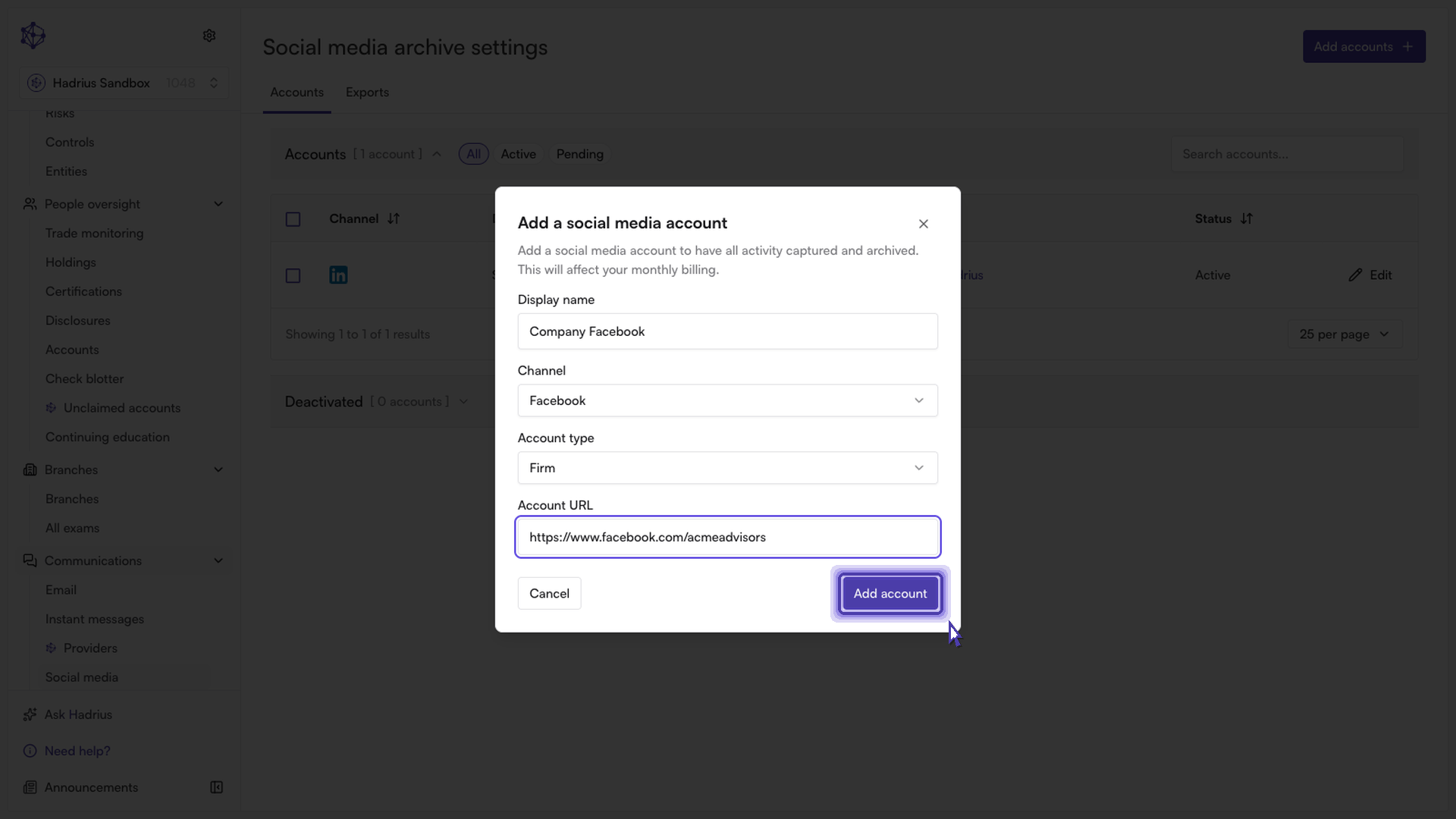
What Happens Next
Once confirmed, the profile enters active archiving. Hadrius will continuously monitor the targeted page and automatically index its activity into your records, ensuring your firm stays audit-ready without manual data collection.