How to escalate a flagged email conversation to an admin
Last updated: October 17, 2026
While monitoring flagged emails in Hadrius, you may encounter sensitive conversations, high-risk communications, or complex regulatory concerns that require senior oversight. This guide walks you through escalating a flagged email thread directly to a compliance administrator for formal review.
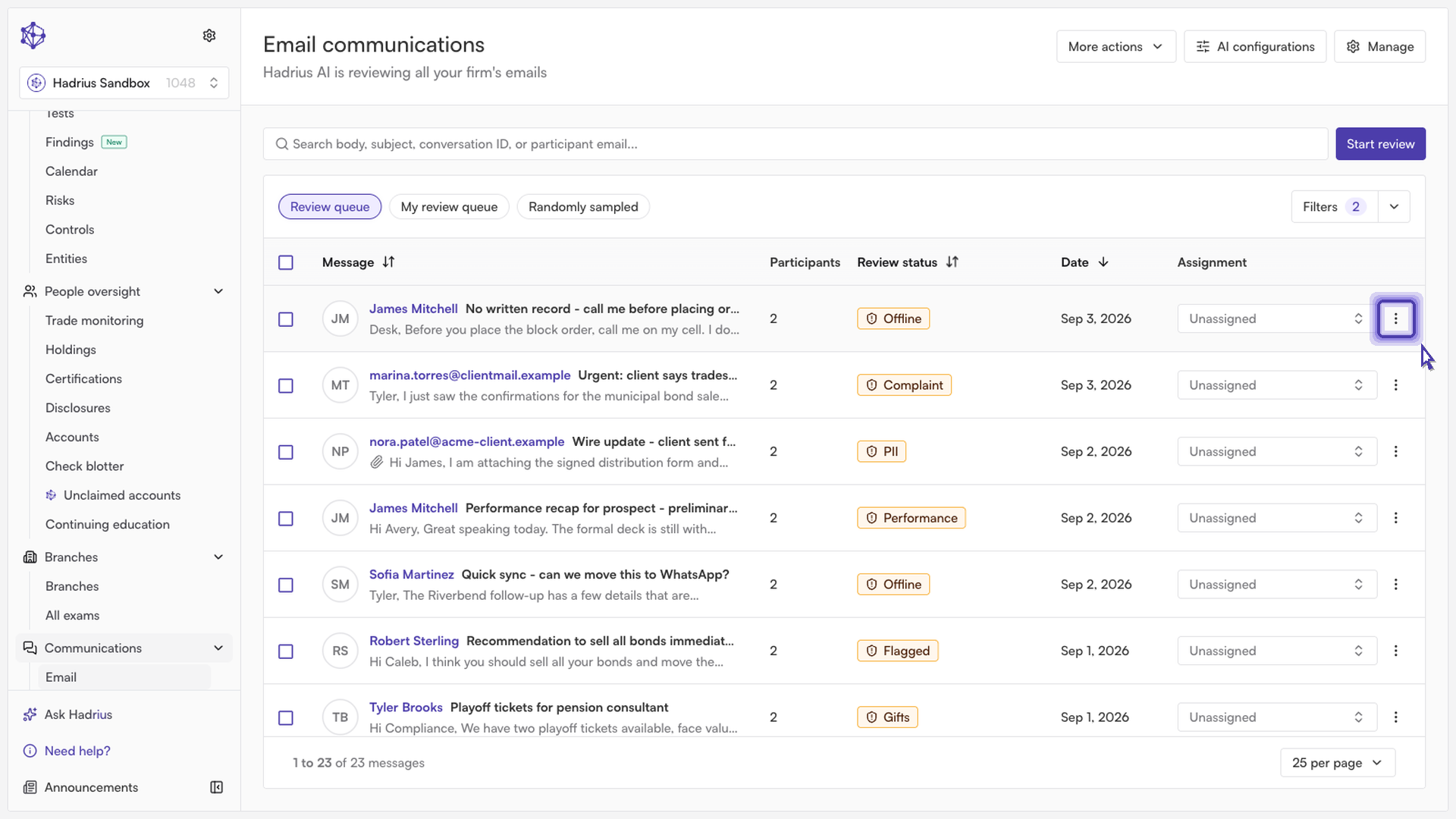
Initiate the escalation: Open the flagged conversation you wish to escalate. From the conversation options menu, select the option to escalate the thread.
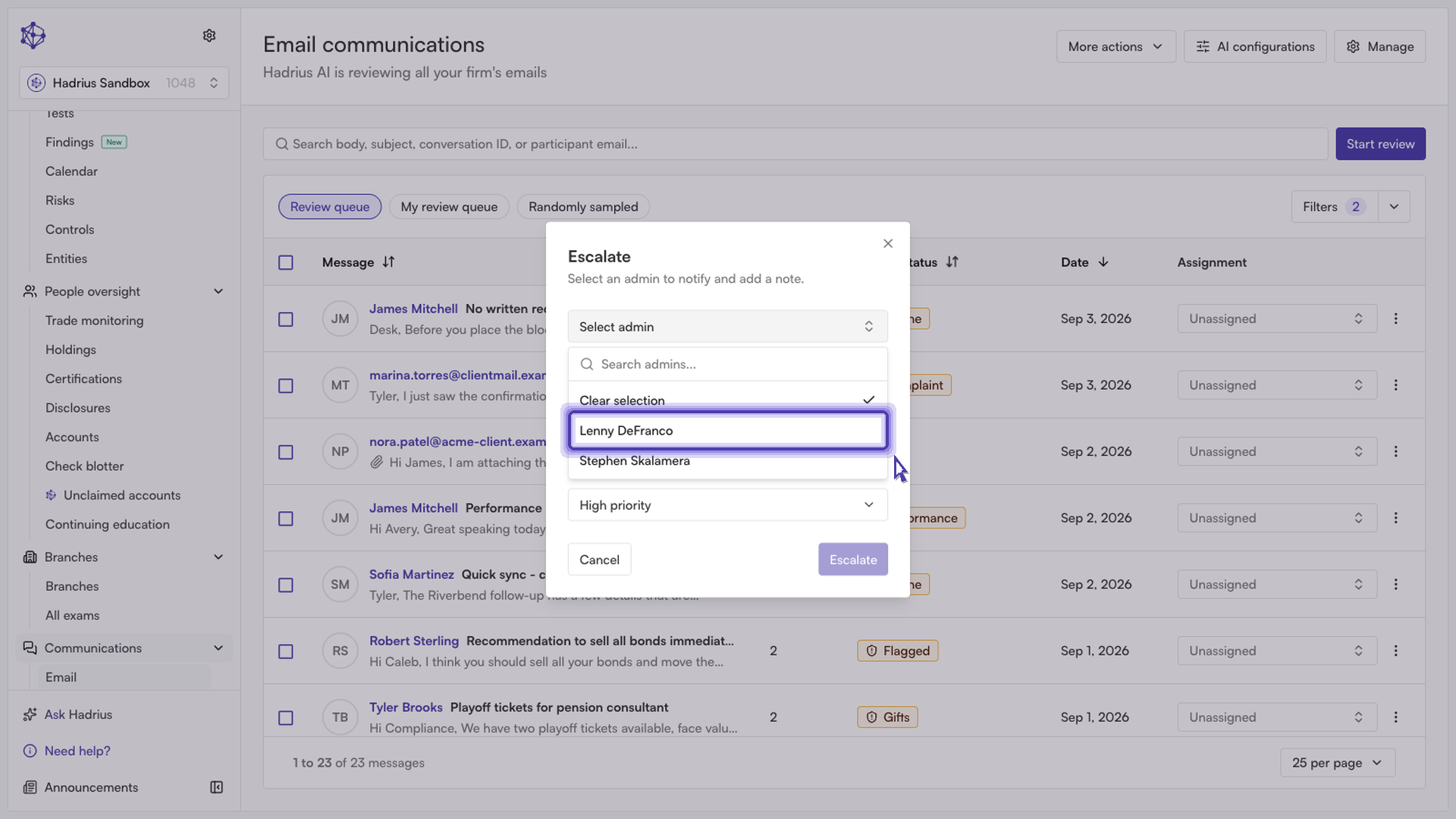
Assign a compliance administrator: In the escalation window, choose the designated compliance administrator responsible for handling administrative reviews from the assignment dropdown.
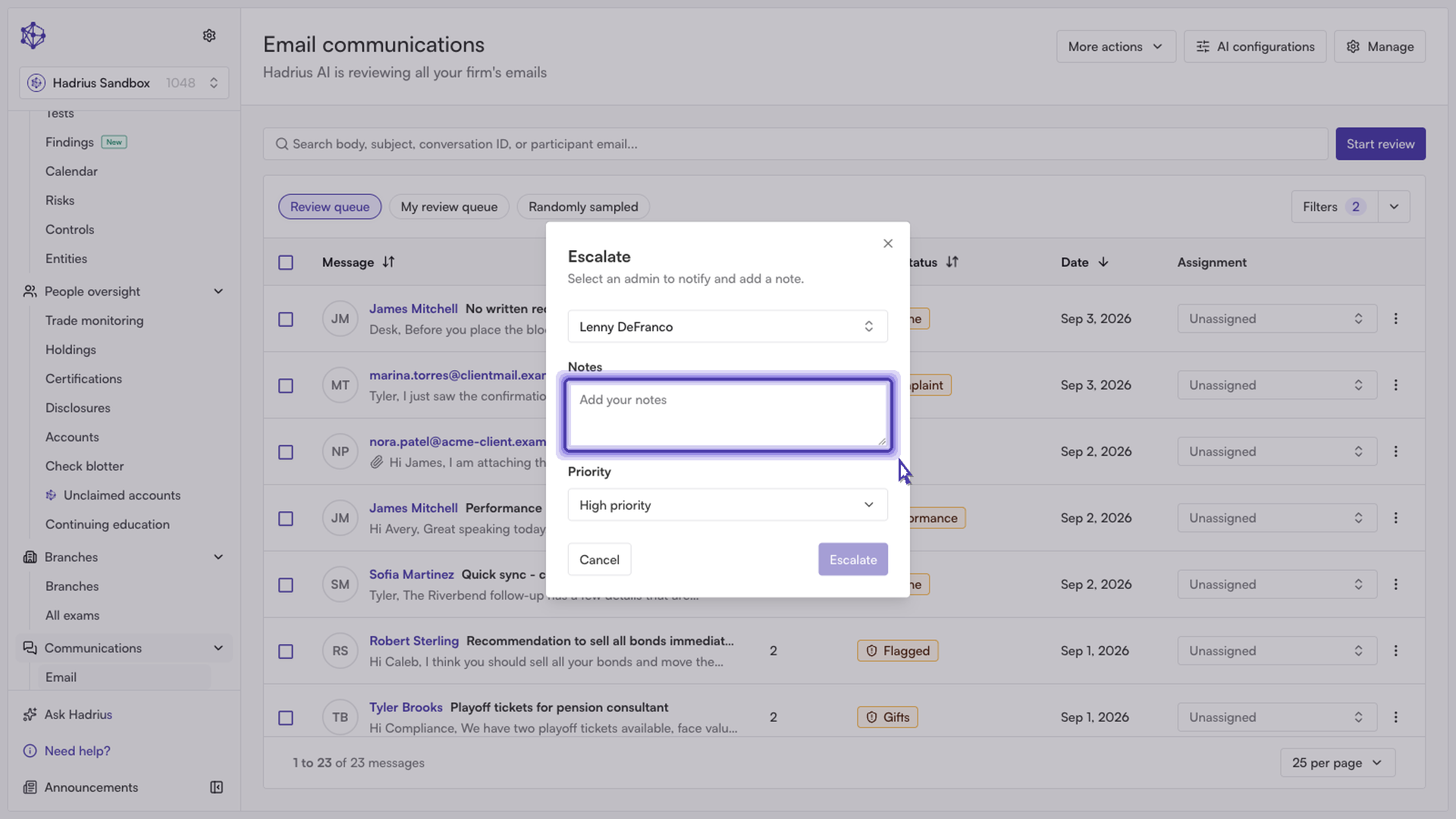
Add context and submit: Enter detailed notes explaining why this flagged activity requires immediate attention, highlighting specific keywords, policy concerns, or background context. Once finished, click submit to complete the escalation.
What happens next
Upon submission, the conversation is routed directly to the administrator's review queue. They will receive access to your notes and the complete message history to investigate and take appropriate resolution steps.