How to archive a disclosure
Last updated: October 17, 2026
As your firm updates its regulatory messaging and marketing campaigns, certain disclosures will inevitably become obsolete. In Hadrius, archiving a disclosure removes it from active selection across your workflows while maintaining a complete historical record for regulatory audit trails. Follow the steps below to retire an outdated disclosure.
Archiving a Disclosure
Navigate to your Disclosures Library: From your main Hadrius navigation menu, open the Marketing Disclosures library to view your firm's active disclosures.
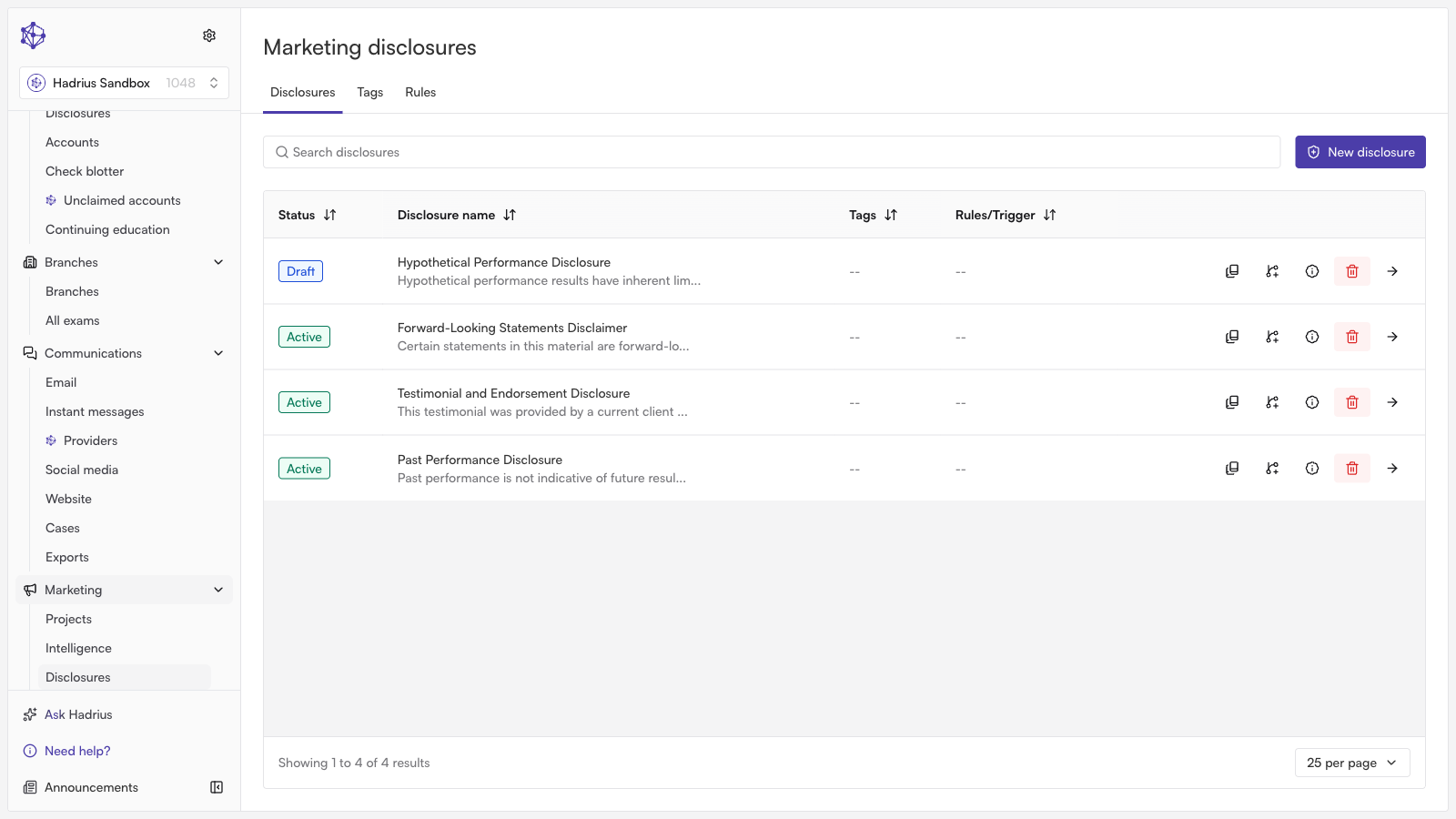
Select the disclosure to retire: Locate and click on the specific disclosure entry you wish to remove from active use.
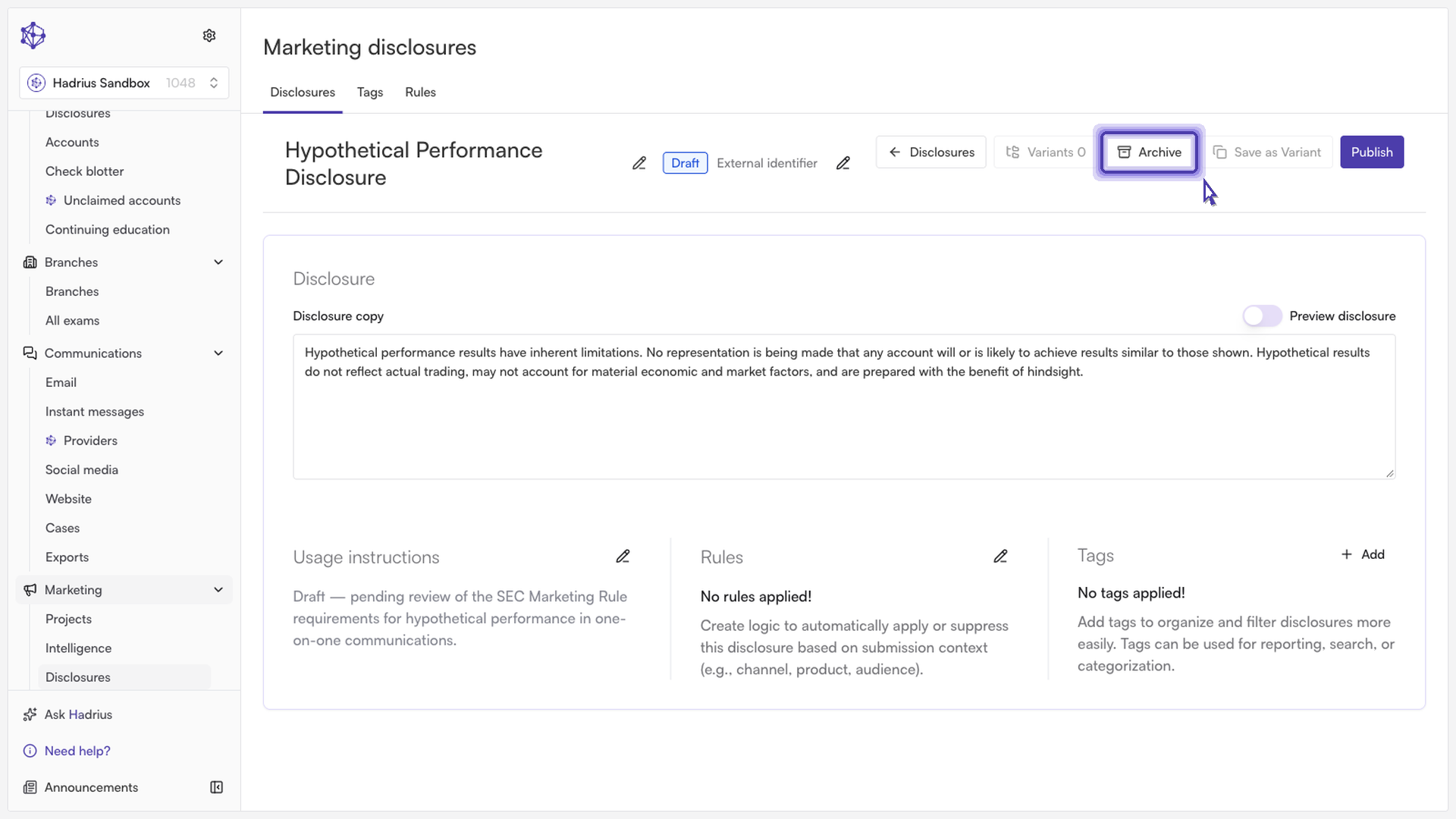
Initiate the archive: From the disclosure details view, click the Archive button to begin the retirement workflow.
Confirm your action: A confirmation prompt will appear. Confirm the archival to complete the process.
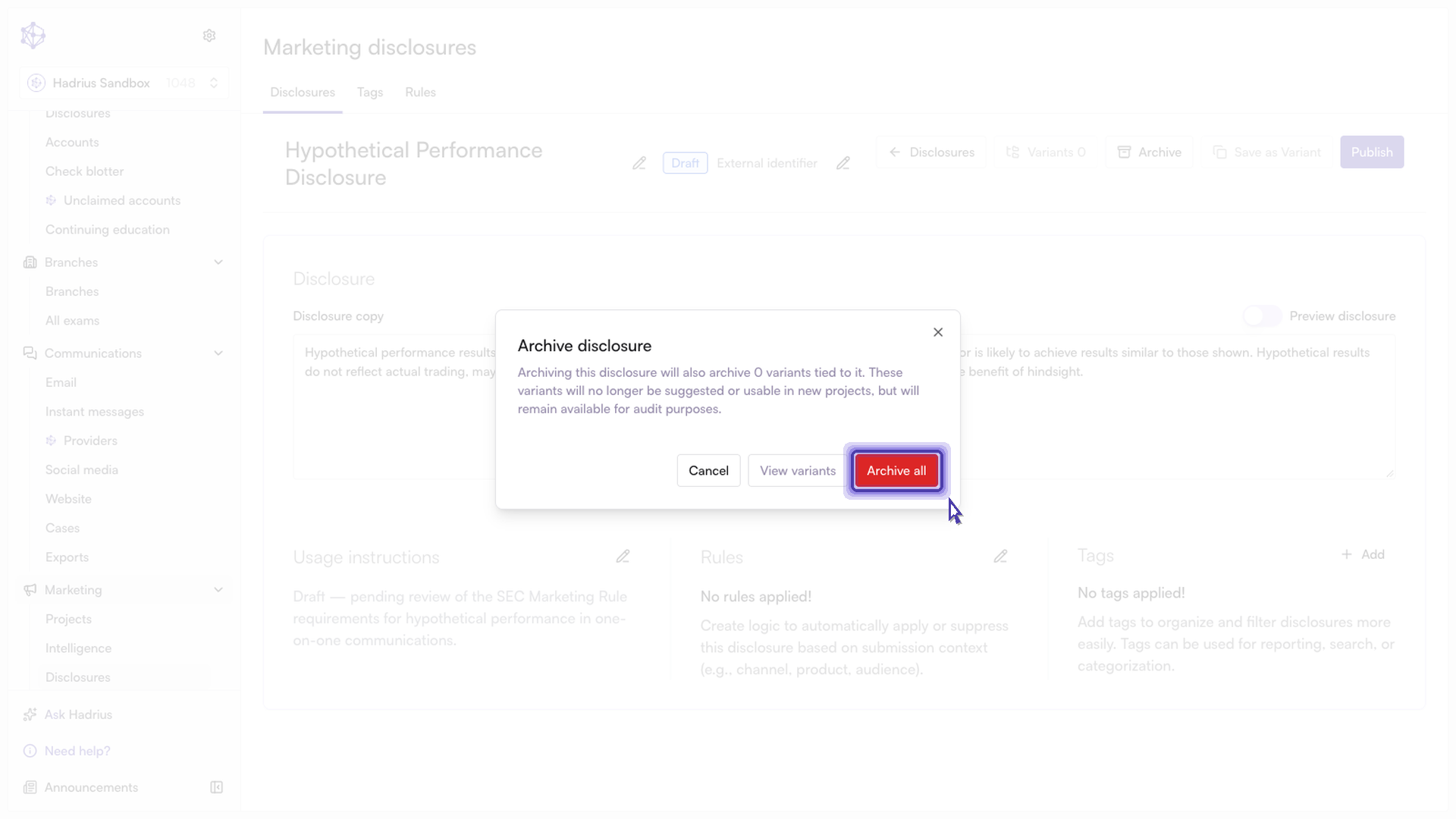
Note: Confirming the archive retires all historical versions of the disclosure simultaneously. Archived disclosures will no longer appear as selectable options in active marketing reviews, keeping your library clean and preventing outdated language from being distributed.