How to Change your Document View
Last updated: October 17, 2026
This article walks through how to change the way a document is displayed while reviewing a filing in the queue — switching between viewing one page at a time, scrolling continuously through all pages, or viewing facing pages side by side. Use this when you need a different layout to read through a document more easily, such as checking how spreads will look when printed.
Opening the document
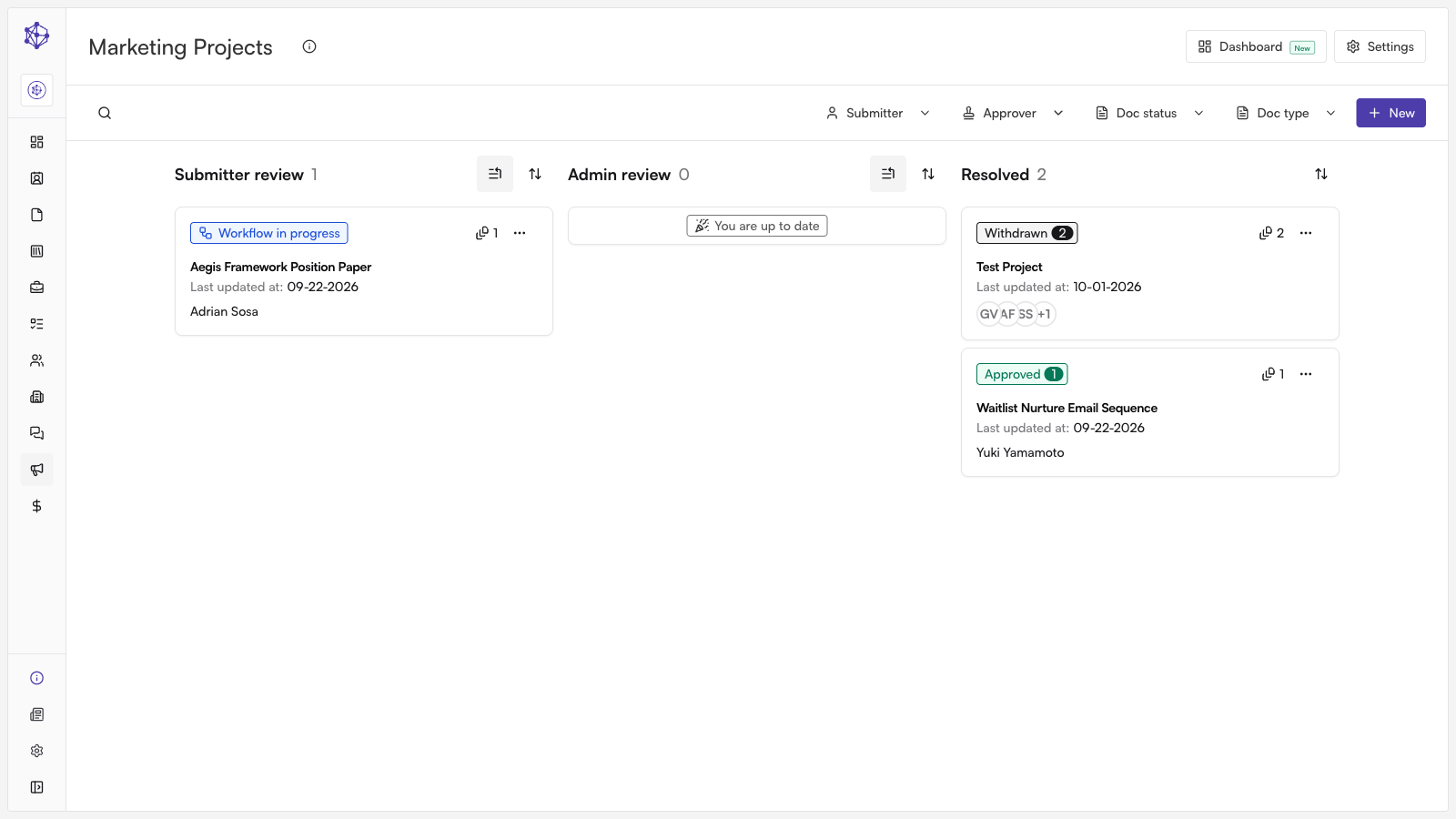
From the review queue, open the filing you need to work on. This brings you into its full review workspace.
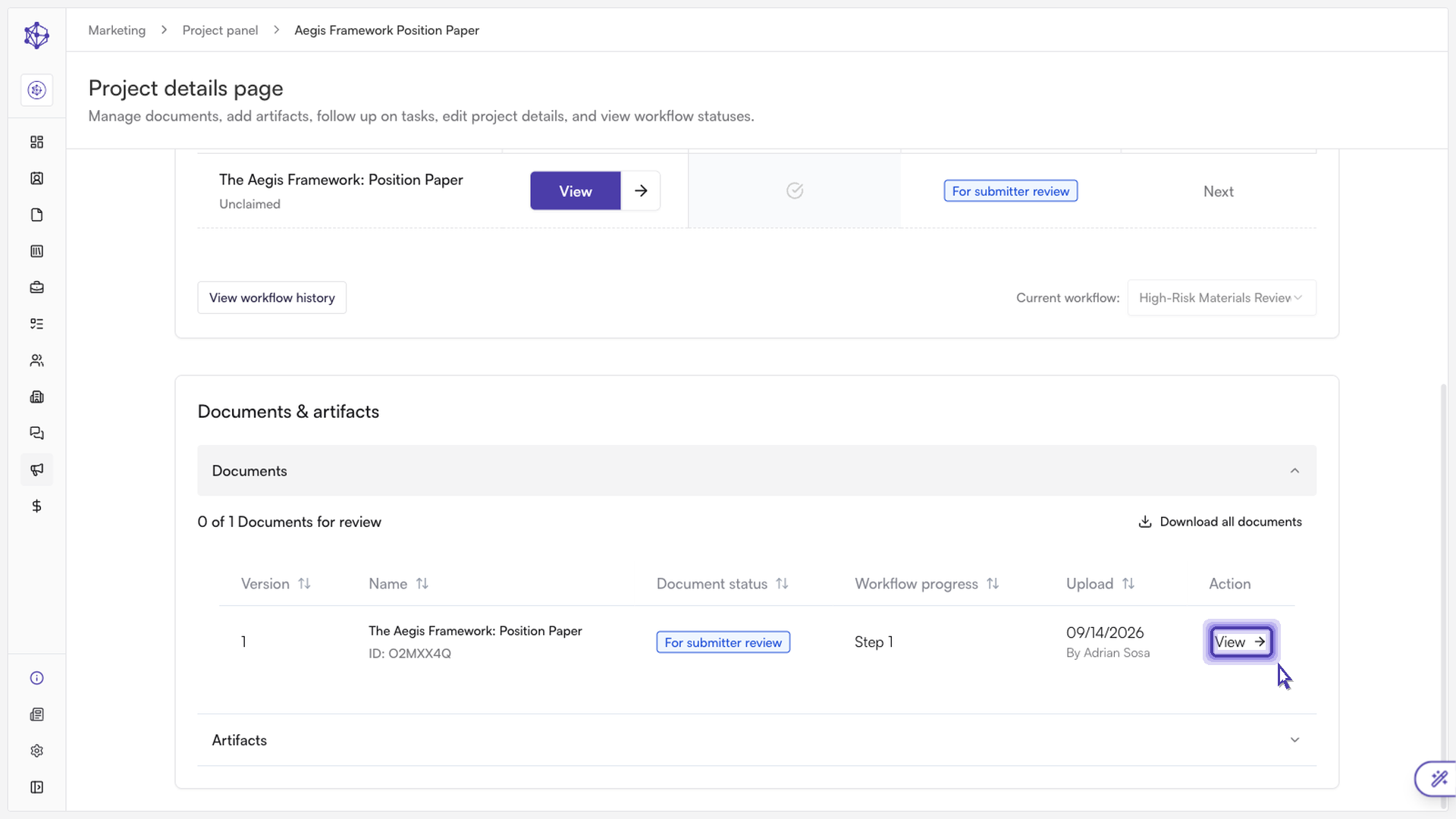
Select the Documents tab to see everything attached to the review.
Click into the file you want to check. This opens the document viewer so you can read the actual content.
Changing the document view
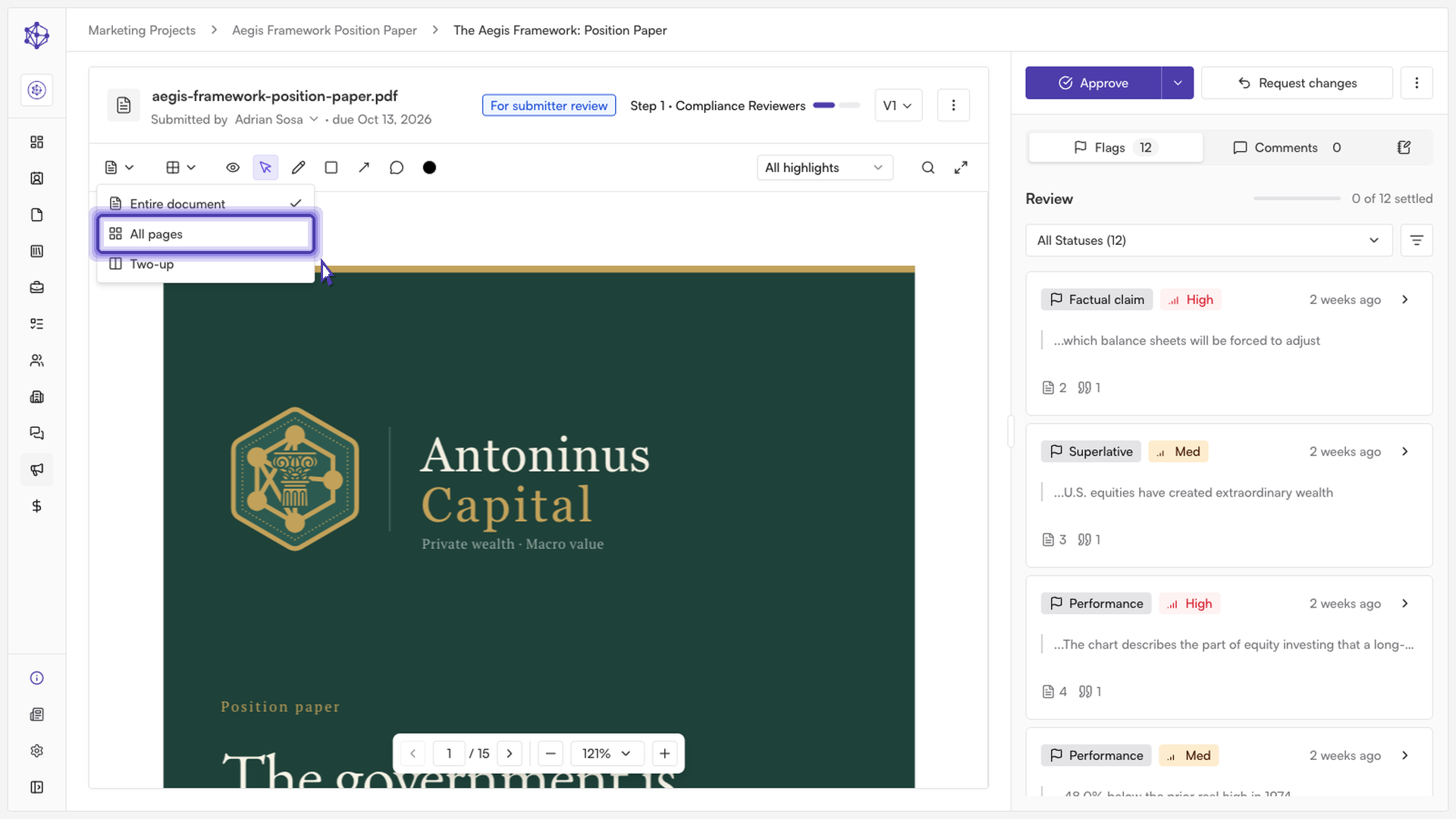
By default, the viewer displays the document in Entire document view, showing one page at a time. To change this, use the document view selector in the toolbar at the top of the viewer.
The selector offers three layout options:
Entire document — shows one page at a time, which is the default view when you open a file.
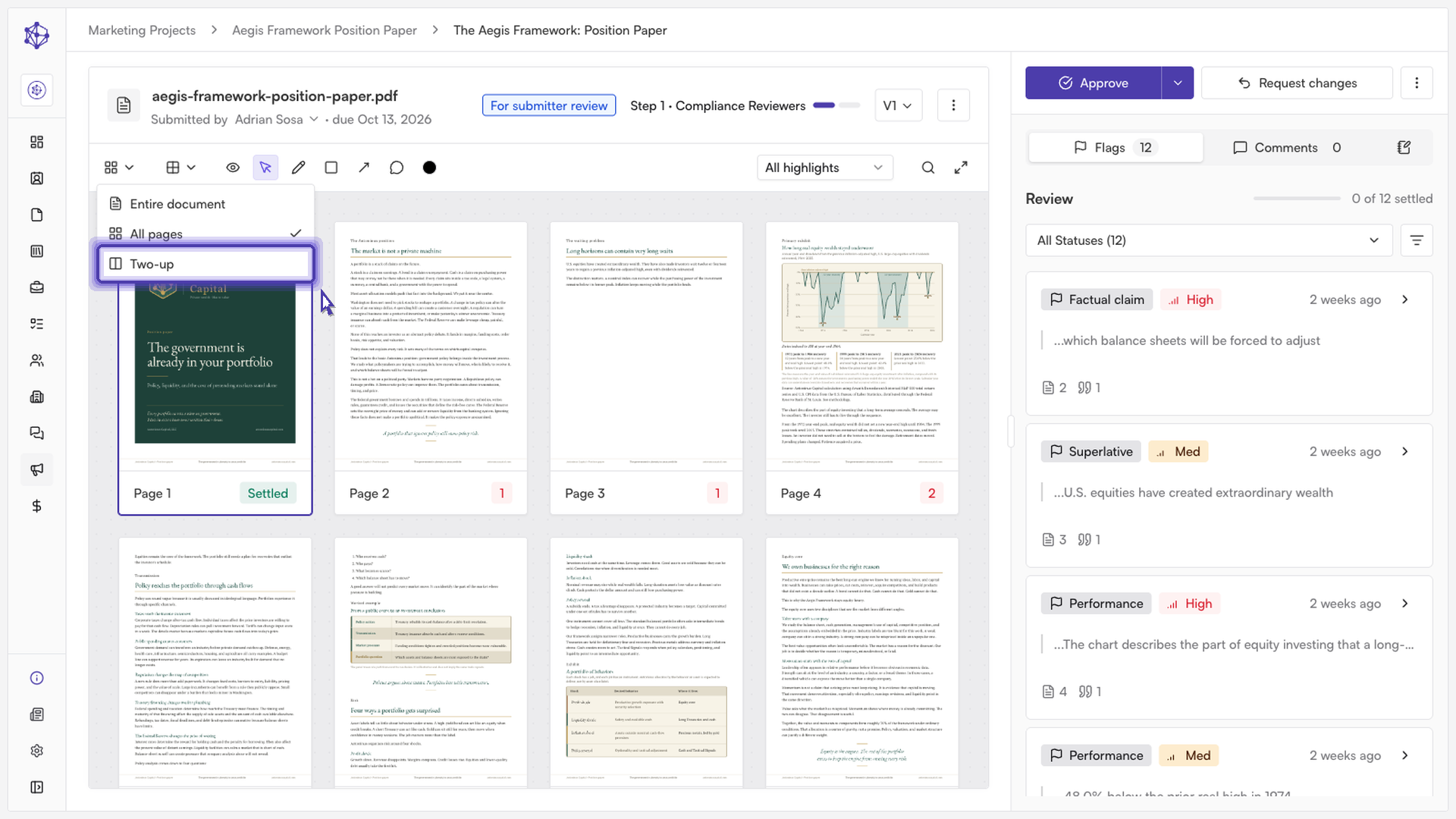
All pages — lets you scroll continuously through every page of the document, one after another, instead of navigating page by page.
Two-up — displays facing pages side by side, similar to how the document would appear in print.
To switch views, open the document view selector and choose the option you want. The viewer updates immediately to reflect your selection, and your zoom level will adjust automatically to fit the new layout.
A note on zoom
Because the "All pages" and "Two-up" views show more of the document at once, switching into either of them automatically reduces your zoom level so the page or pages fit within the viewer. If you had already zoomed in while using these views, your previous zoom level is remembered the next time you return to them, rather than resetting every time.
Closing note: Changing the document view only affects how the document is displayed — it doesn't change the file itself or any annotations, comments, or flags already placed on it. You can switch between views as often as you like while reviewing.