How to review and close an email as compliant or non-compliant
Last updated: October 17, 2026
When Hadrius flags email communications for potential regulatory or firm policy violations, compliance reviewers must inspect the messages and record a formal compliance determination. This guide walks you through reviewing your pending email queue, assessing message threads, and closing items as compliant or non-compliant.
Step-by-Step Instructions
Access your flagged email queue: Navigate to the Email Communications section from your main dashboard to view all incoming messages that have been flagged for review.
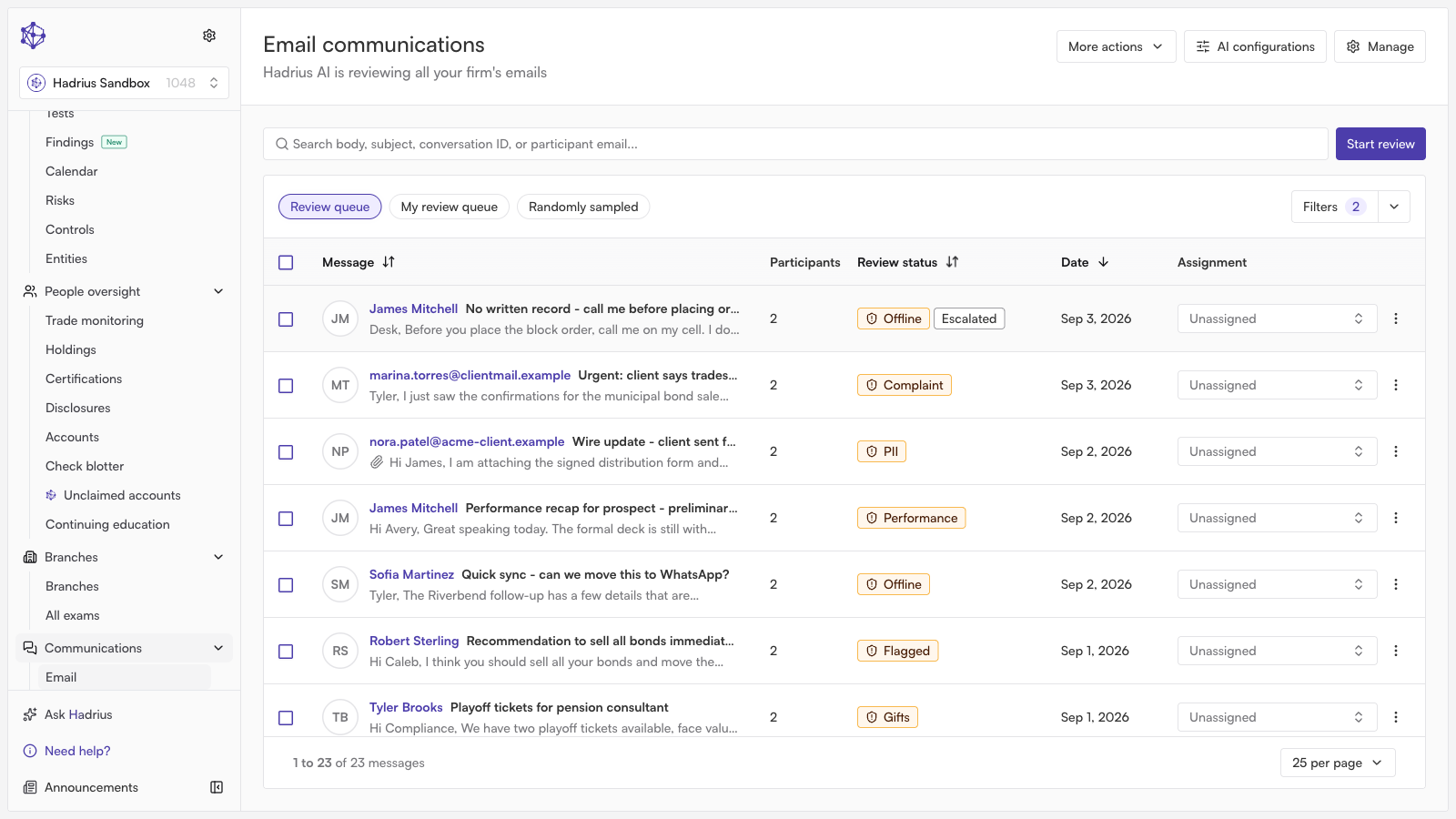
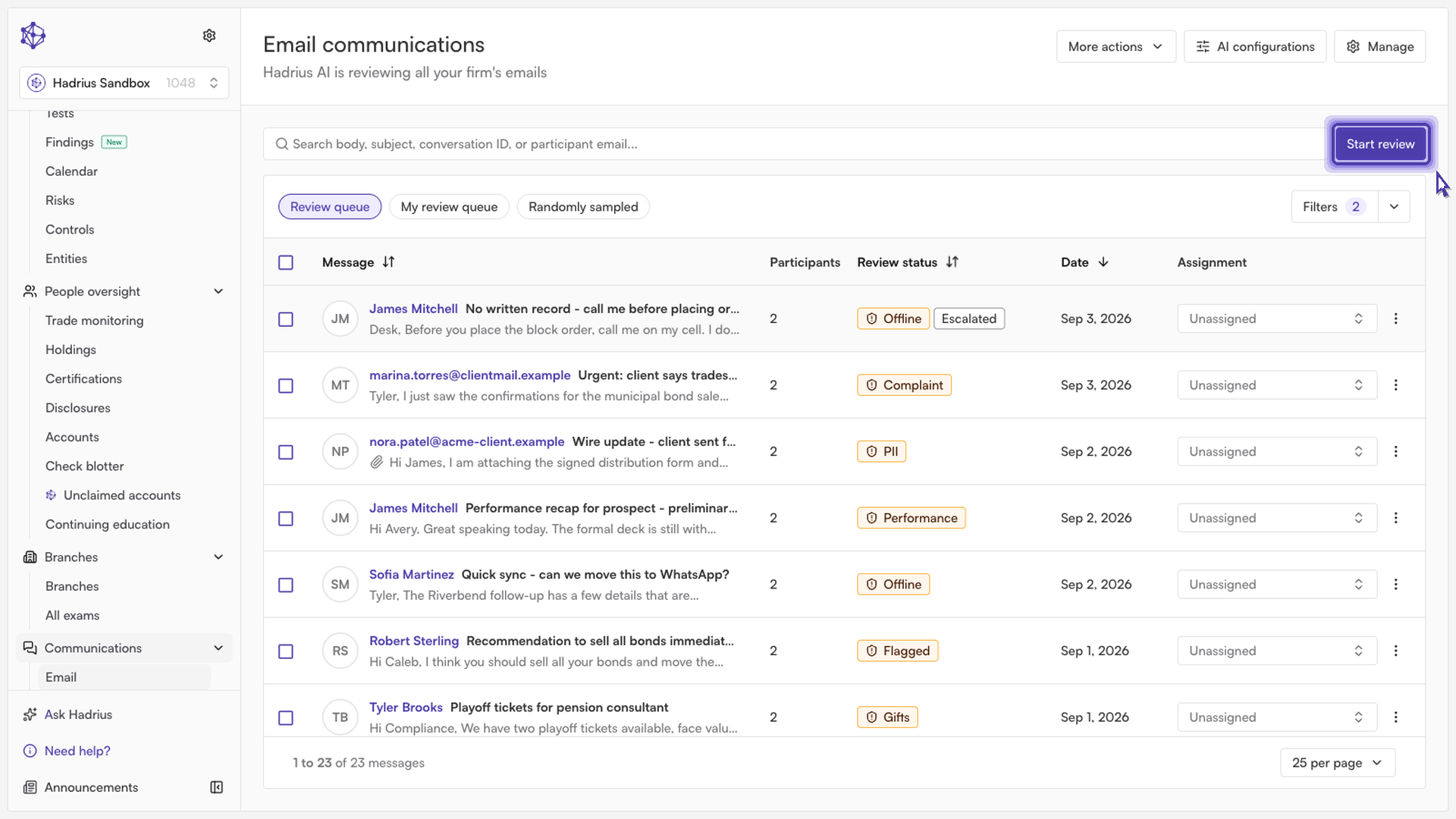
Open your review batch: Click to start your review. Hadrius will load the active batch of pending conversations so you can inspect each message and its full context.
Evaluate the thread and make a determination: Review the email exchange, including any flagged terms or context. Once evaluated, select whether to mark the conversation as Compliant or Non-Compliant based on your firm's standards.
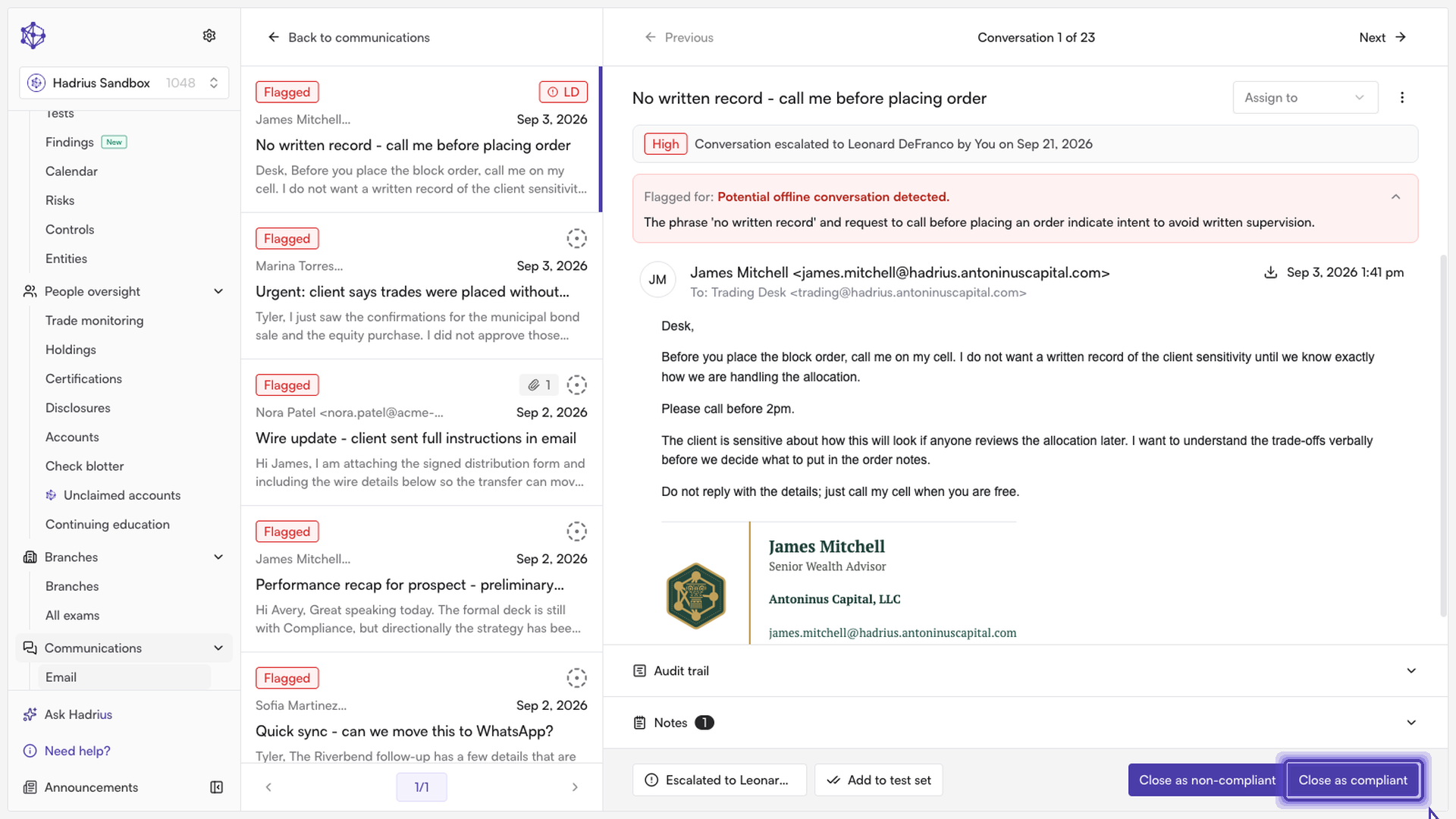
Save your decision: Confirm and save your selection. Hadrius will record your determination in the compliance log and automatically progress to the next message in the queue.
Once you finish working through the batch, your queue will be cleared and all reviewer actions will be recorded in the audit trail for regulatory recordkeeping.