Reviewing Certifications
Last updated: October 1, 2026
Once employees submit their periodic compliance certifications, compliance administrators must review responses, evaluate any platform-generated flags, and either approve the submission or return it to the employee for revision. This guide explains how to locate pending reviews, evaluate flagged responses, and finalize certification approvals.
1. Locate Submissions Awaiting Review
Begin by navigating to People Oversight, where all active and past certification campaigns are tracked in one place.
Click into the certification campaign you want to review to view its submission progress and response list.
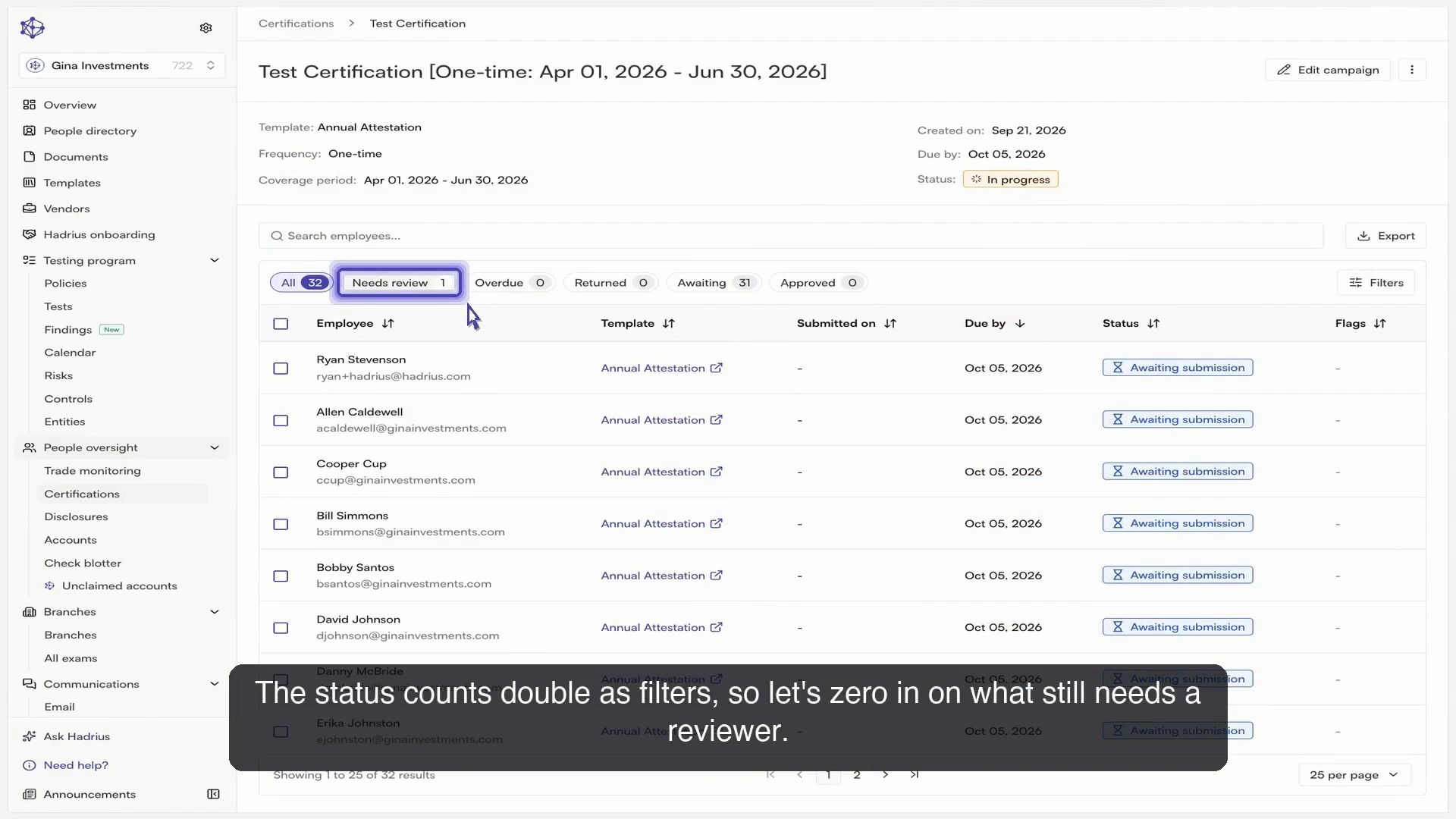
Use the status summary counts at the top of the page as quick filters. Click the status indicating submissions awaiting review to filter out completed items and focus on the submissions that require administrative action.
2. Inspect Responses and Flags
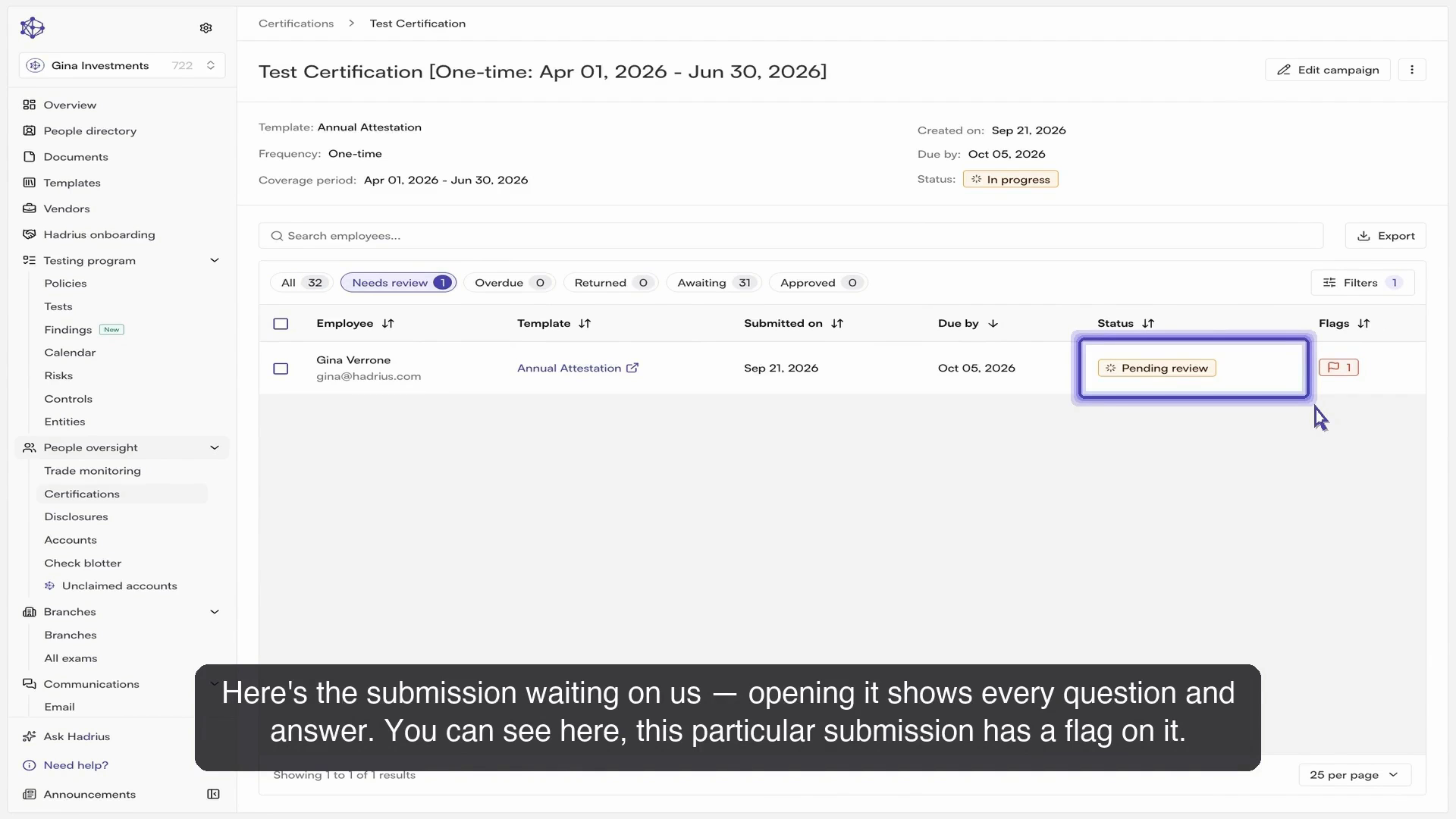
Select any pending submission from the filtered list to open the employee's full response view. You will see each question alongside the answer provided by the employee. If any response triggered a compliance rule or disclosure requirement, the platform highlights it with a flag for immediate visibility.
3. Determine Compliance Status
For each flagged item, you can make an administrative determination based on your organization's policies:
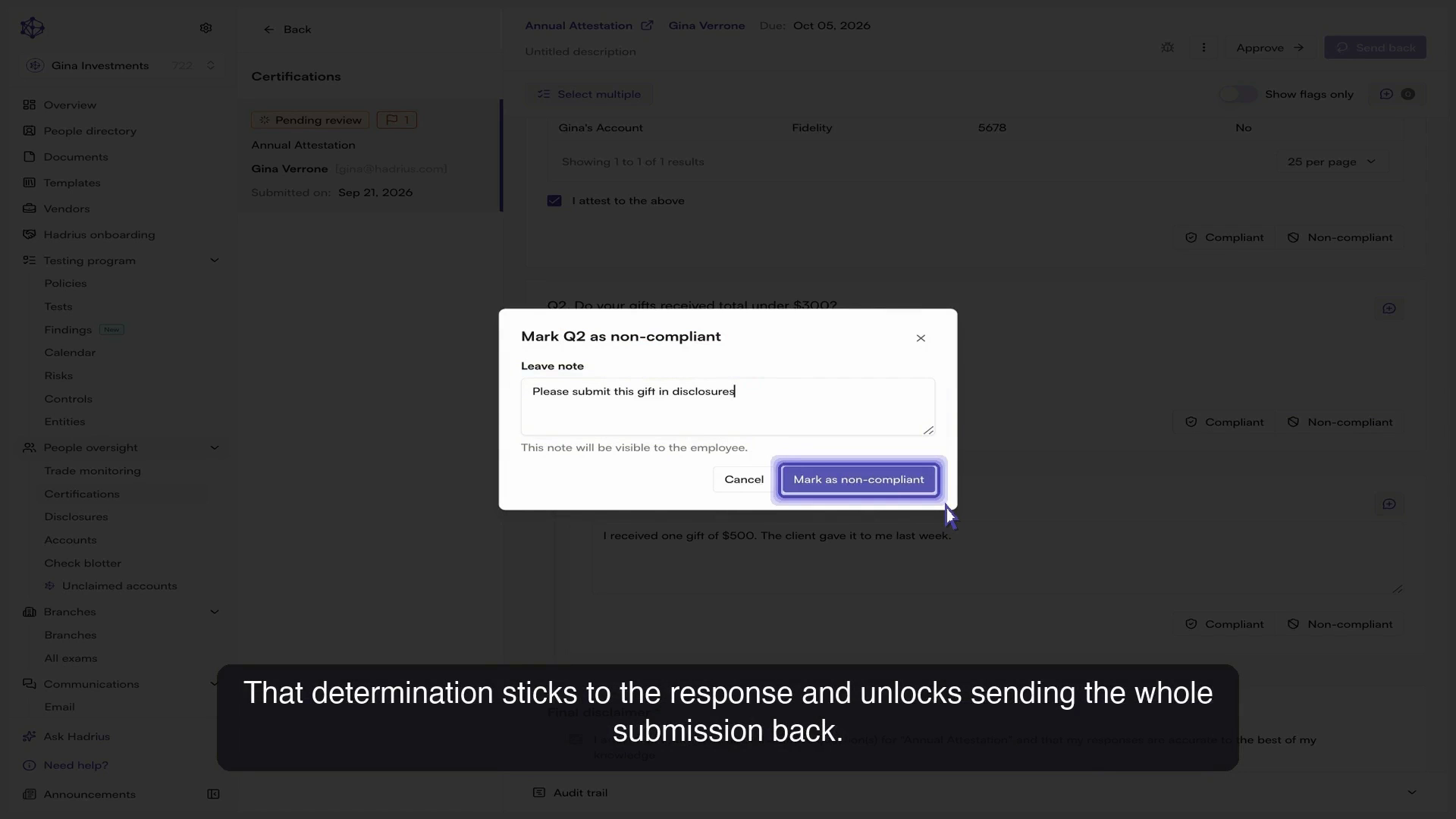
Mark as Non-Compliant: If an answer requires correction or indicates an unresolved policy violation, select the option to mark the response as non-compliant and attach an explanatory note. This note provides an audit trail entry and will be displayed directly to the employee so they understand what needs correction. Marking a response as non-compliant unlocks the ability to send the entire submission back.
Mark as Compliant: If you review the flagged answer and determine that it is acceptable or an approved exception, you can resolve the flag by marking the response as compliant.
4. Finalize Review or Send Back
After evaluating all flagged items, choose how to conclude the review workflow:
Send Back to Employee: If non-compliant items were identified, return the certification to the employee with your notes so they can revise and resubmit.
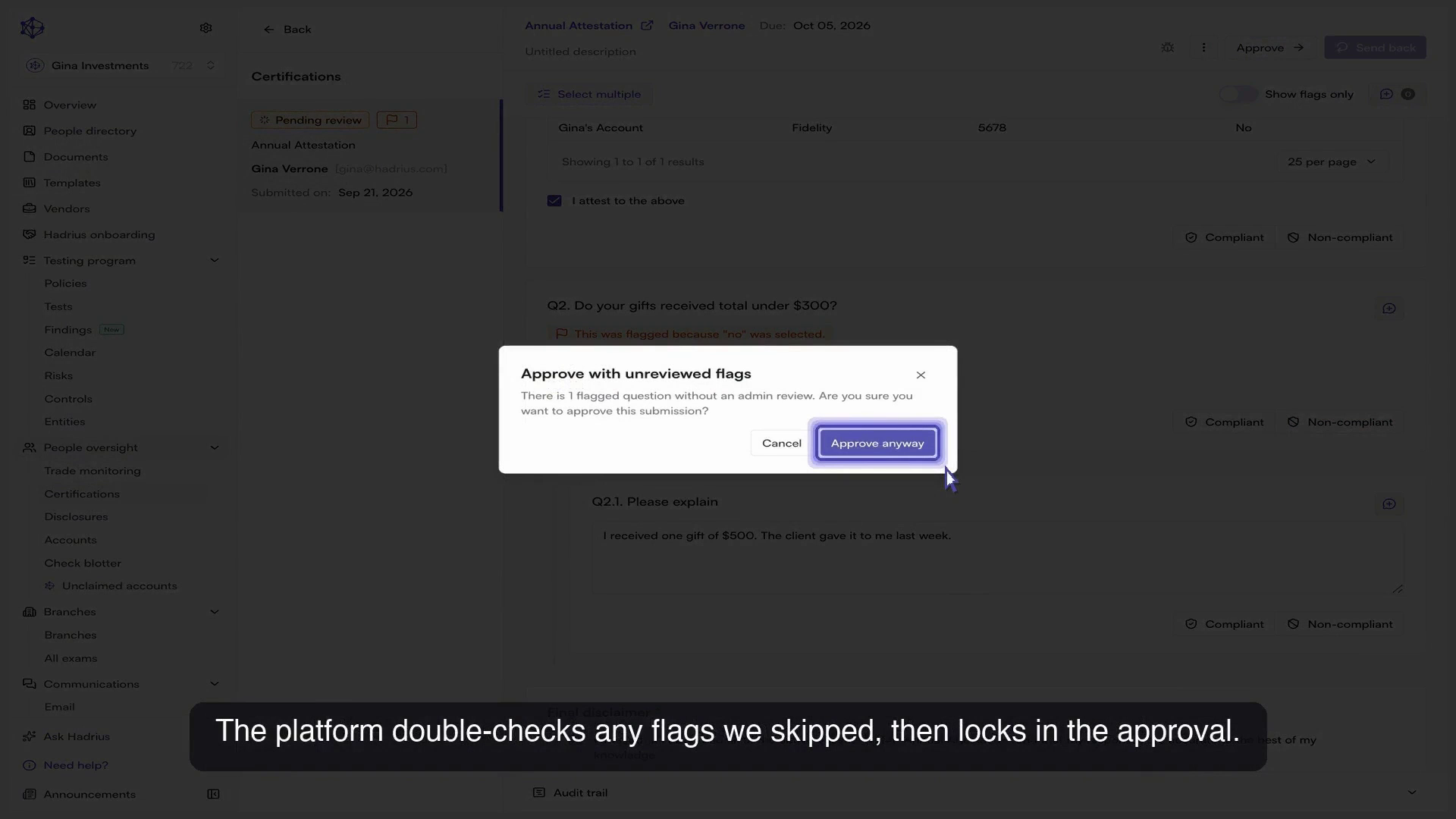
Approve Submission: If all responses are satisfactory, proceed to approve the submission. The platform will perform a final verification check for any flags that were skipped or left unaddressed, then lock in the approval.
Approved certifications and any associated reviewer notes are permanently archived in the platform's audit logs for regulatory and compliance recordkeeping.