How to claim and approve a marketing document
Last updated: October 17, 2026
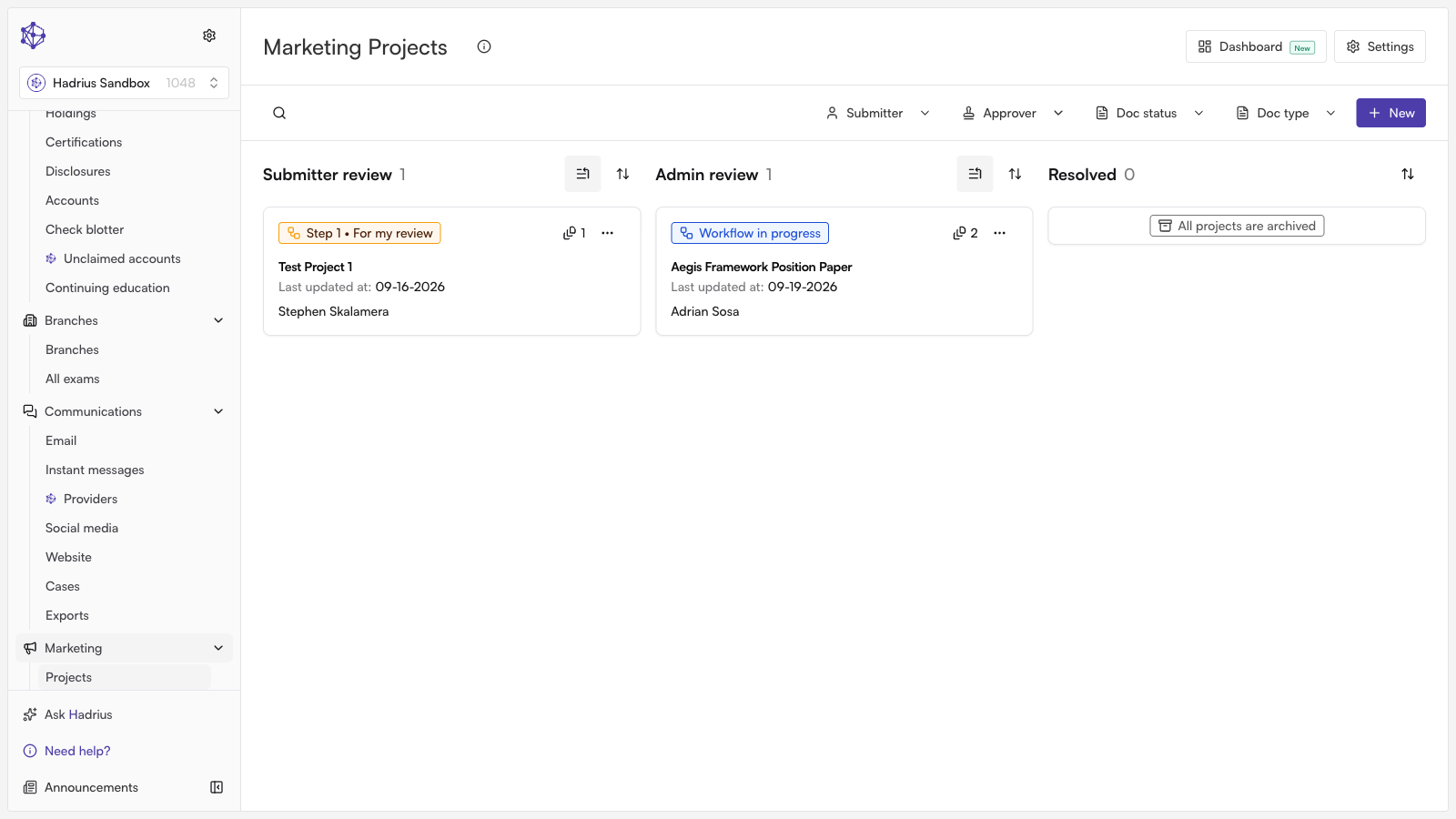
Before any marketing collateral can be published or distributed, it must be reviewed and approved by compliance. This guide walks you through how to locate pending marketing submissions in Hadrius, inspect the creative collateral, and submit a compliant sign-off with an audit trail record.
Step 1: Locate and select the pending project
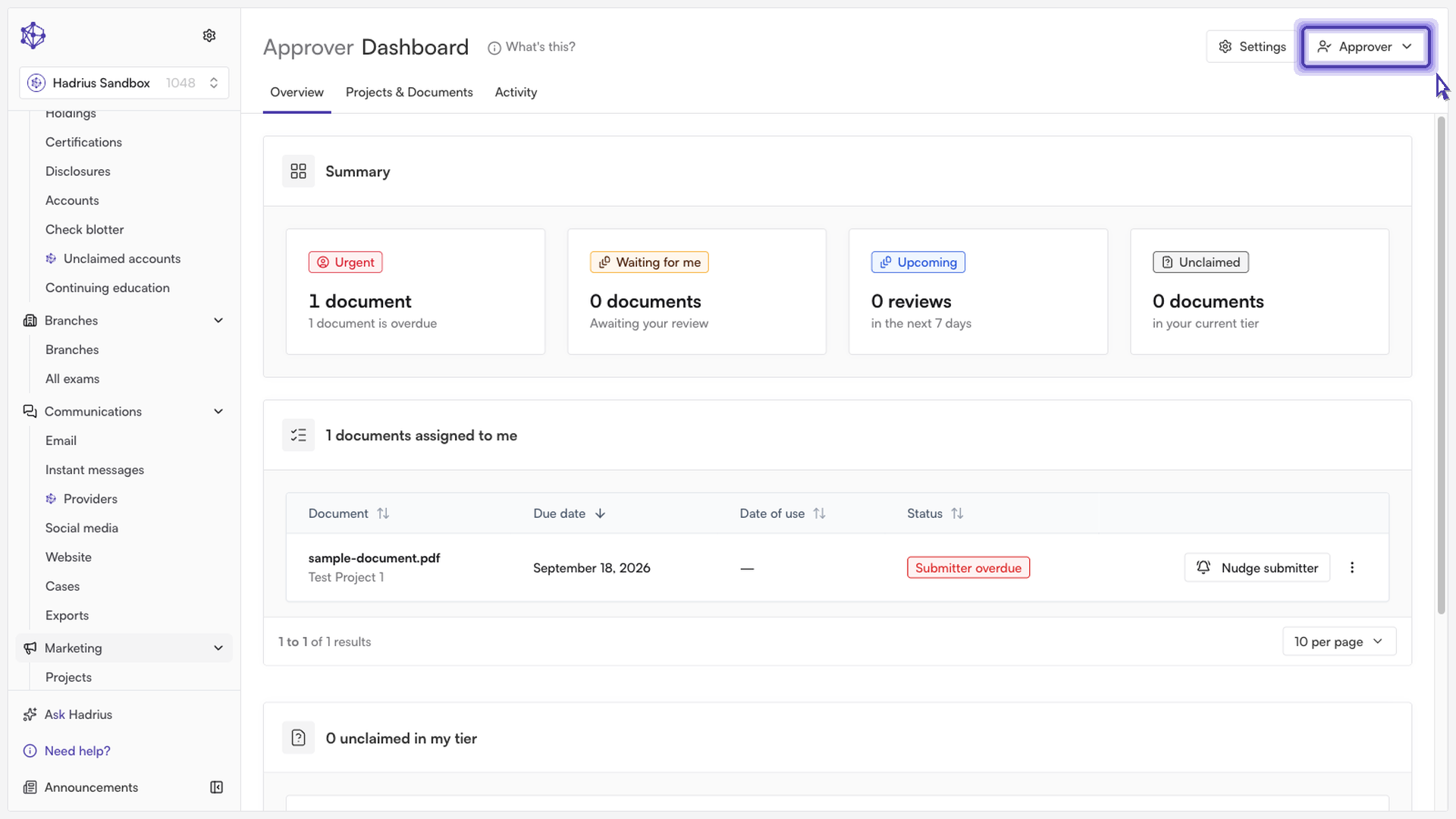
From your main dashboard, adjust your view to filter for items awaiting compliance approval. This isolates materials currently requiring your attention.
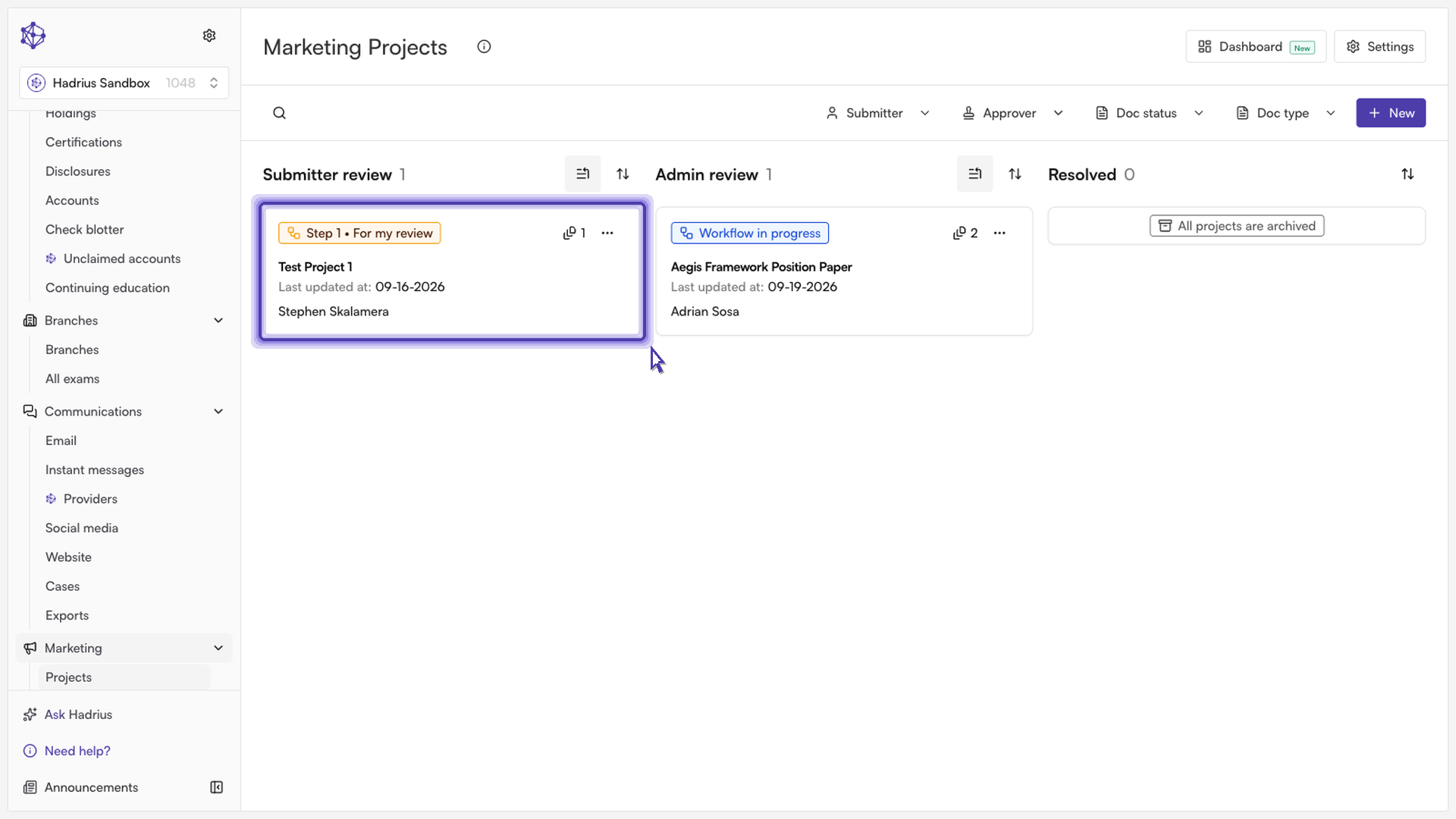
Return to your active project queue and click on the specific project waiting for your review to open its details.
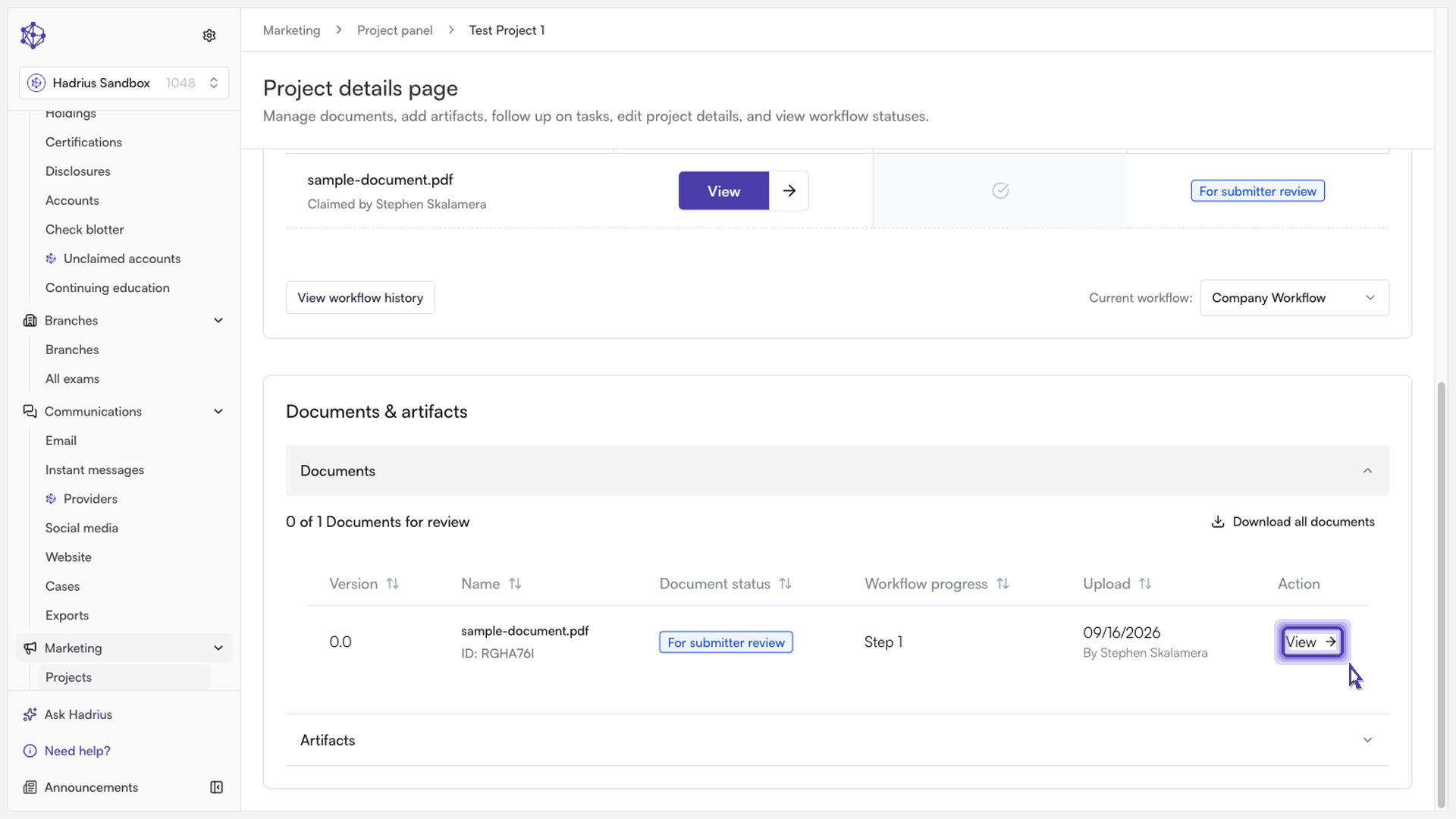
Step 2: Inspect the submitted marketing collateral
Inside the project workspace, navigate to the Documents section to view all submitted materials. Click on the file to open and inspect the creative assets, disclaimers, and messaging against your firm's compliance policies.
Step 3: Approve and log your review
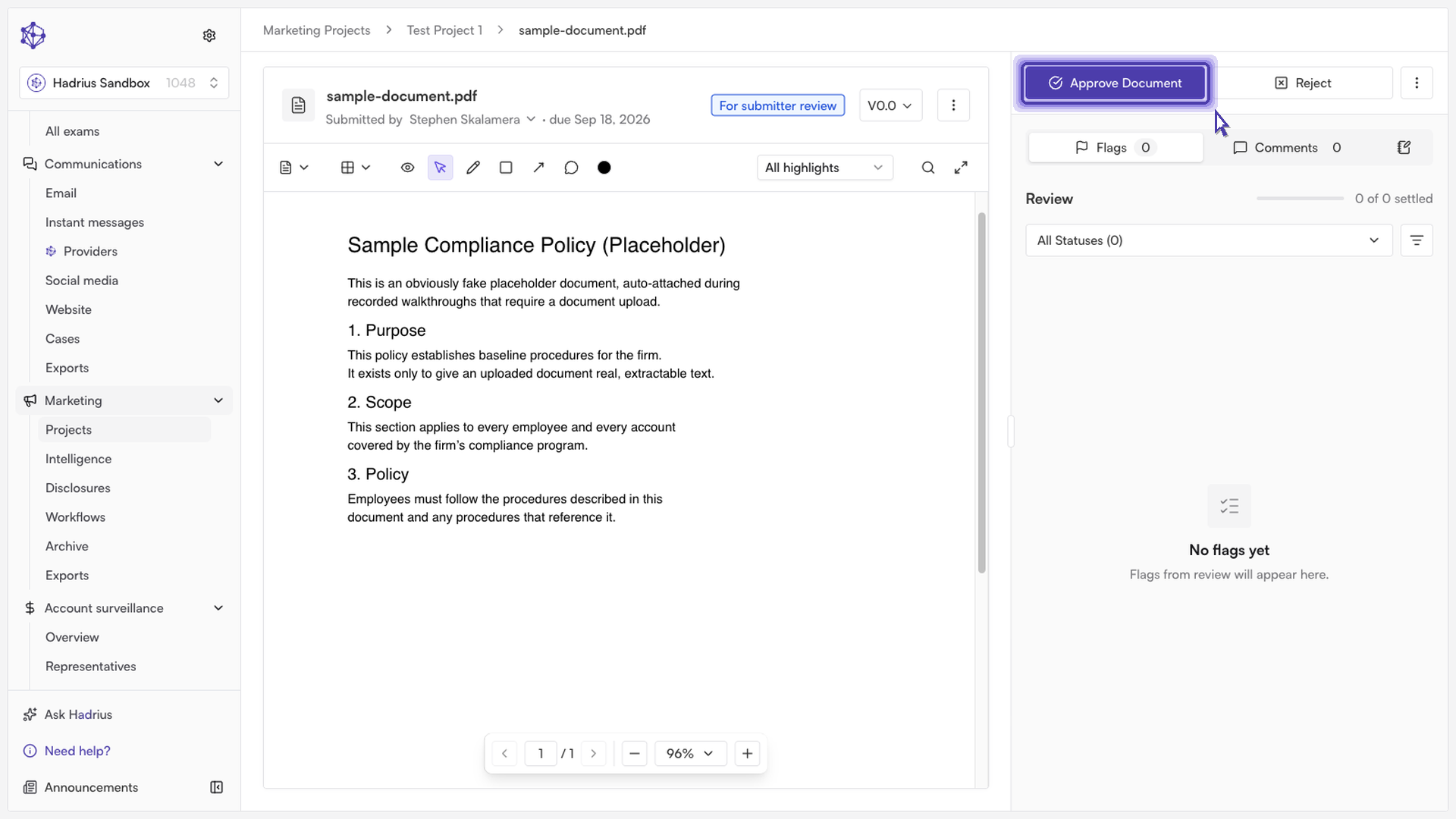
Once you verify that the collateral meets all regulatory and internal standards, select the option to initiate approval.
A confirmation prompt will appear. You can add an optional note summarizing your review, referencing specific disclaimers, or providing context for regulatory recordkeeping.
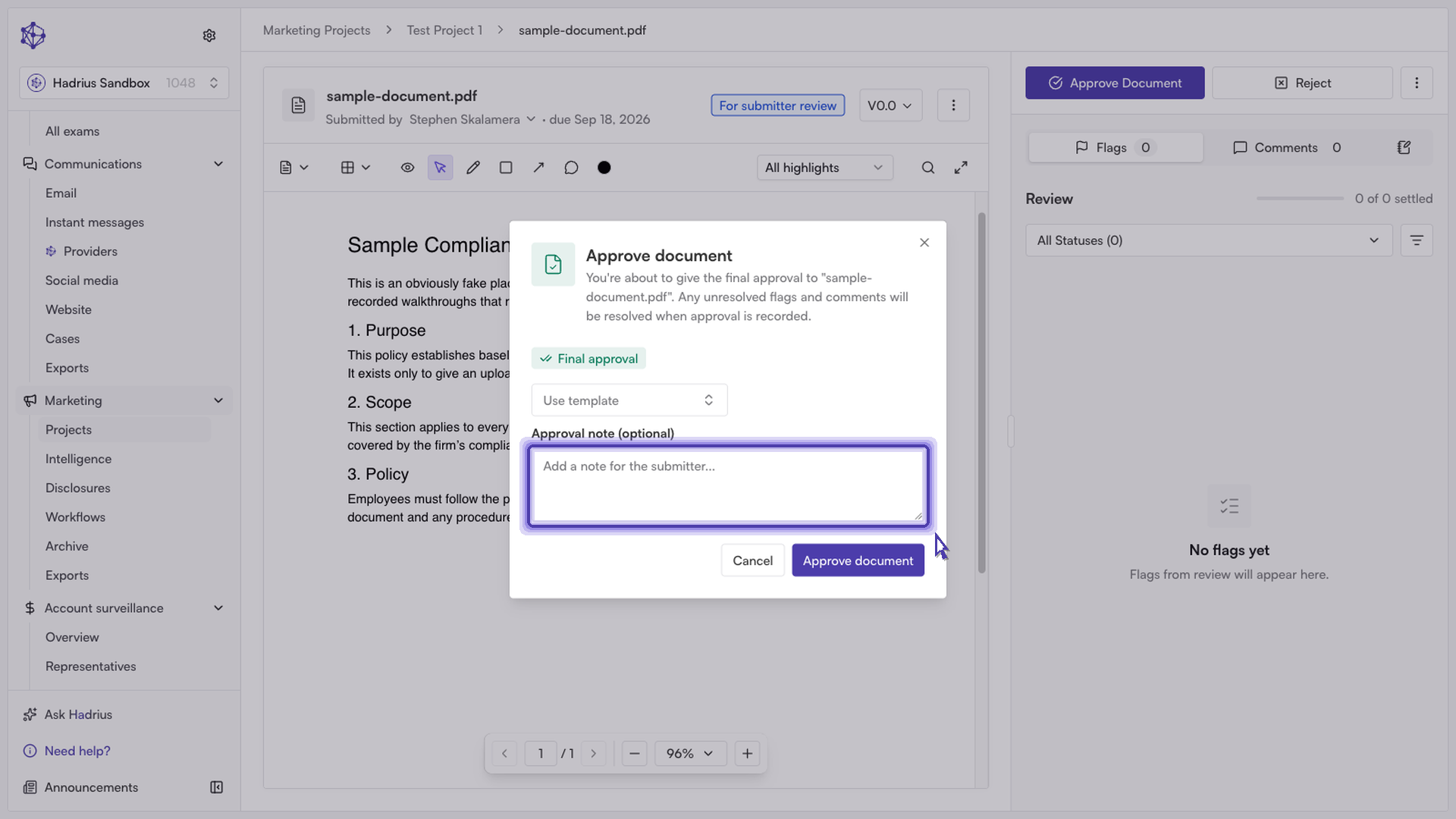
Confirm the approval to complete the review. The submission status will update immediately, the sign-off will be logged to your firm's compliance audit trail, and the project will move forward to the next stage in your distribution workflow.