How to link a test to additional entities
Last updated: October 17, 2026
Use this workflow when the same test needs to apply to more than one legal business unit — for example, a control that both an RIA and a BD entity must complete on the same schedule. Linking a test to additional entities keeps a single test in sync across every entity it's linked to, so edits and completion status carry through everywhere instead of having to be tracked separately per entity.
Before you start
This action is available to firm oversight admins only, and it appears on a specific test run rather than on the list view. An entity can only be linked if it already has an active policy covering it — if an entity has no active policy in place, it will show up in the picker but can't be toggled on.
Steps
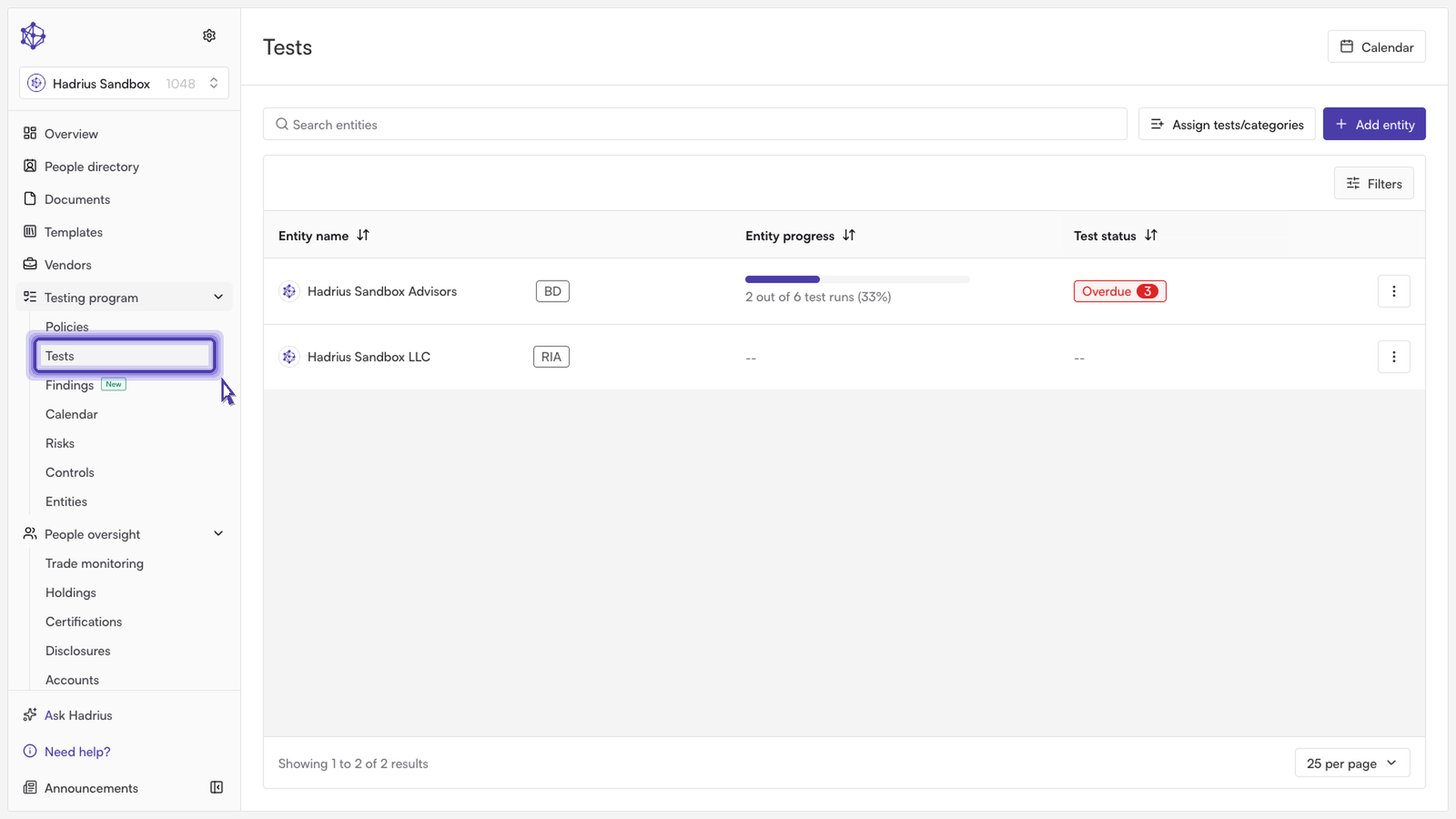
From the Tests overview, find the test you want to extend to another entity. The overview lists every test across the firm's business units, so you can filter or scan down to the one with the open run you're interested in.
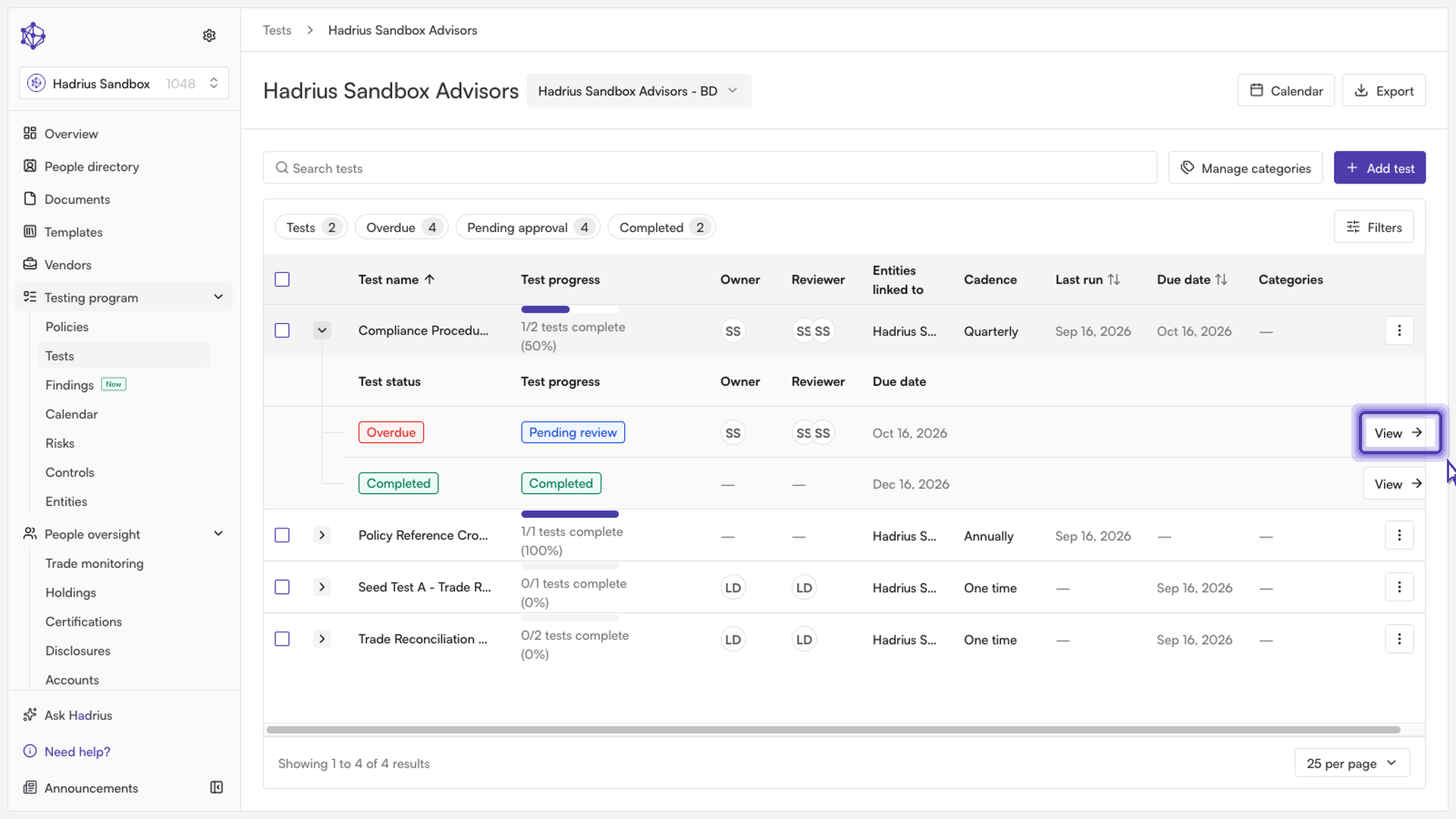
Open that test to go to its run detail page. This is where you can see the test's current status and settings for the entity it's already assigned to.
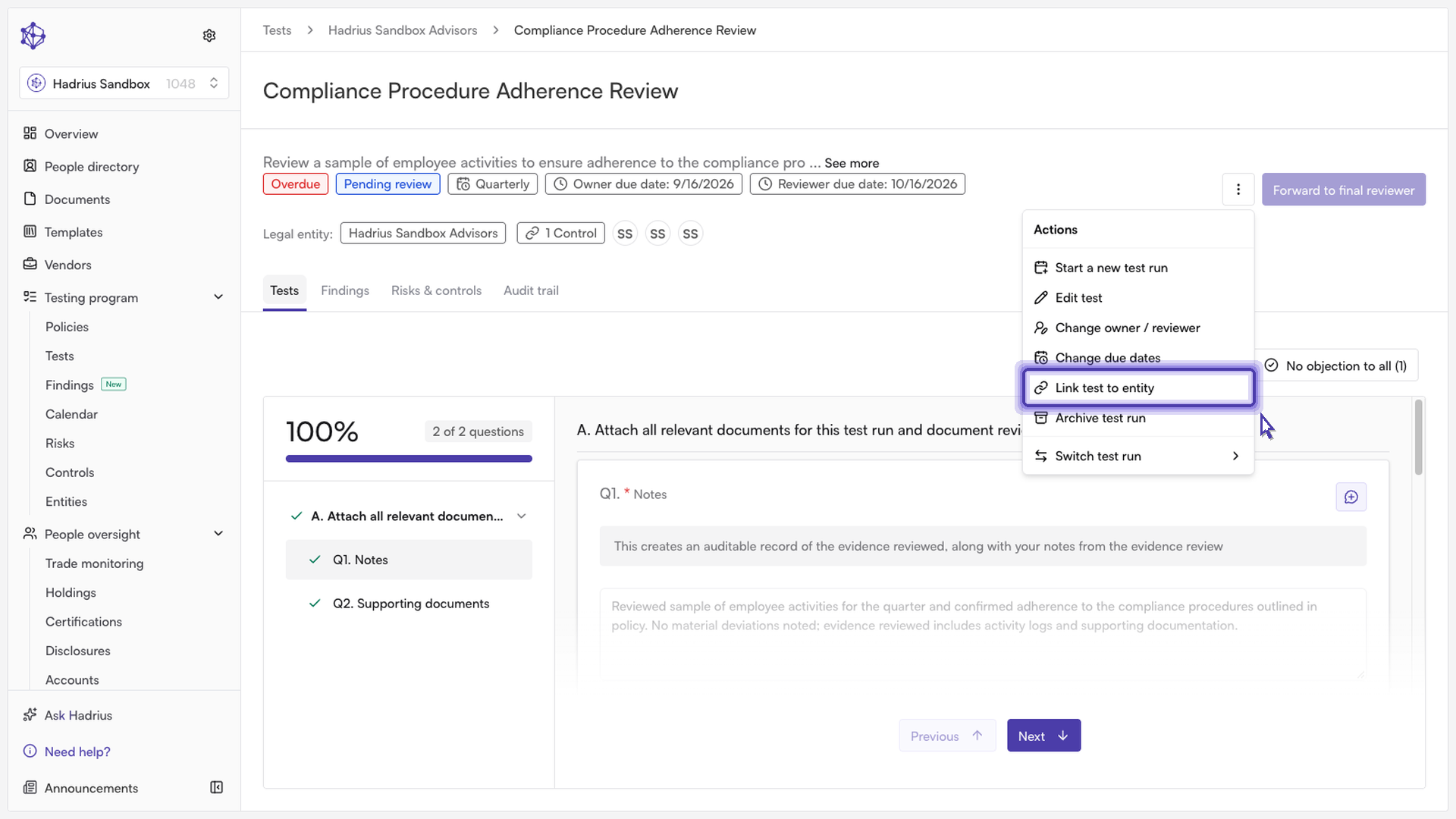
Click the Actions menu (the "⋮" button near the top of the page) and select Link test to entity.
In the Select entities to link this test dialog, use the search field to find the entity you want to add, then use the toggle next to it to turn linking on. A toggle stays disabled if that entity doesn't have an active policy in place yet — link the relevant policy to the entity first if you don't see it become available.
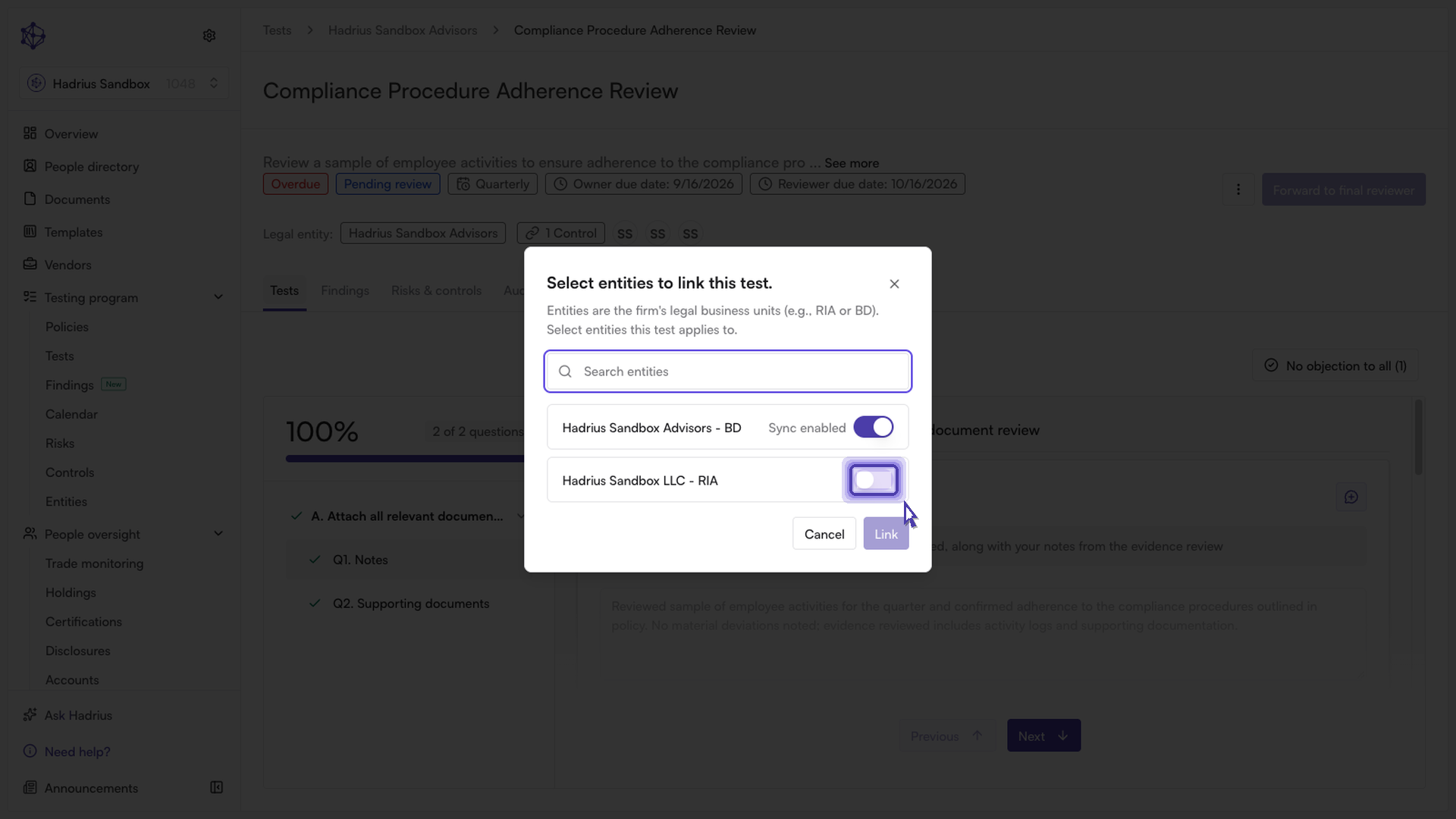
Turning the toggle on for an entity marks it "Sync enabled." You can link the test to multiple entities in the same dialog before saving.
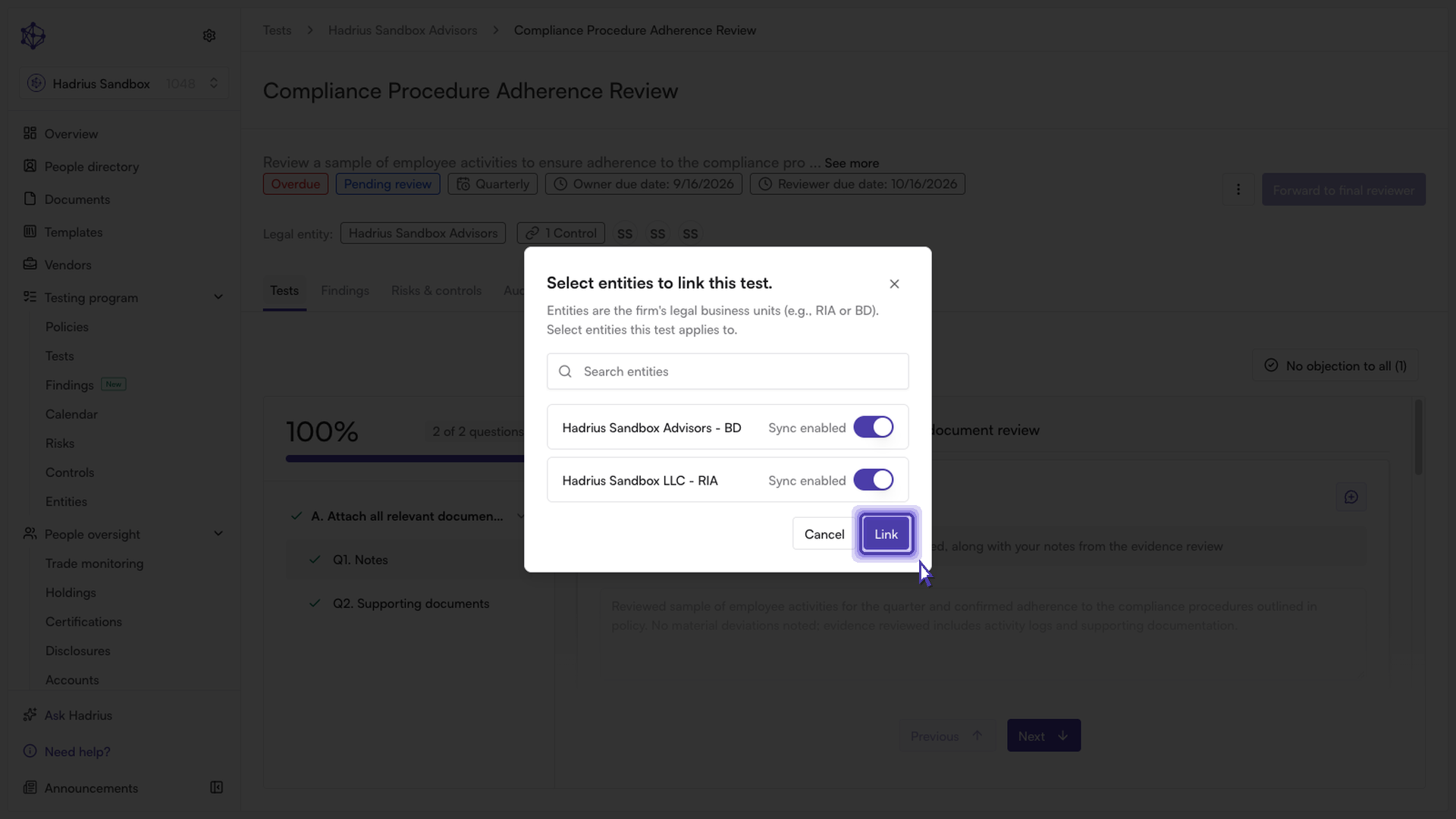
Click Link to save your changes. You'll see a confirmation that the test is now linked across entities, and edits or completion made on any linked copy will apply to all of them.
What happens next
Once a test is linked to additional entities, any updates to the test — including marking it complete — stay synchronized across every entity it's linked to. To remove an entity from the link later, admins can reopen the same dialog from the Actions menu and toggle that entity off.