How to activate, deactivate, or sandbox a surveillance rule
Last updated: October 17, 2026
In Hadrius, you can easily control how surveillance rules monitor activity across your firm. Whether you are fine-tuning a new compliance policy, temporarily pausing alerts, or putting a rule into production, adjusting a rule's operational state allows you to manage alerts without having to delete and recreate rules from scratch.
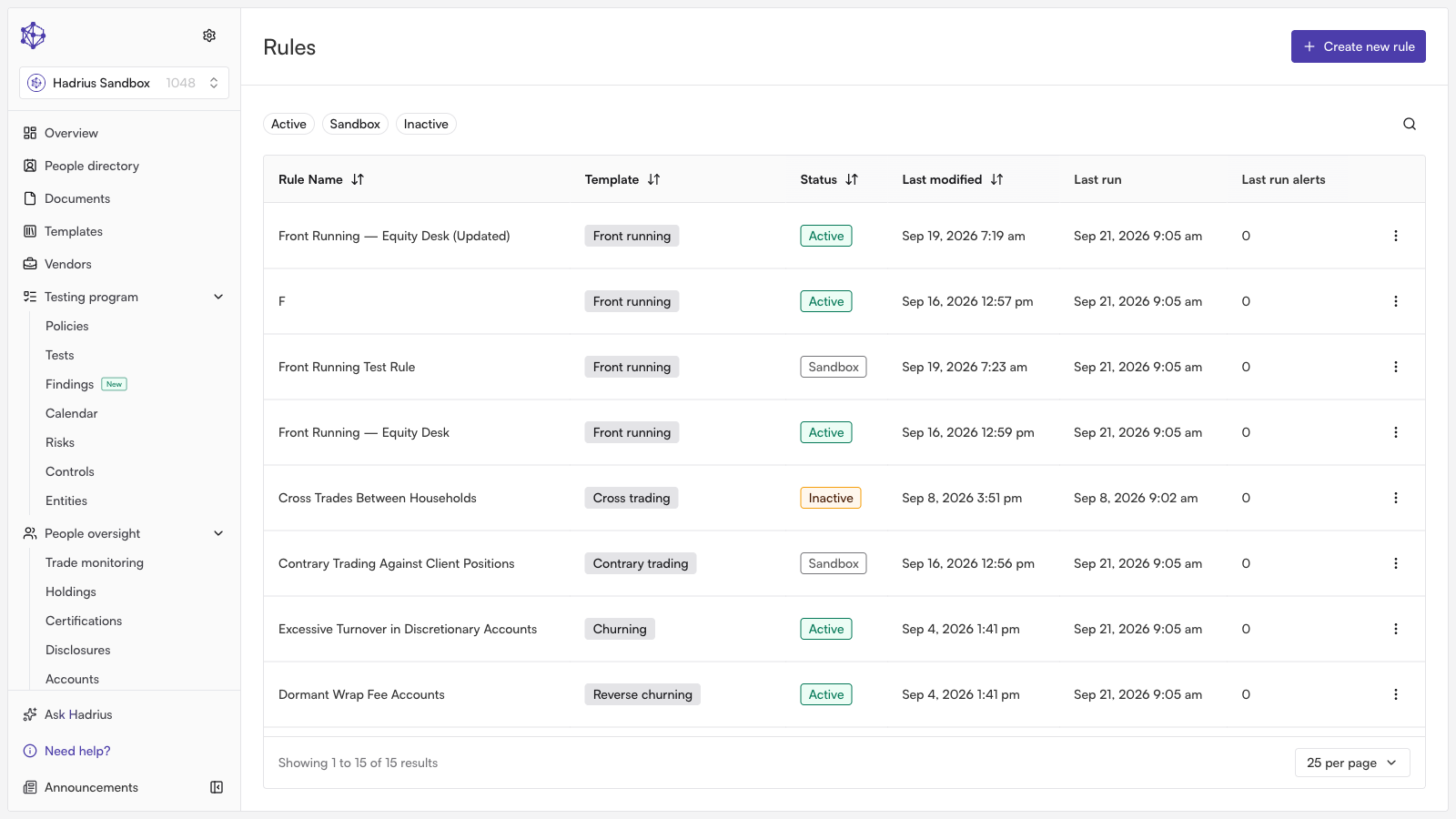
Managing Rule Operational States
Navigate to the Surveillance Rules page from the main navigation menu.
Locate the rule you want to update and select its operational status dropdown.
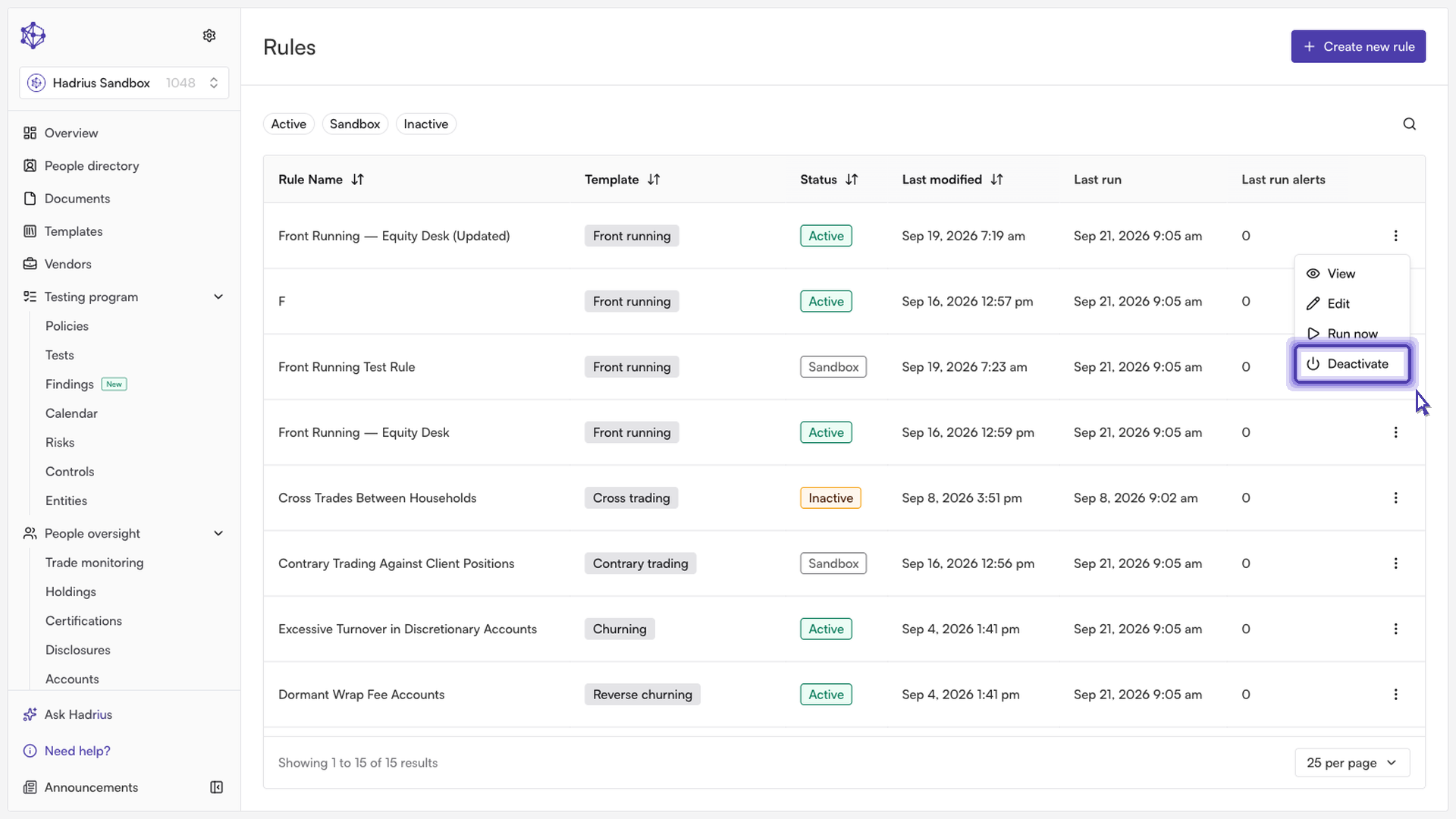
Choose the appropriate state based on your current compliance needs:
Active: The rule monitors live data and immediately dispatches alerts to your compliance team when triggers are met.
Deactivated: Pauses rule monitoring and alert generation entirely. This is ideal when a rule is undergoing maintenance or is temporarily not required.
Sandboxed: The rule evaluates incoming data and runs its detection logic silently in the background, but suppresses all team notifications.
When to Use Sandboxing
Sandboxing is recommended when deploying new surveillance logic or adjusting thresholds on high-volume rules. By running silently, sandboxed rules allow compliance officers to assess detection accuracy against live data and verify alert quality before exposing the team to live notifications.
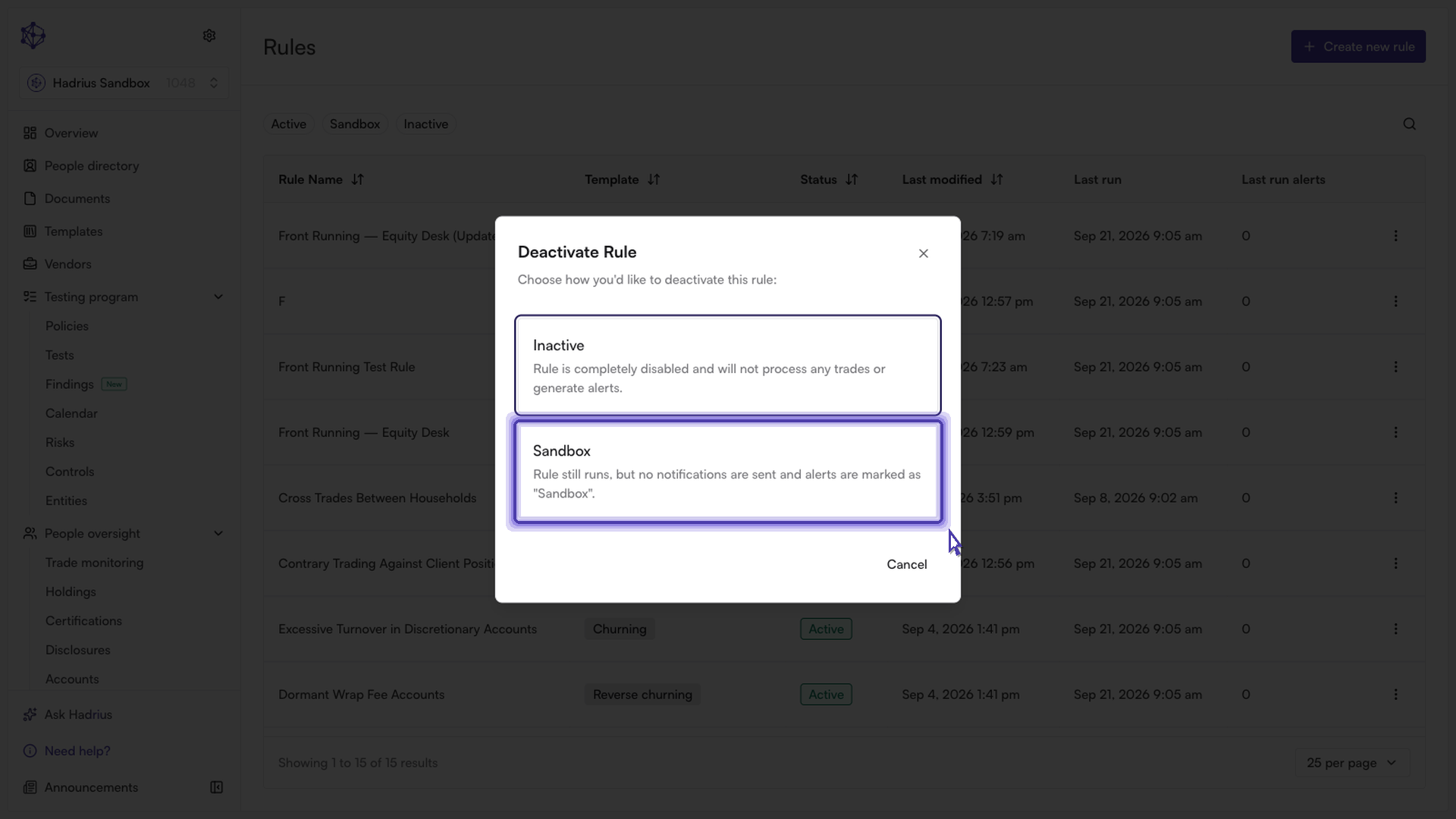
Operational state changes take effect immediately. Once you have validated a sandboxed or adjusted rule, simply switch its status back to Active to resume standard alert workflows.