How to reopen a closed exception in Account surveillance
Last updated: October 17, 2026
In Hadrius, compliance teams can revisit and reopen previously resolved activity in Account Surveillance whenever new information comes to light or further investigation is required. This article outlines how to locate a closed exception, document your reasoning, and return the record to your active review queue.
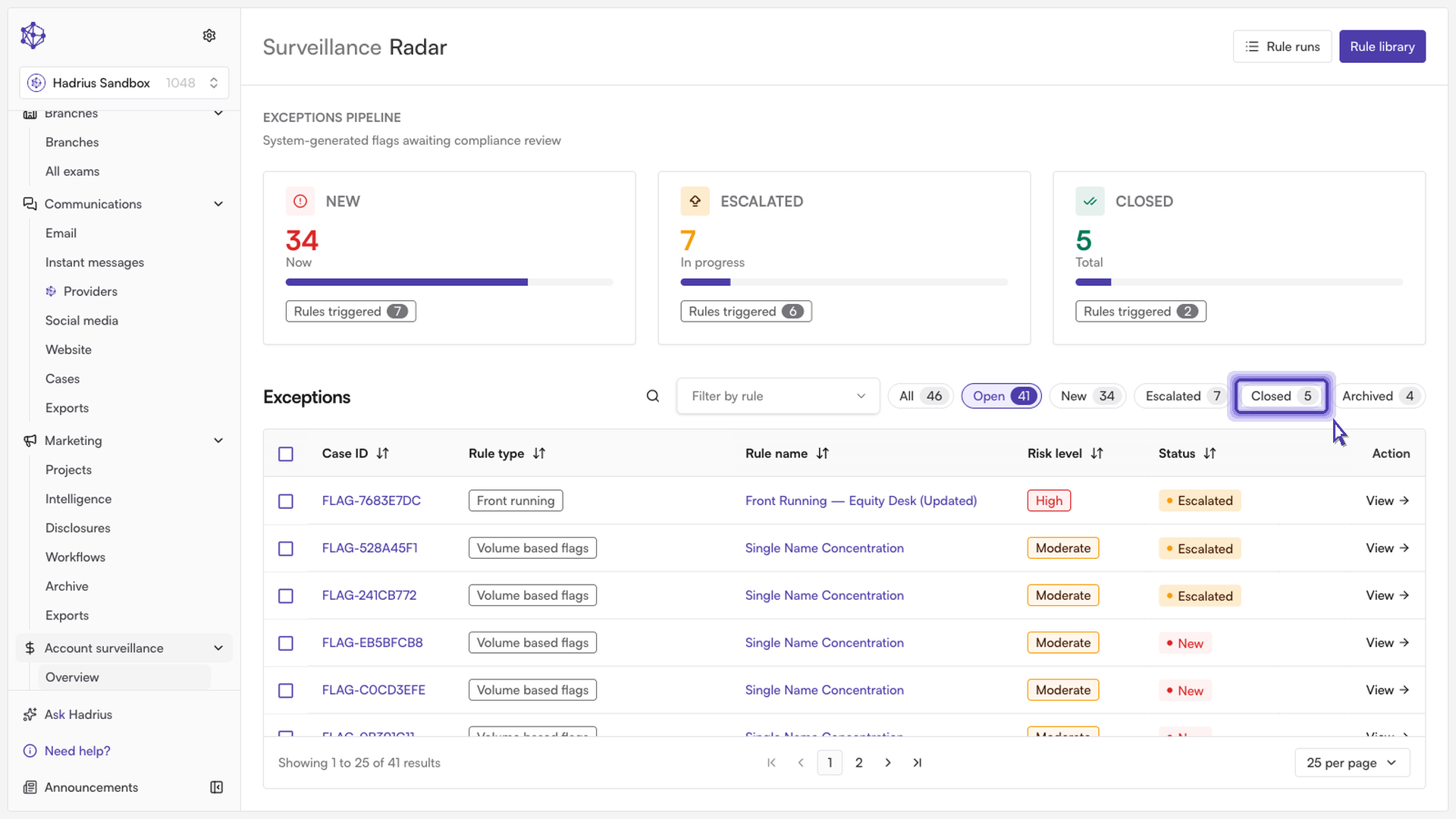
Navigate to Closed Exceptions:
From the Account Surveillance module, switch from your active queue to the Closed Exceptions view to locate the resolved activity you wish to revisit.
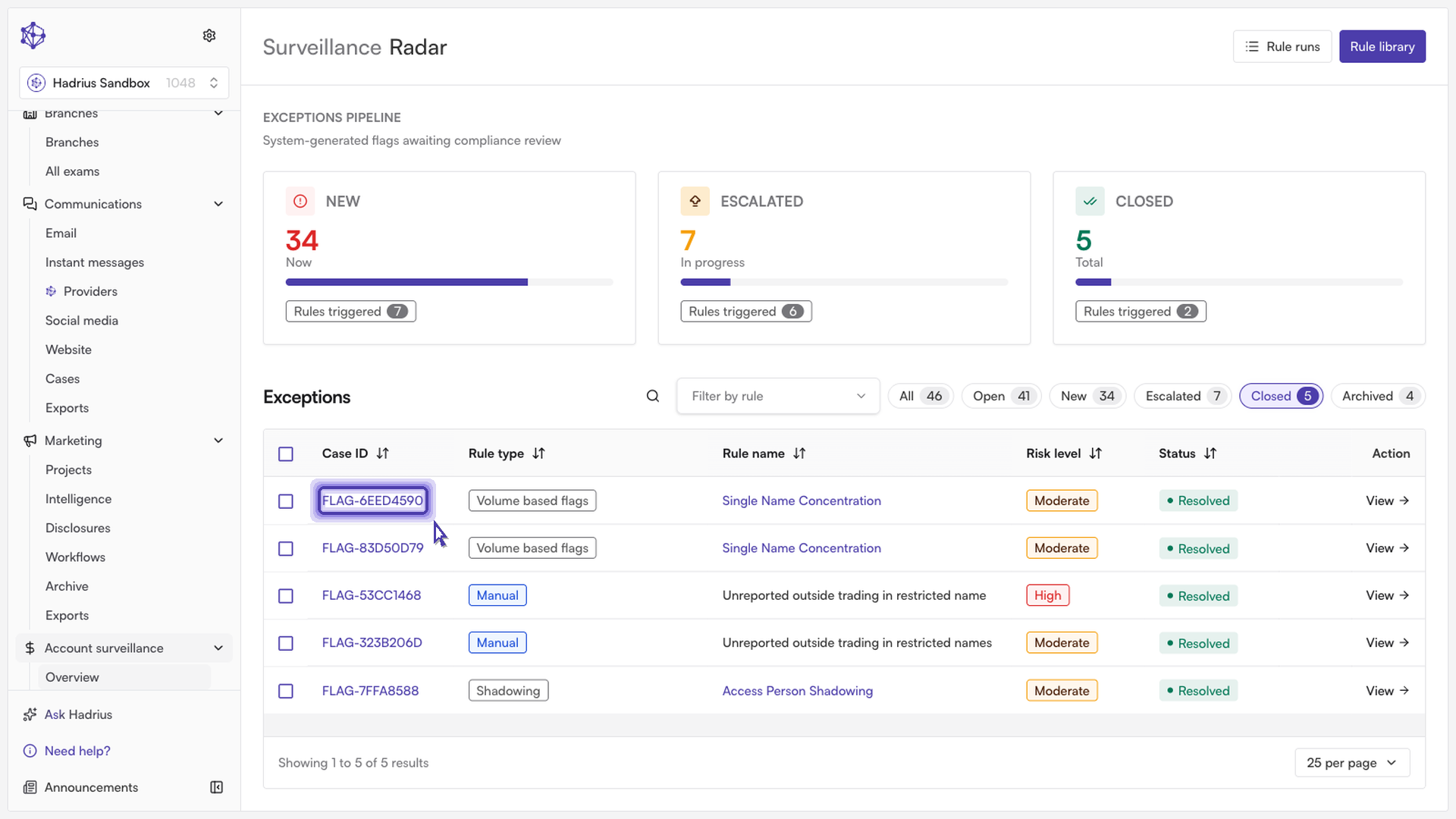
Open the flagged item:
Select the specific exception to open its detail pane. This view displays the full historical context of the account activity, including notes and the rationale behind the prior compliance decision.
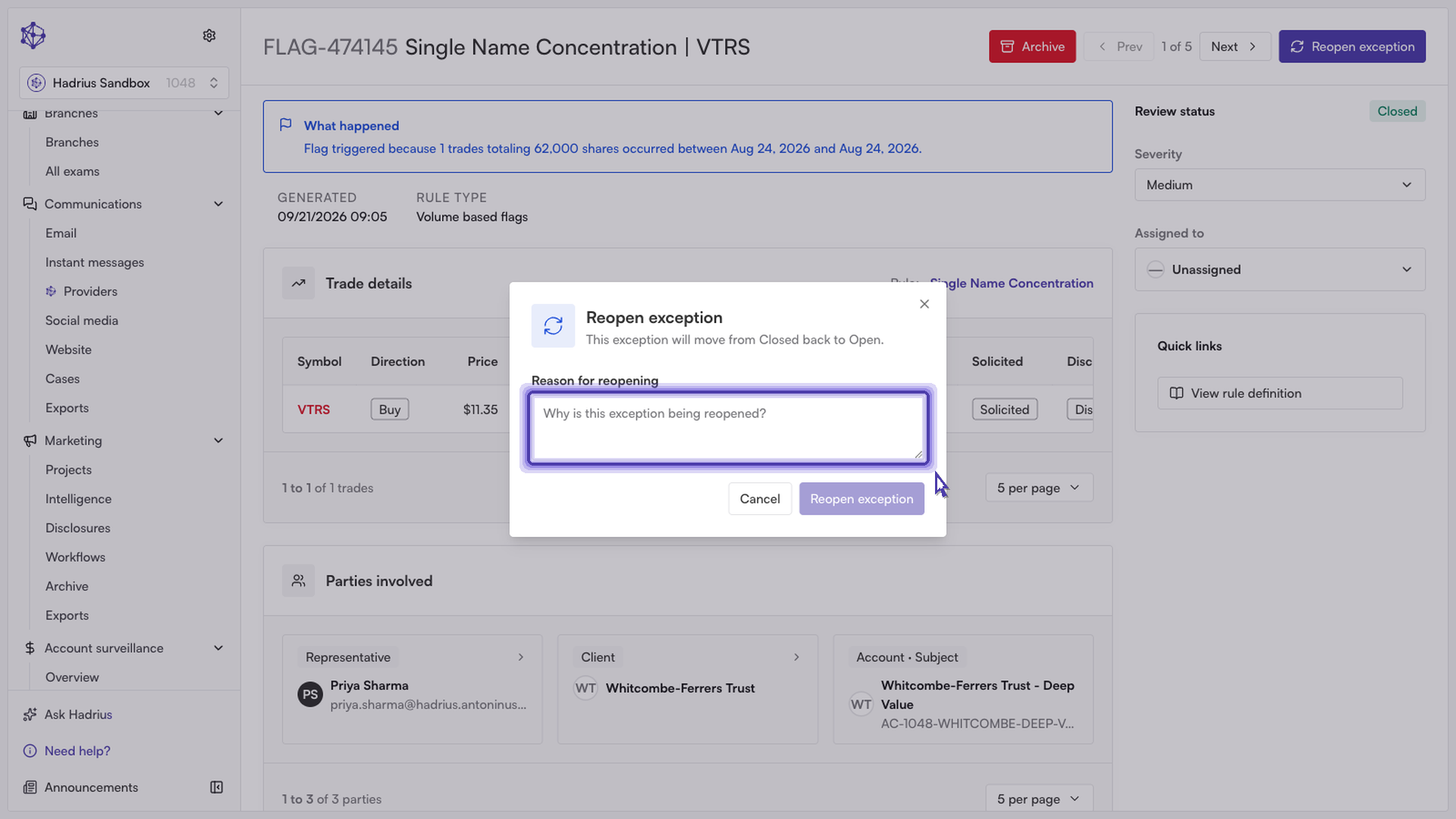
Reopen and document your rationale:
Click Reopen. In the prompt that appears, enter a detailed explanation stating why this item requires renewed investigation. Maintaining a clear rationale ensures a complete and defensible audit trail for your compliance program.
Confirm:
Confirm the action to finalize the change. The exception will immediately move out of your closed archive and return to your active review queue for continued processing.
What happens next
Once reopened, the record is flagged for active review alongside newly generated alerts. Any reviewer on your team can now assign, re-evaluate, or add fresh compliance notes to the case.