How to close a flagged compliance exception
Last updated: October 17, 2026
When Hadrius flags a trade or account activity for review, compliance officers must inspect the underlying details to determine whether a policy violation occurred. This guide explains how to locate, review, and close out an open trade exception while maintaining an audit-ready compliance record.
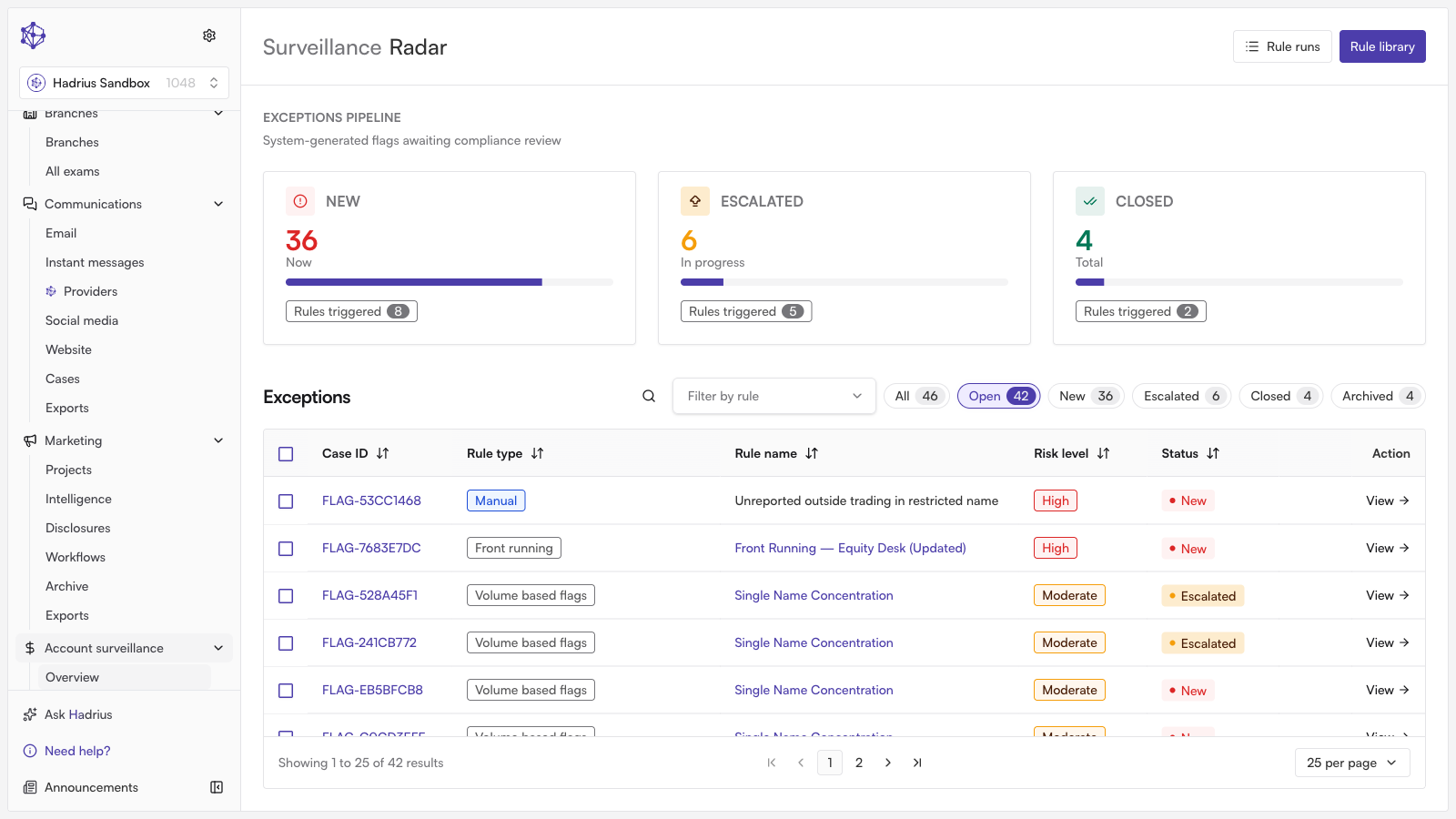
Resolving a Flagged Exception
Navigate to Account Surveillance: Open the Account Surveillance module from the main navigation to see your queue of active, unresolved exceptions.
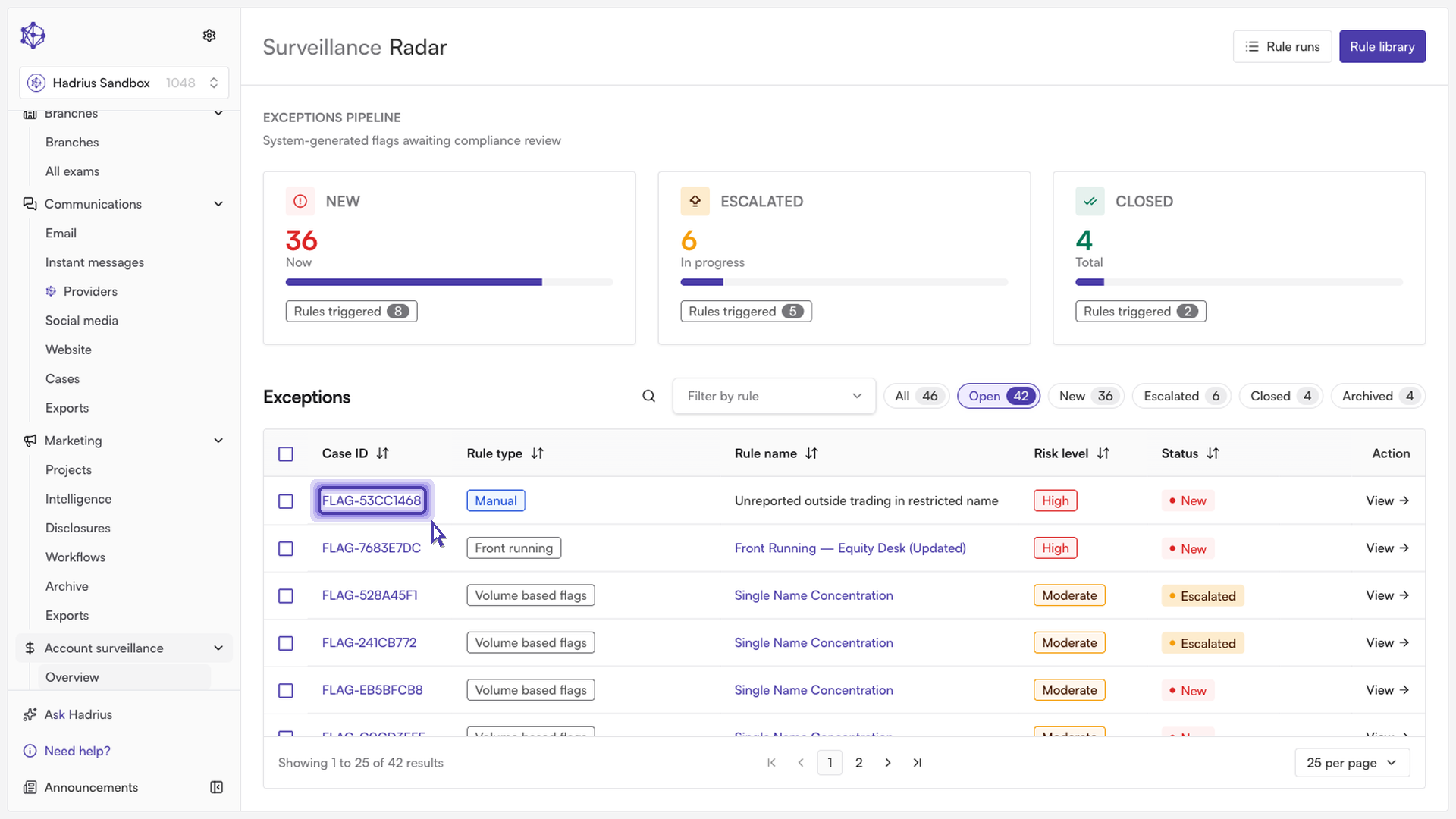
Inspect the flagged activity: Click on the flagged item you wish to review. This opens the transaction details, including trade parameters, the client account, and the surveillance rule triggered.
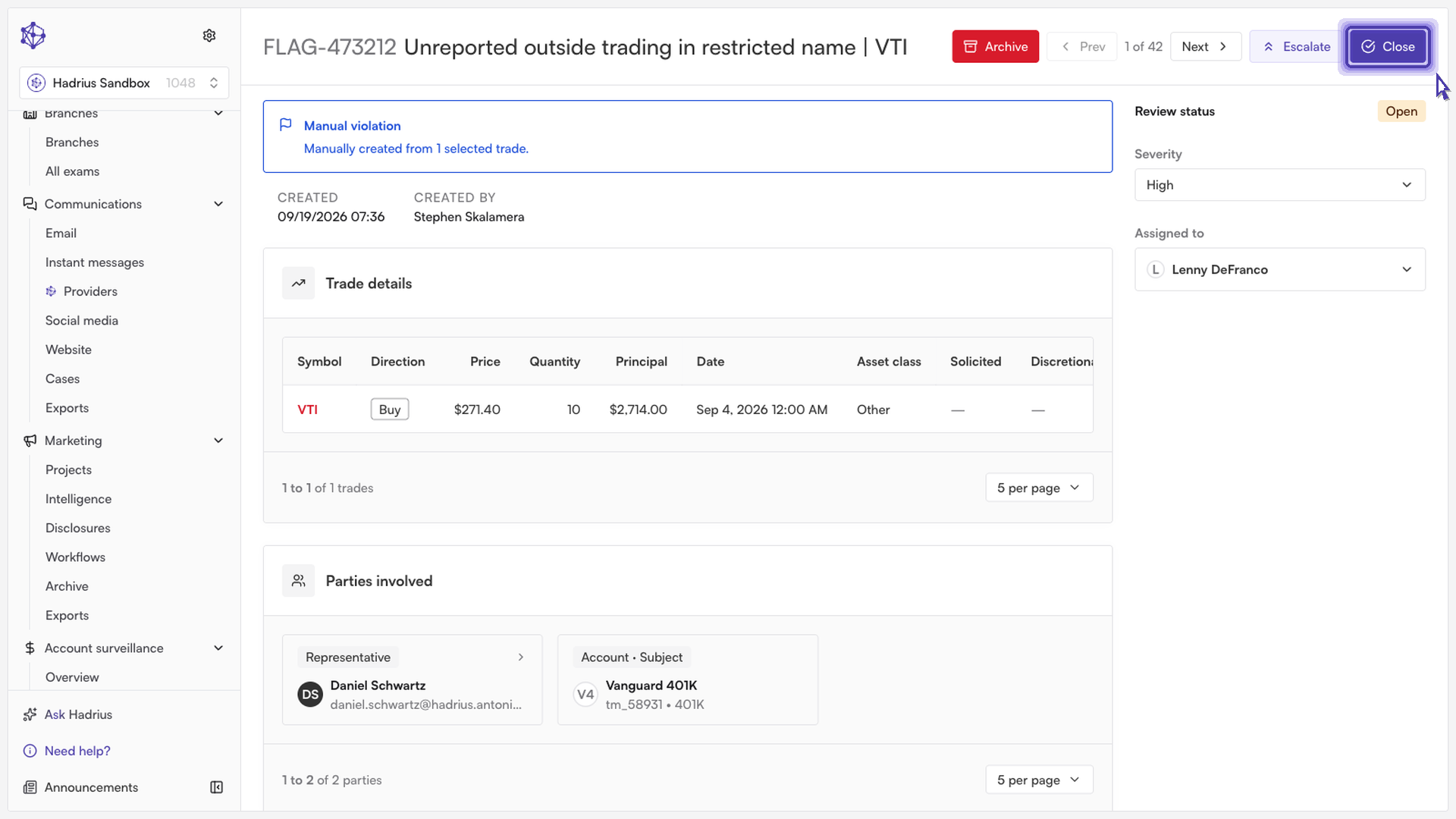
Initiate resolution: Once you have verified the underlying details and confirmed the trade's context, click the action to resolve the exception.
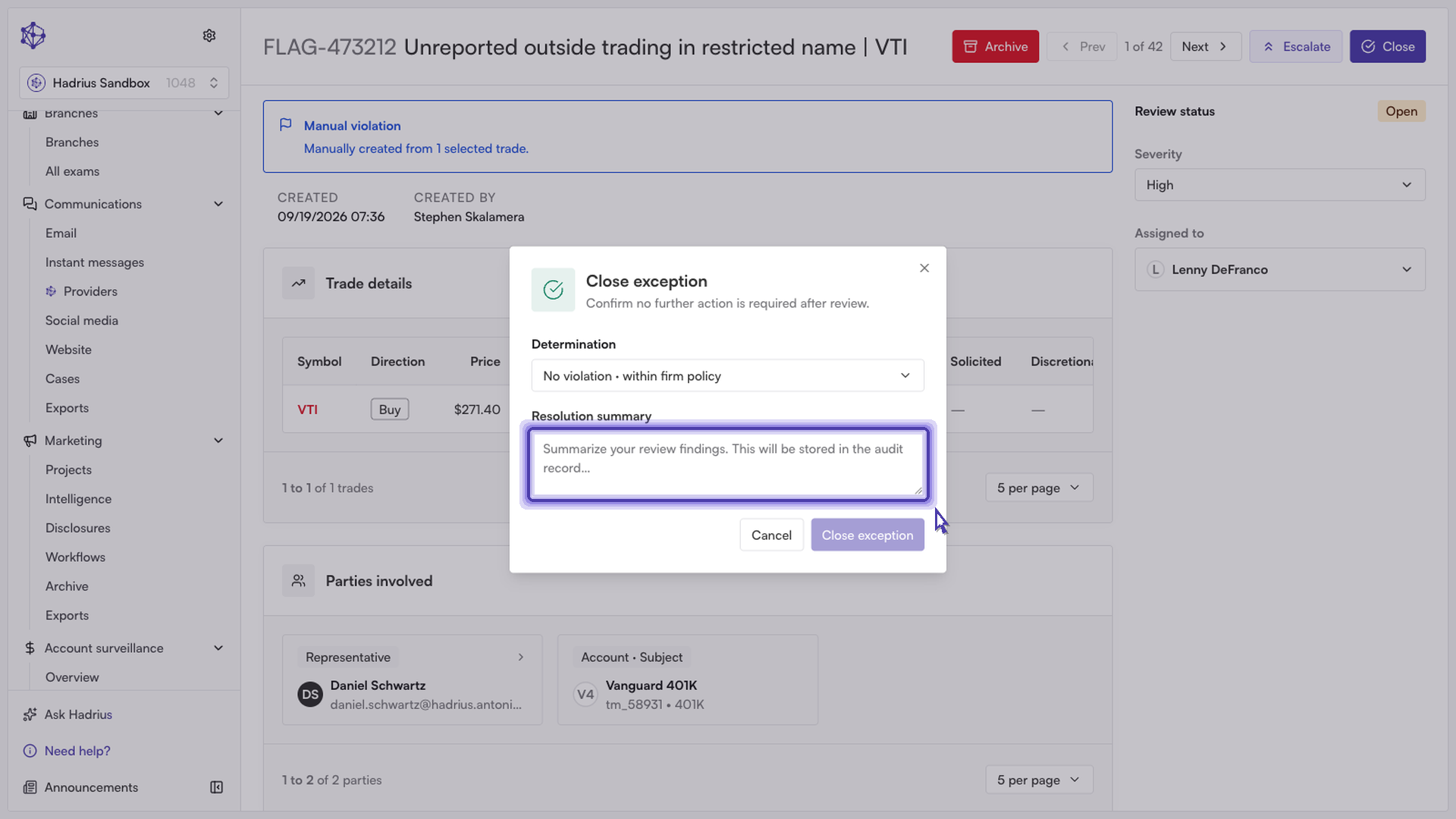
Record your determination and rationale: Select your compliance finding—such as confirming the activity complied with firm policy—and enter a brief summary explaining your decision. Providing clear notes ensures your rationale is well-documented for future regulatory reviews.
What Happens Next
Once submitted, Hadrius archives the exception and removes it from your active surveillance queue. The complete record, including your notes, timestamp, and user ID, is permanently logged to your firm's compliance audit trail.