Assigning Multiple Reviewers
Last updated: October 17, 2026
Assigning reviewers in bulk lets you set up review coverage for several tests in one pass, instead of opening and editing each test on its own. Use this when you're onboarding a group of tests, covering for a reviewer change, or standardizing who reviews a set of related tests. Bulk assignment is available to administrators.
Before you begin
- You need administrator access to the tests list. The bulk action bar doesn't appear without it.
- Only active employees who are eligible to act as reviewers appear in the reviewer lists.
Assign a primary and final reviewer to multiple tests
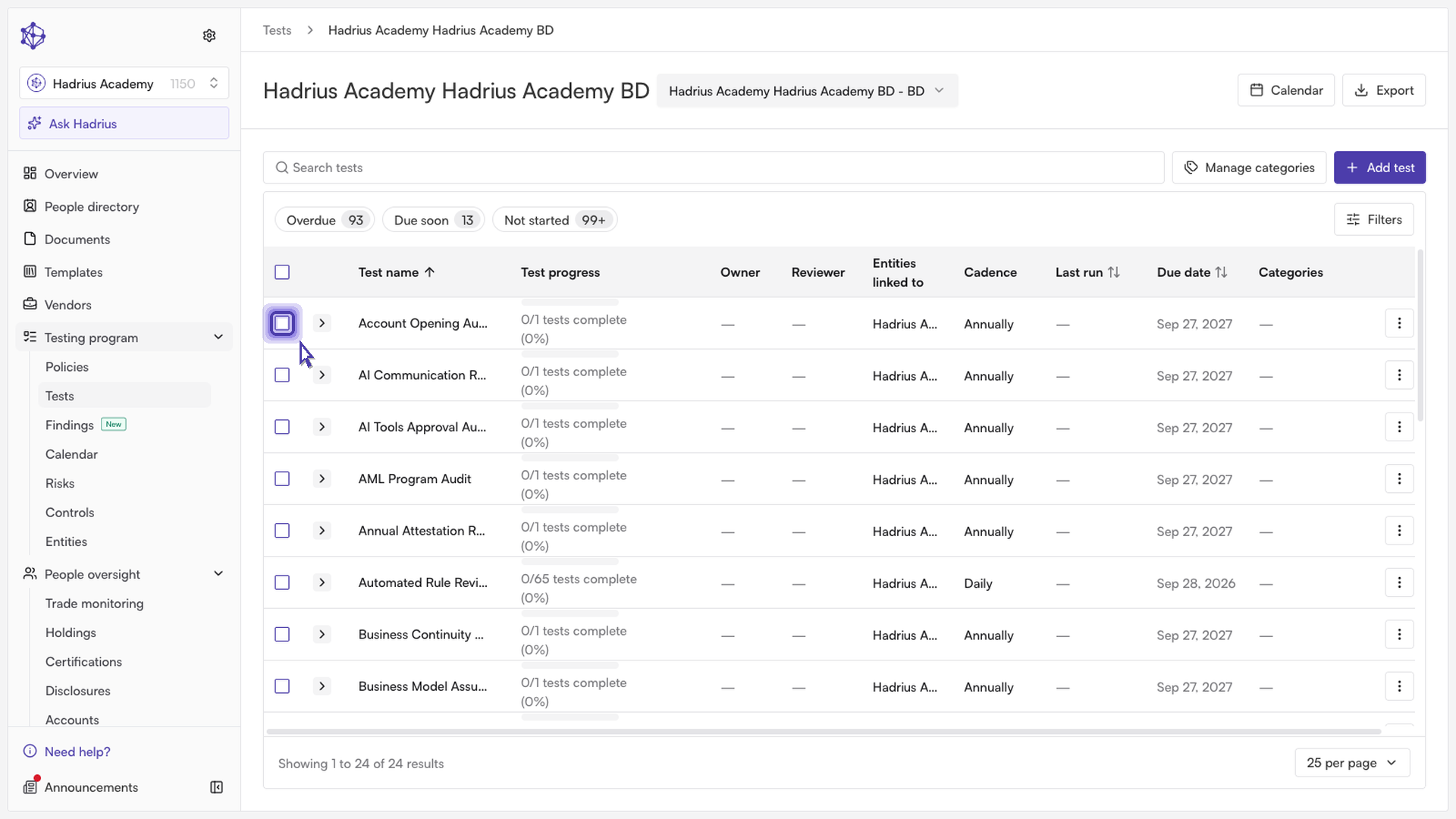
Open the tests list and select the checkbox next to each test you want to update. A bar appears above the table showing how many tests are selected.
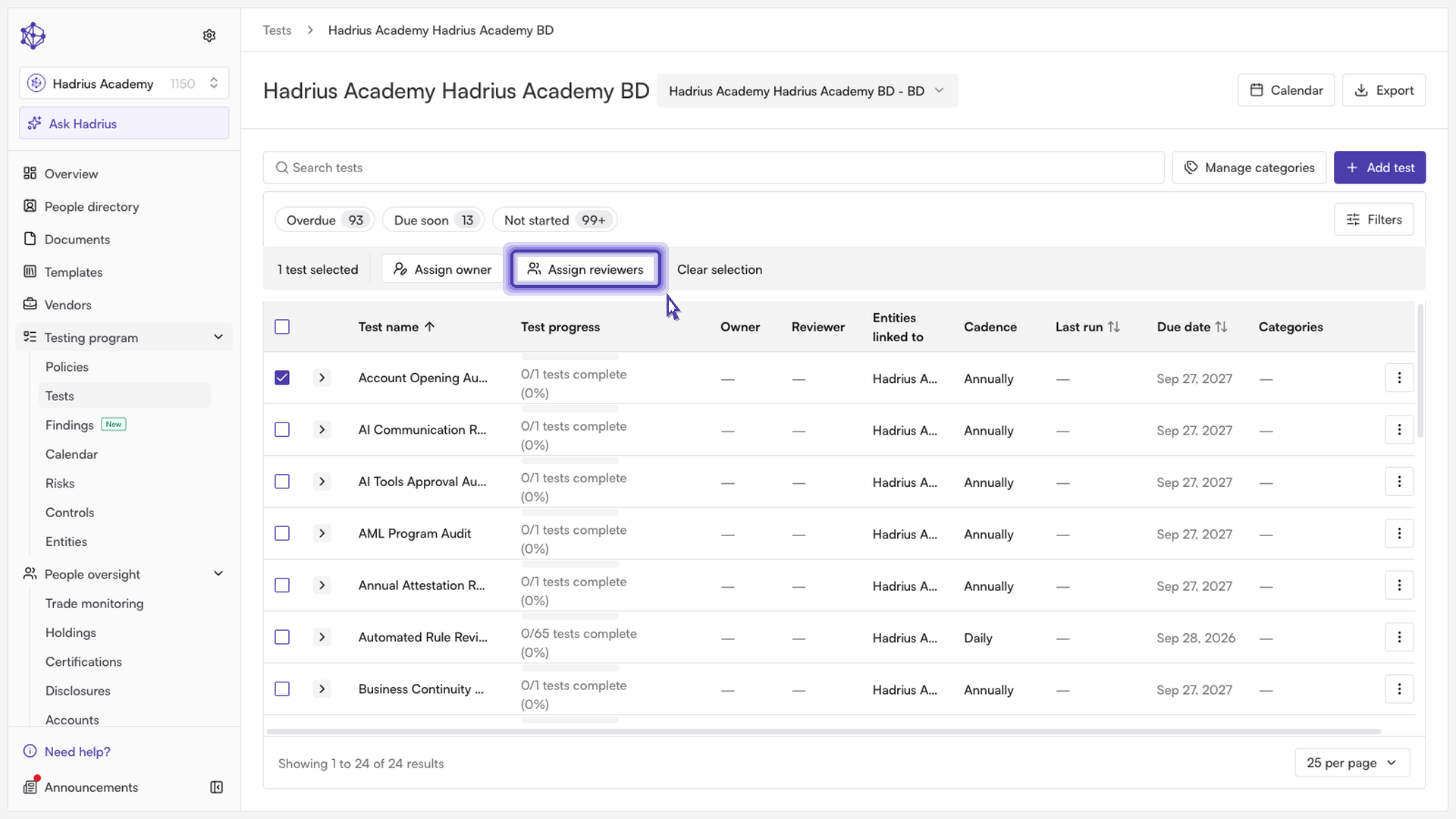
In the bar, click Assign reviewers. (If you're also seeing options for archived tests, note that assignment actions aren't offered when archived tests are selected.) The "Assign reviewers" dialog opens and confirms how many tests it will update, and that it applies to their future test runs as well.
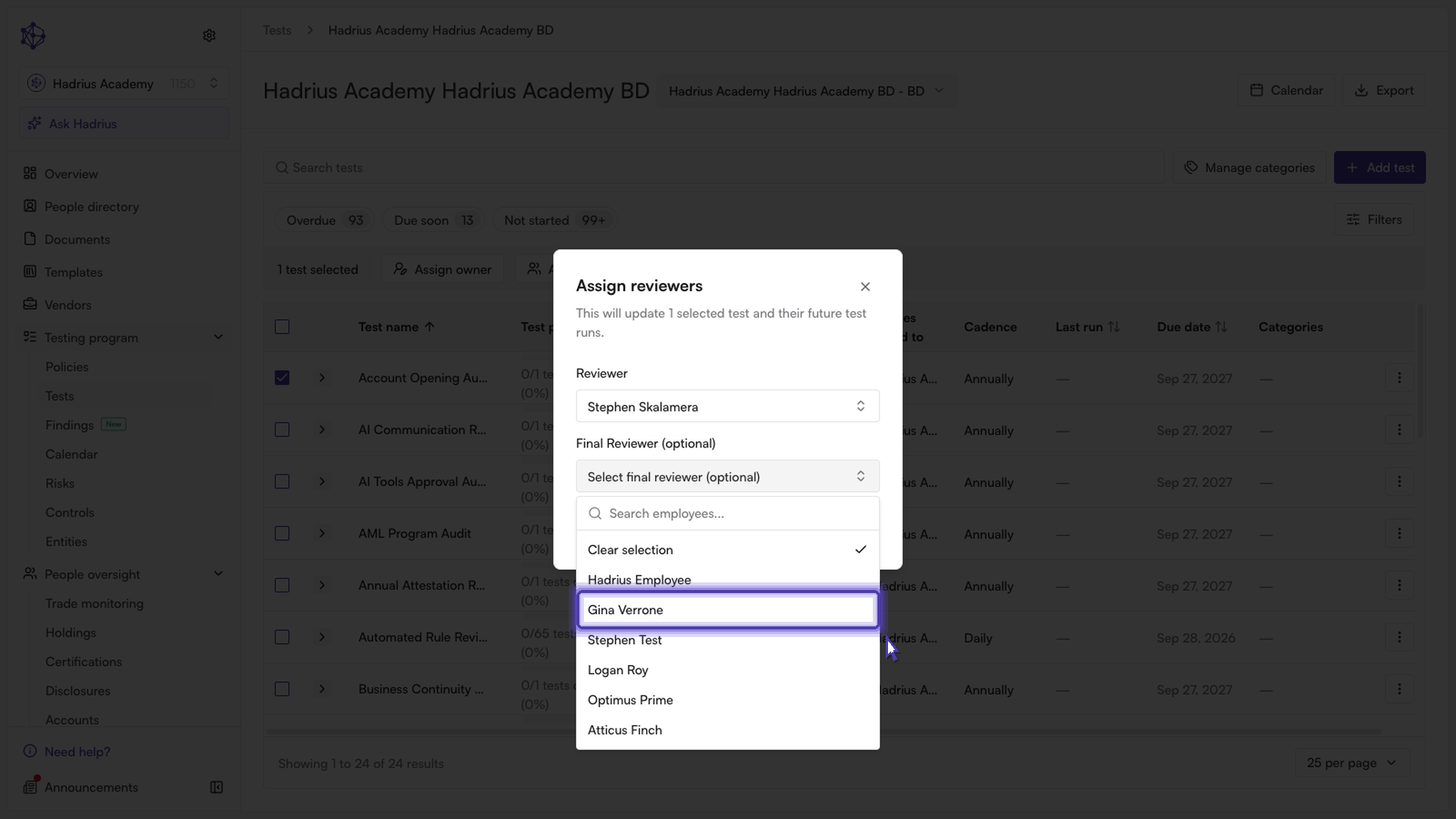
Under Reviewer, choose the primary reviewer. This person takes the first pass on completed work. You must pick a primary reviewer before you can continue.
Optionally, under Final Reviewer (optional), choose a final reviewer. This person signs off after the first reviewer approves. If you leave it blank, the primary reviewer is the only reviewer. The same person can't be chosen for both roles, so whoever you pick in one list is removed from the other.
Click Assign. A confirmation message shows how many tests were updated, and the dialog closes. Click Cancel instead if you want to leave without making changes.
What gets updated
Confirming applies the reviewers to every test you selected and to each test's upcoming runs. Because the assignment is applied to all selected tests together, any reviewers those tests had before are replaced by your choices. If you select only a primary reviewer, no final reviewer is set by this action.
What happens next
When a run is completed, the primary reviewer reviews it first. Once they approve, it moves on to the final reviewer for sign-off, if one is assigned. If no final reviewer is assigned, the primary reviewer can approve the run directly. You can see each test's assigned reviewers, labeled "Reviewer" and "Final Reviewer", in the tests list and on the test's details page.