How to escalate a flagged compliance exception
Last updated: October 17, 2026
During routine monitoring, automated surveillance may detect activity that requires closer scrutiny than a standard review allows. When a flagged item suggests potential policy violations or complex risks, you can escalate the exception directly to your compliance team for an in-depth investigation. This guide explains how to locate, review, and escalate flagged compliance items within Hadrius.
Navigate to Account Surveillance: Open the Account Surveillance module from the main navigation menu. Here, you will see a centralized queue of all open flags currently requiring attention.
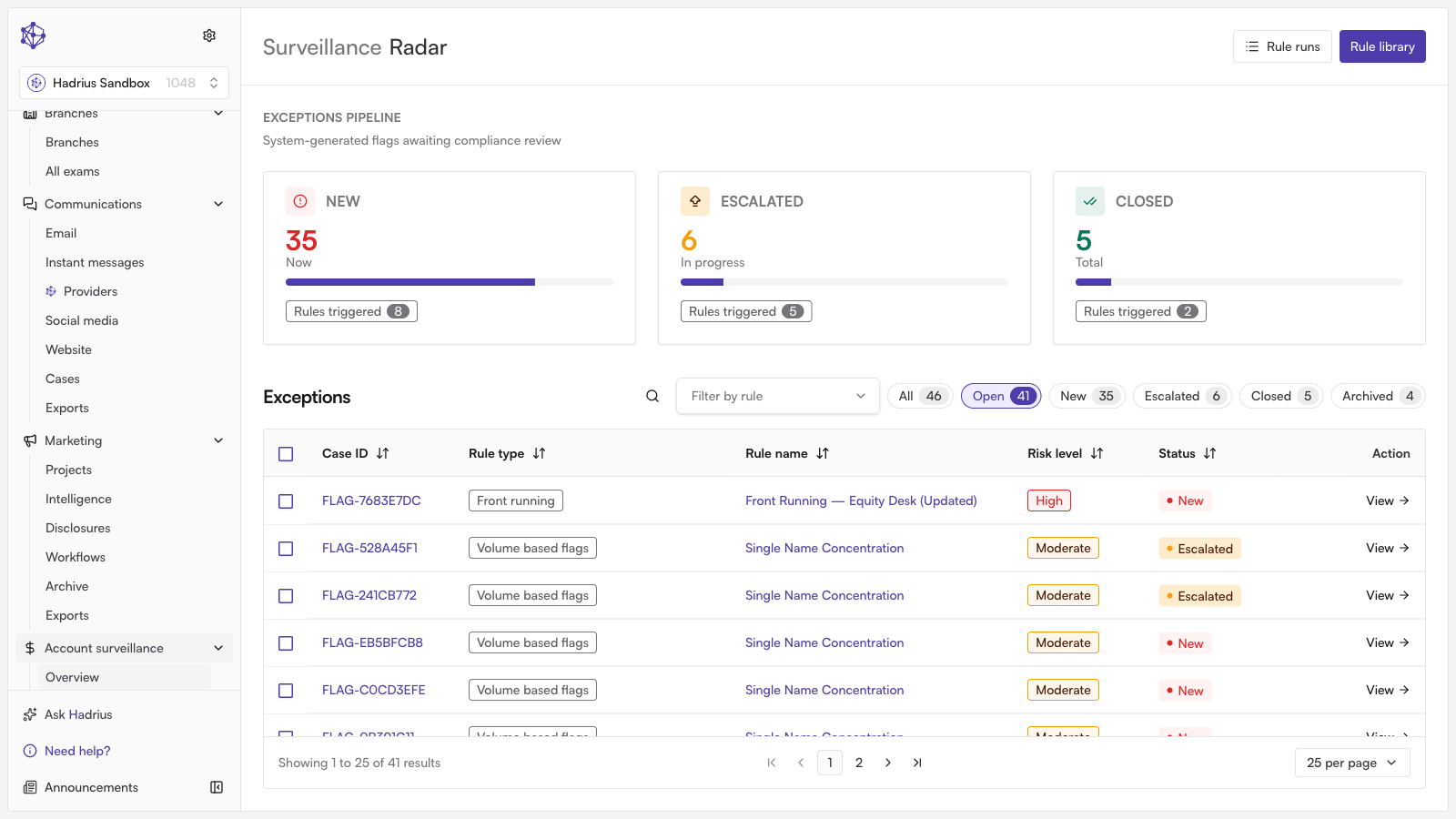
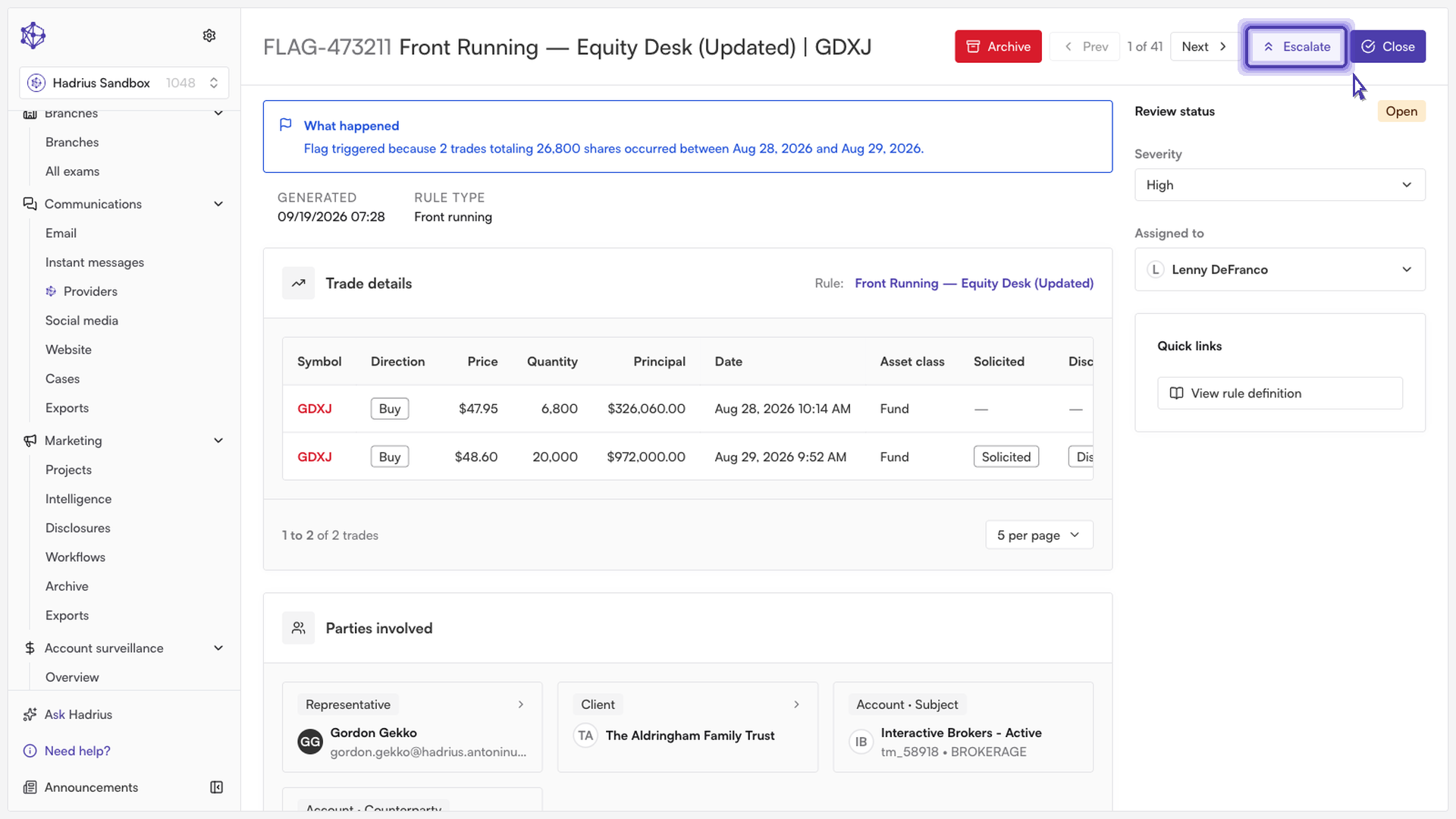
Inspect the flagged item: Click on the flagged activity you wish to review. Examine the underlying details, metadata, and matched surveillance rules to determine whether the activity warrants a formal investigation.
Initiate escalation: If the activity appears suspicious or requires secondary review, select the Escalate option on the exception record.
Add context and submit: In the escalation dialog, provide clear, detailed notes outlining the suspicious pattern, relevant background, or specific concerns. Comprehensive notes ensure the compliance team can quickly assess the situation without duplicating preliminary review work. Once complete, confirm and submit the escalation.
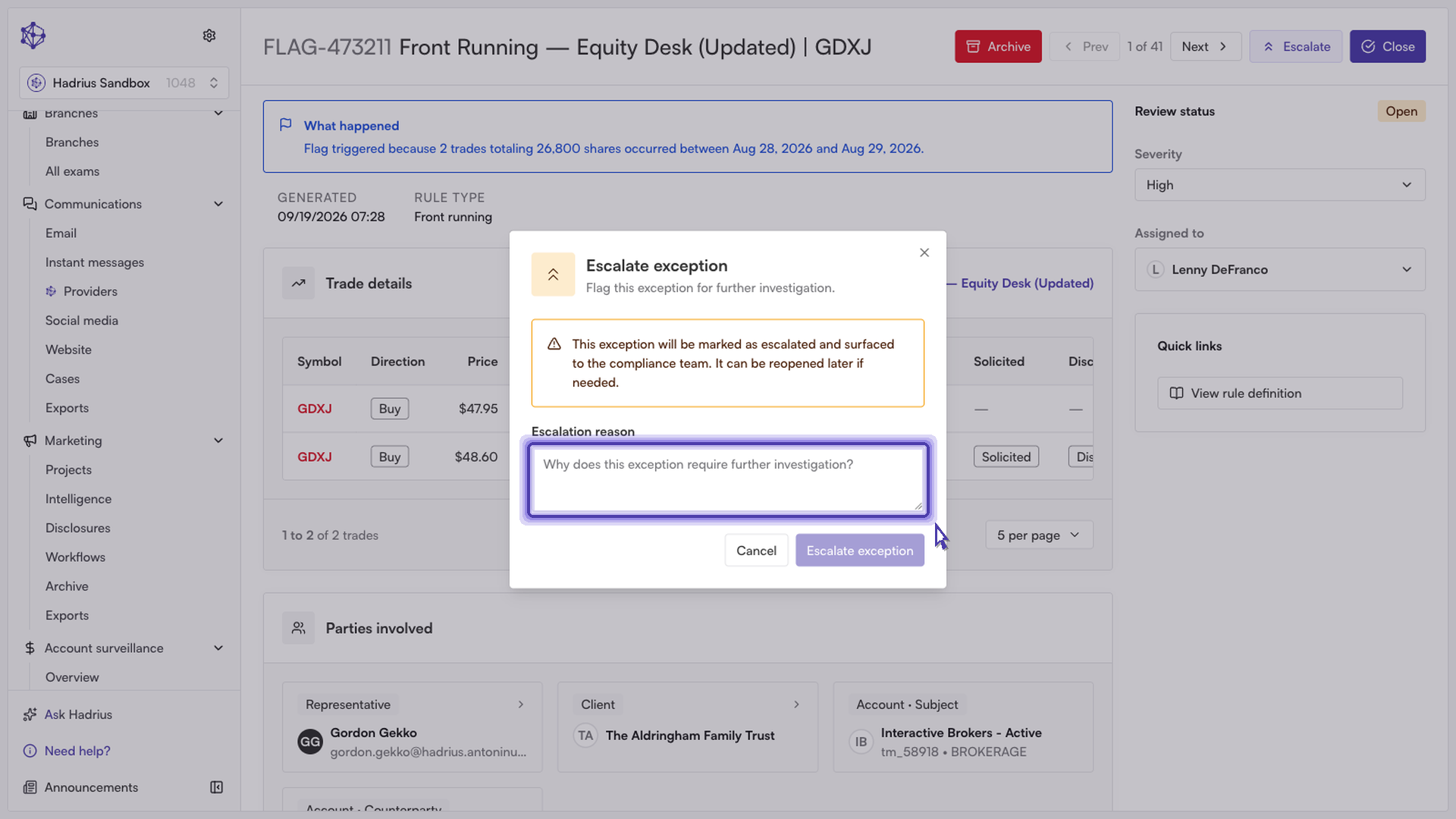
What happens next
Submitting the escalation routes the exception directly into the compliance team's queue for formal review. The item will update with an escalated status, and all notes and review actions will be logged in the audit trail for regulatory recordkeeping.