How to bulk close multiple flagged exceptions at once
Last updated: October 17, 2026
When reviewing surveillance queues with high activity, you may encounter multiple flagged items that warrant the exact same disposition. In Hadrius, you can resolve these items simultaneously using bulk closure, allowing you to streamline your review workflow while preserving a complete compliance audit trail.
Bulk Closing Exceptions
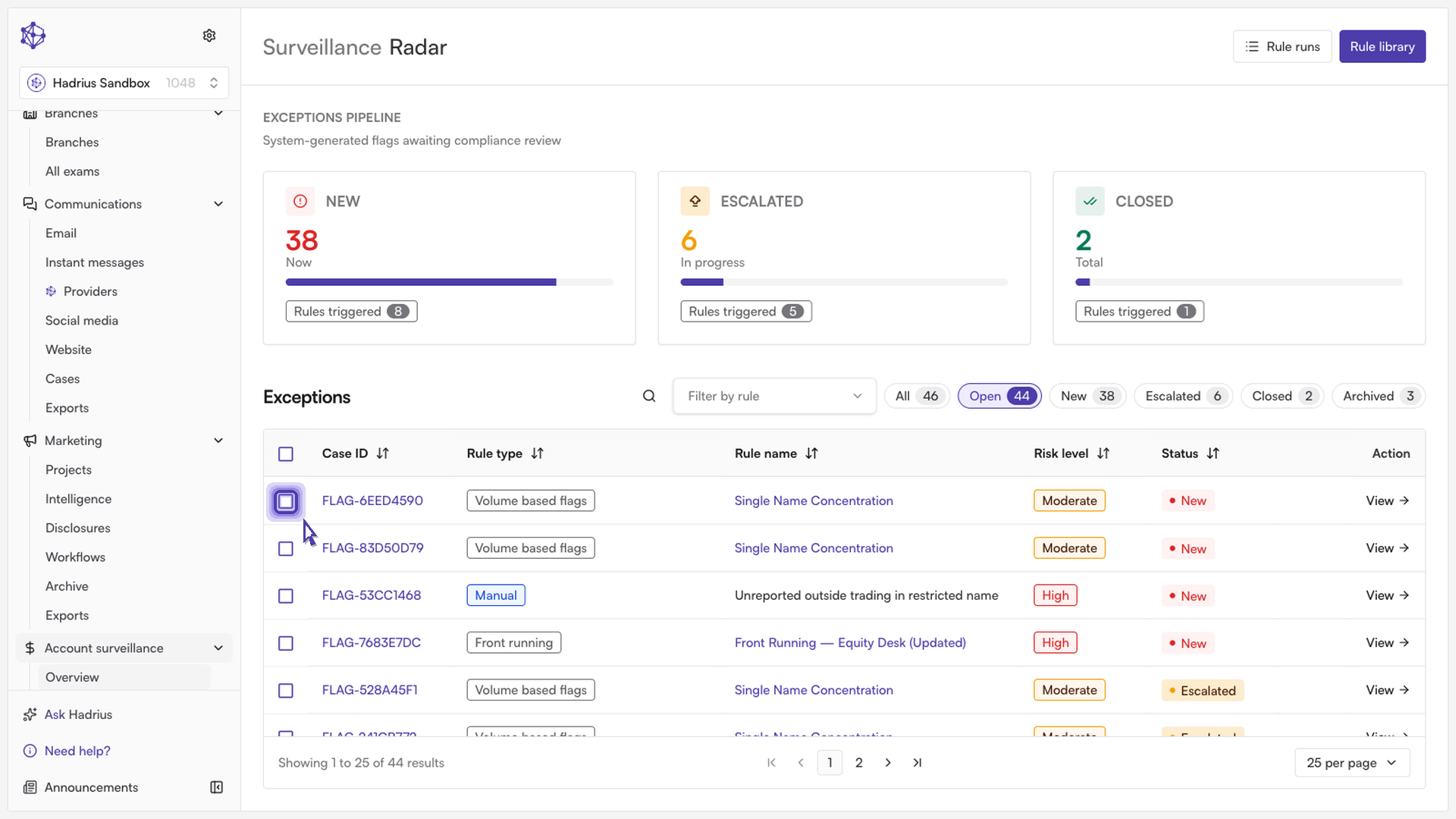
Select the flagged exceptions: From the Account Surveillance queue, review your open exceptions and check the boxes next to the items that share the same resolution.
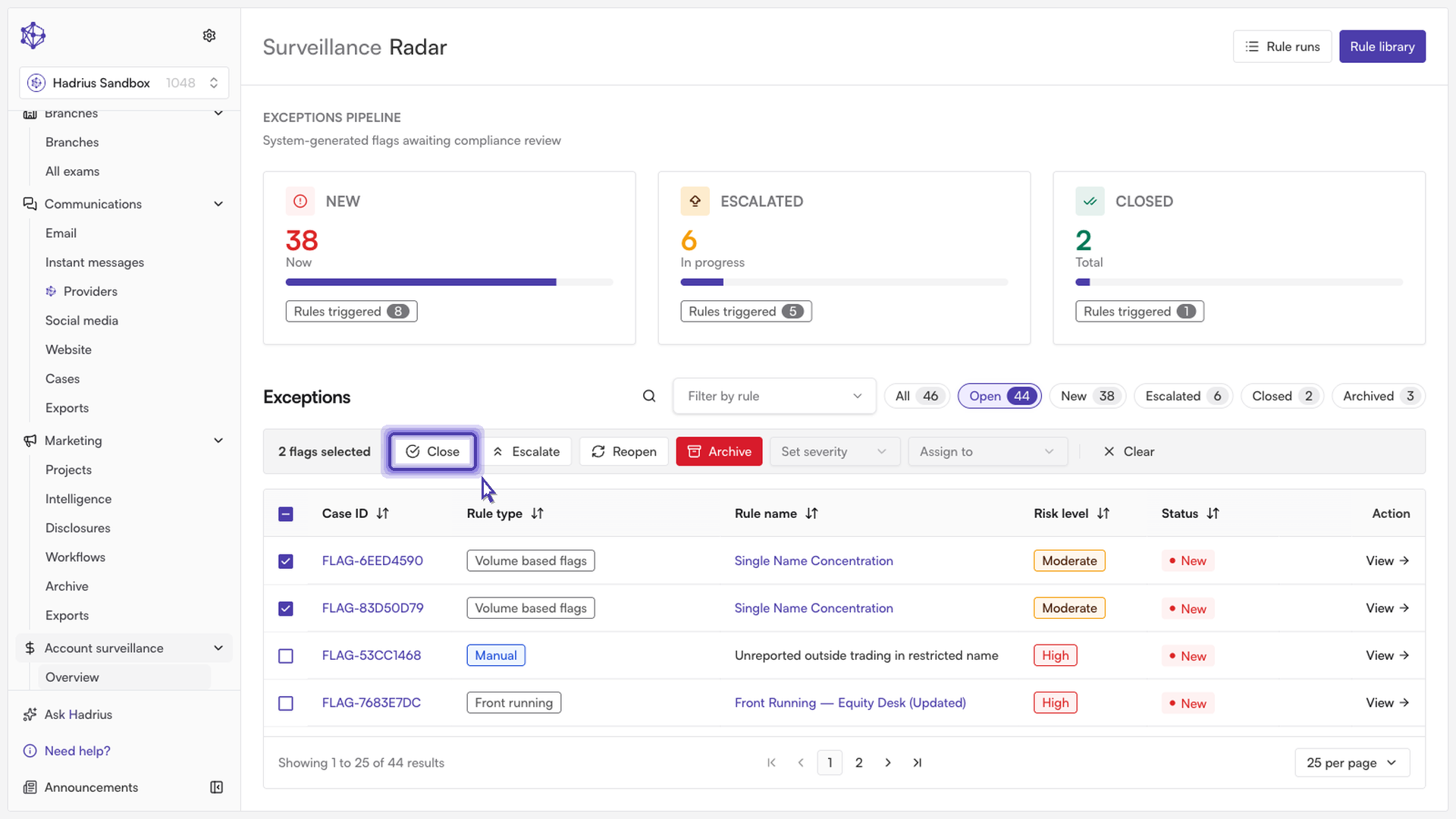
Initiate bulk closure: With the target items selected, click the bulk close option from the action toolbar.
Enter your resolution rationale: Provide a concise explanation for closing the exceptions. Adding clear notes ensures your records remain audit-ready for regulatory examinations.
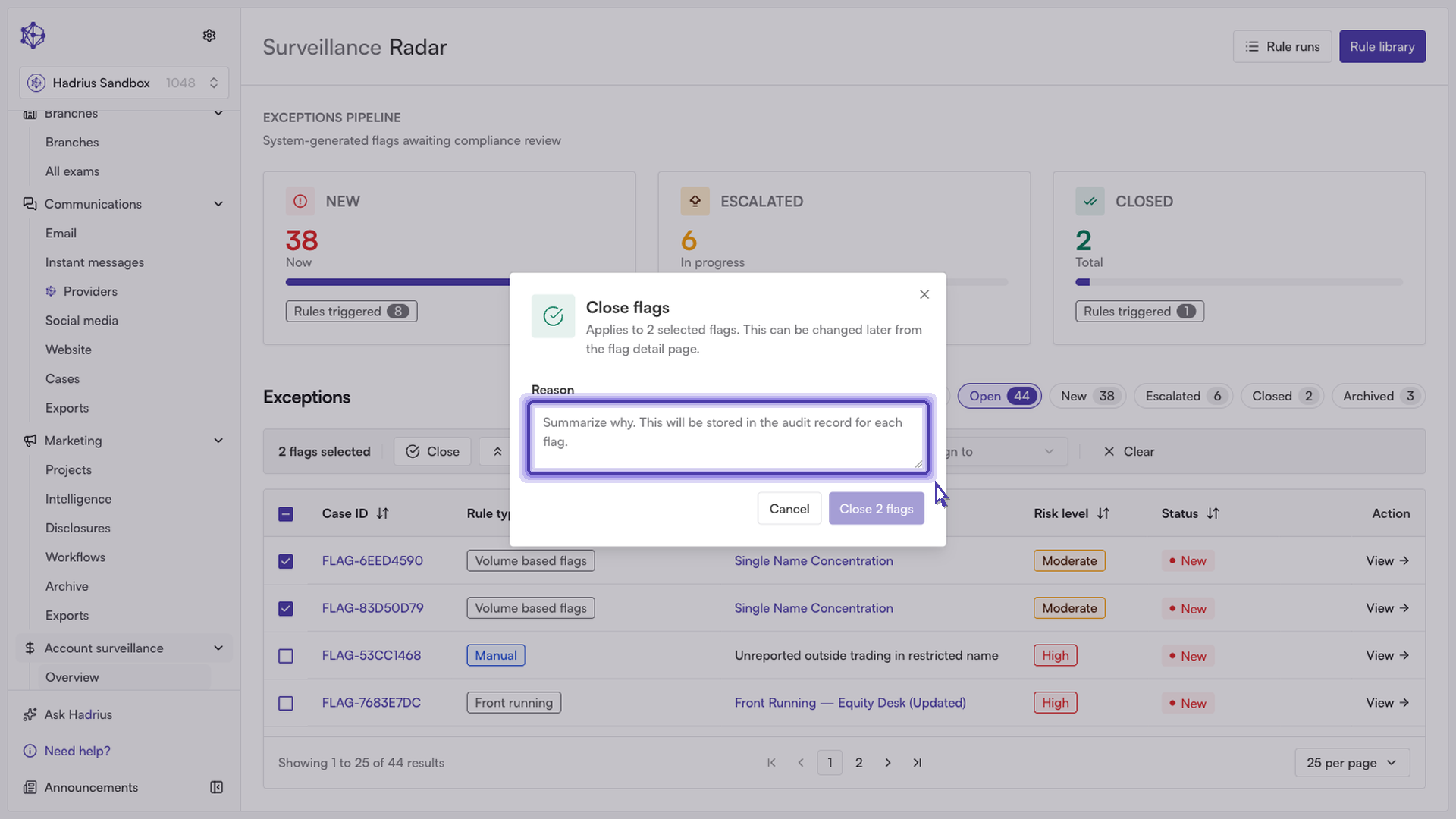
Confirm resolution: Click to confirm the action. The selected flags are resolved immediately and cleared from your active queue.
Next steps: Closed exceptions are archived and remain searchable within your historical surveillance logs alongside your recorded rationale and reviewer timestamp.