How to associate a control with a risk's treatment plan
Last updated: October 17, 2026
A risk's treatment plan defines which controls are relied on to mitigate it. Associating a control with a treatment plan links that control's ongoing testing to the risk it's meant to address, so the risk register reflects real, tracked mitigation rather than a plain text description. Use this workflow whenever a new control is put in place to address a risk, or when an existing risk's mitigating controls change.
Step 1: Open the risk in the risk register
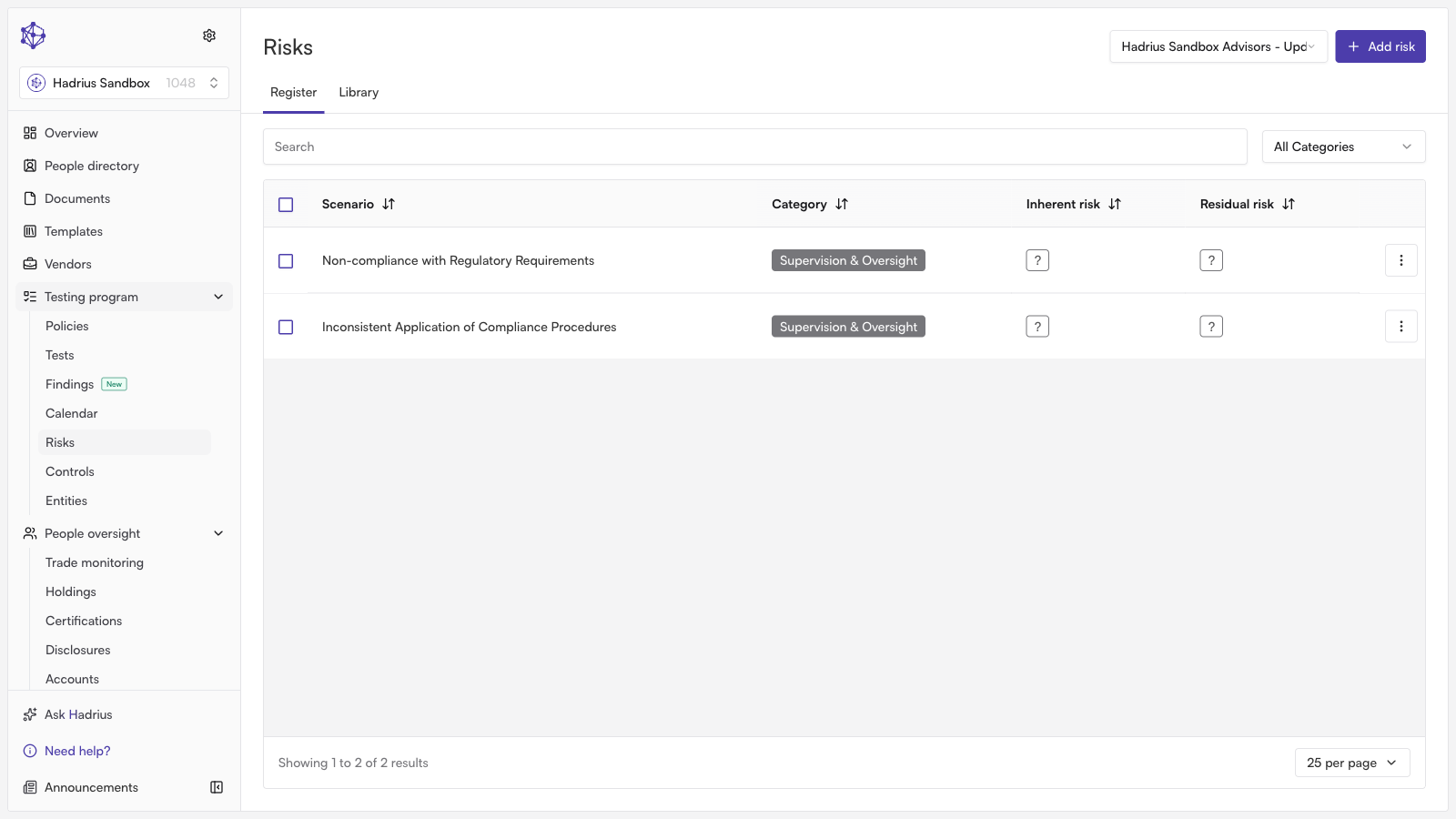
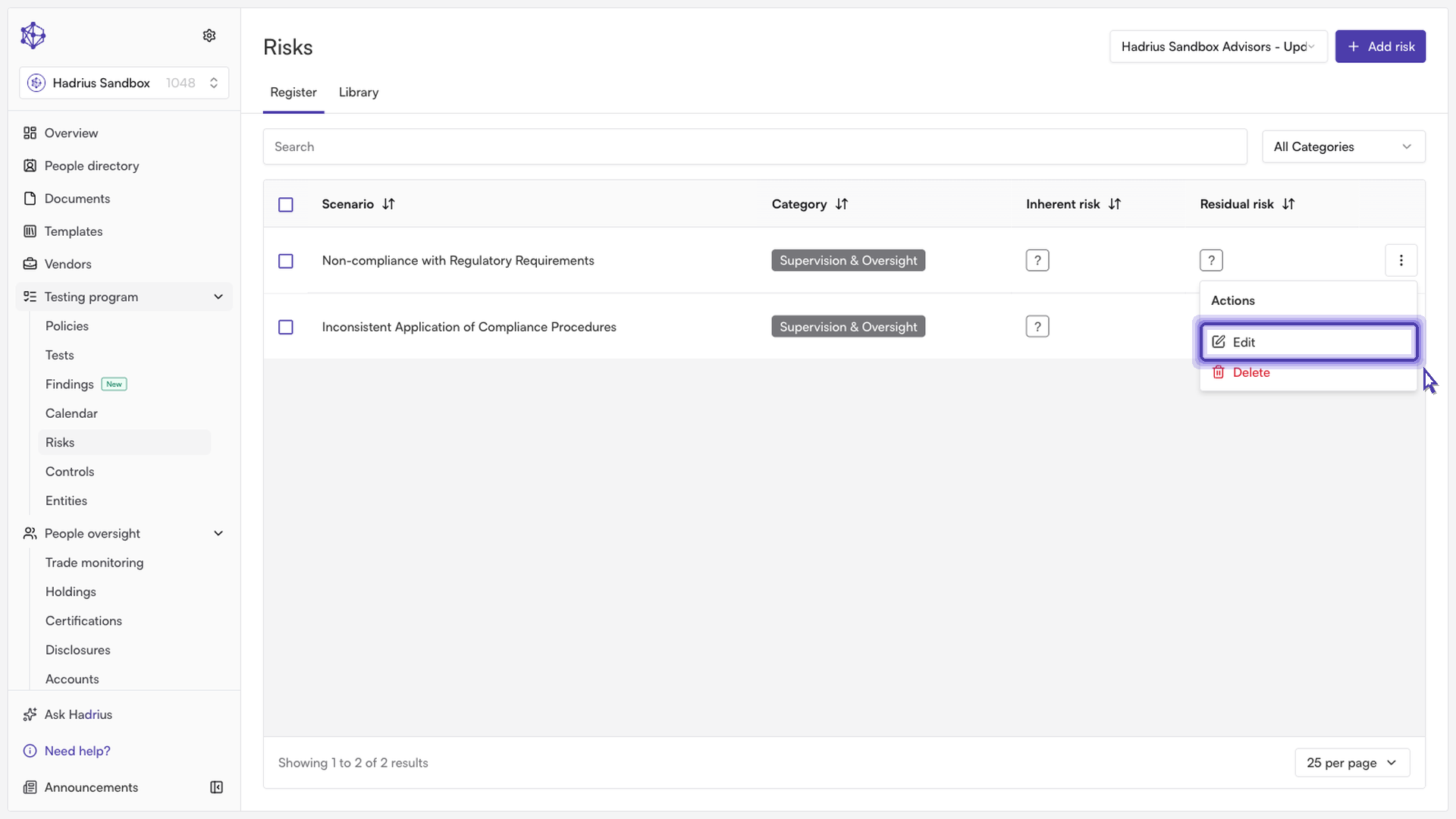
Start in the risk register, where every identified risk and its treatment plan are listed. Find the risk you want to update, open its row actions menu, and select "Edit." This opens a drawer with the risk's full details, including its scenario, categories, guidance, risk sliders, treatment plan, and notes.
Step 2: Edit the treatment plan
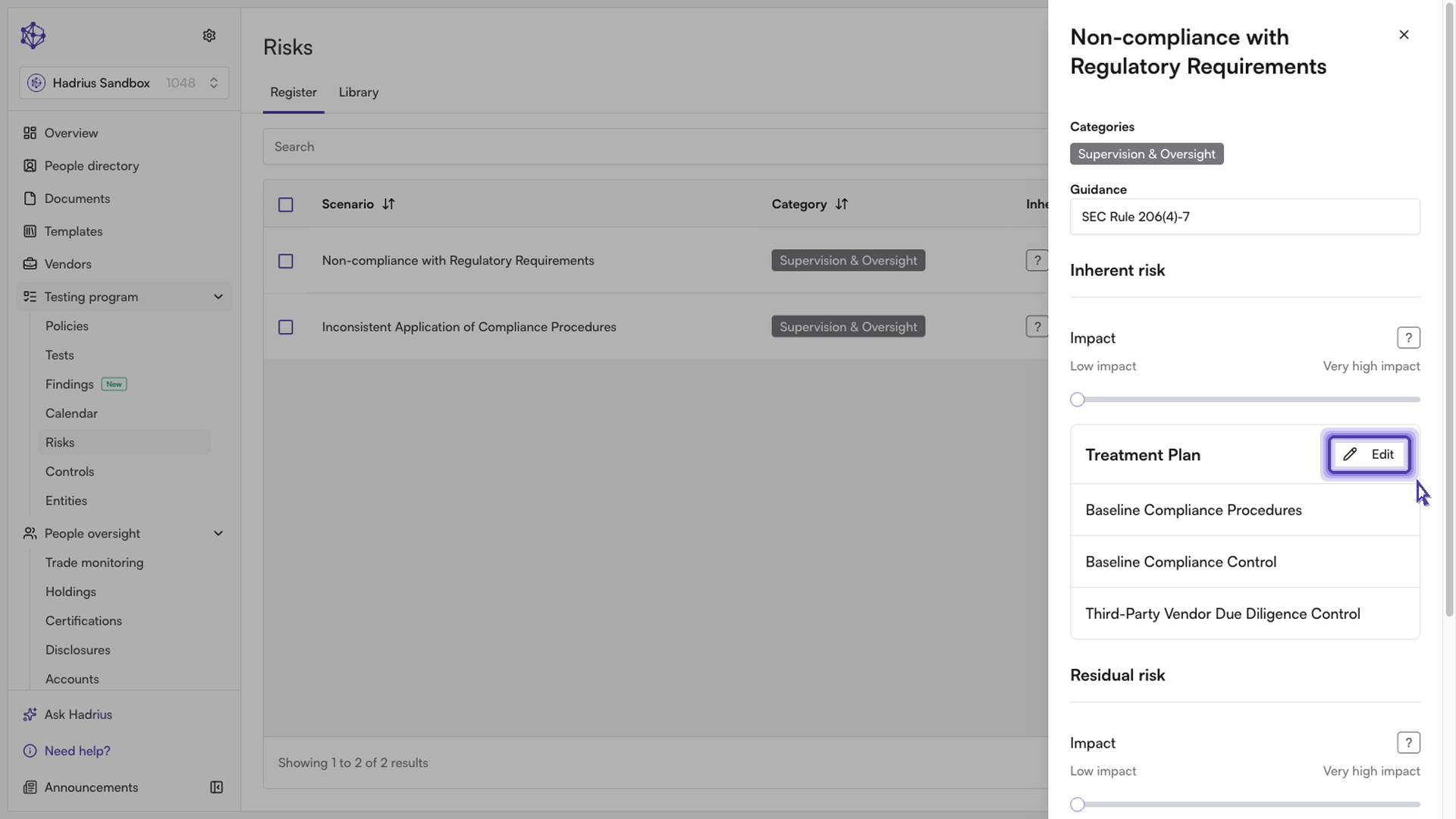
Inside the drawer, locate the "Treatment Plan" section. If any controls are already associated with the risk, they're listed here as links back to the control register. To make changes, click "Edit" in the top-right corner of this section.
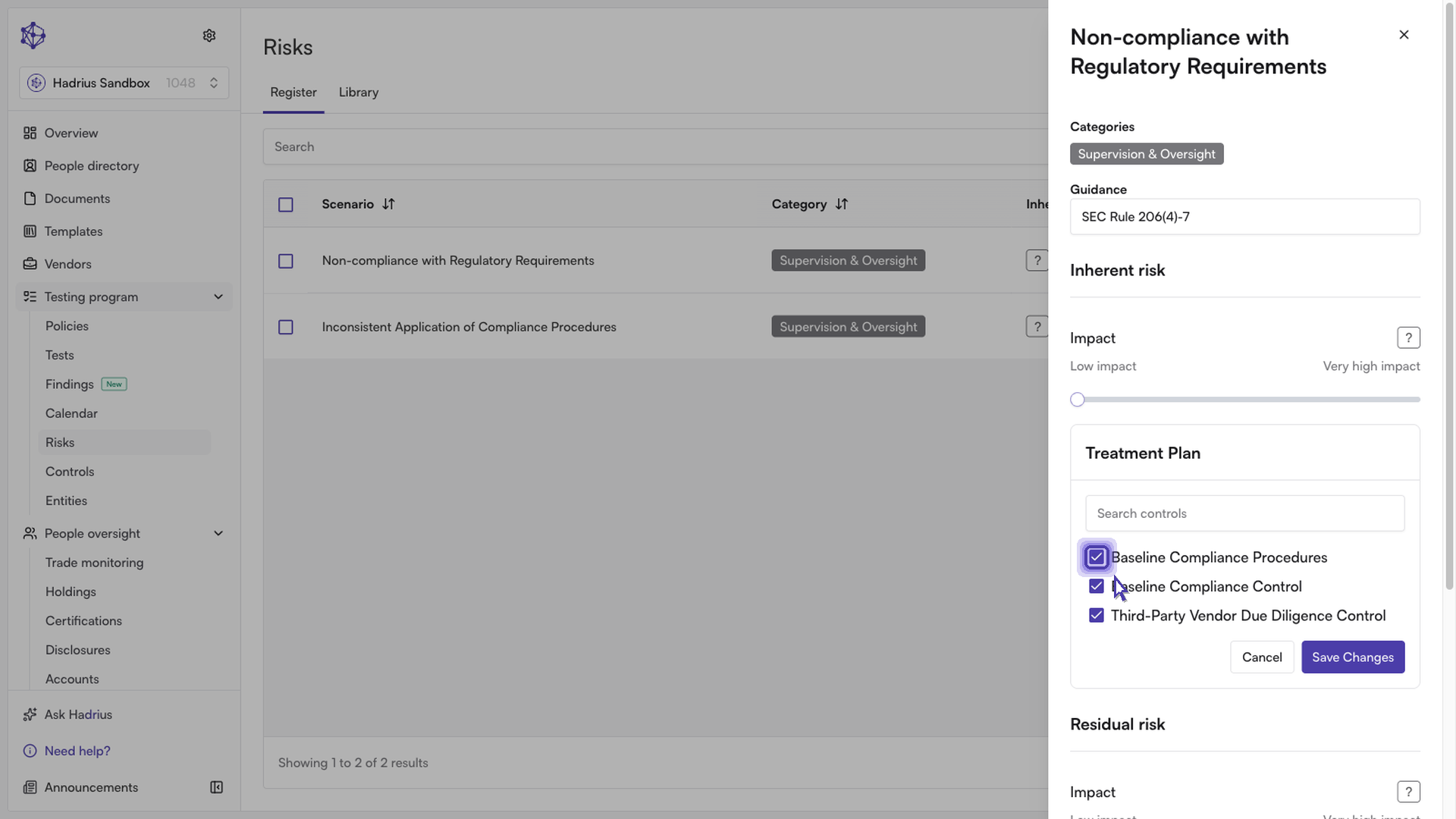
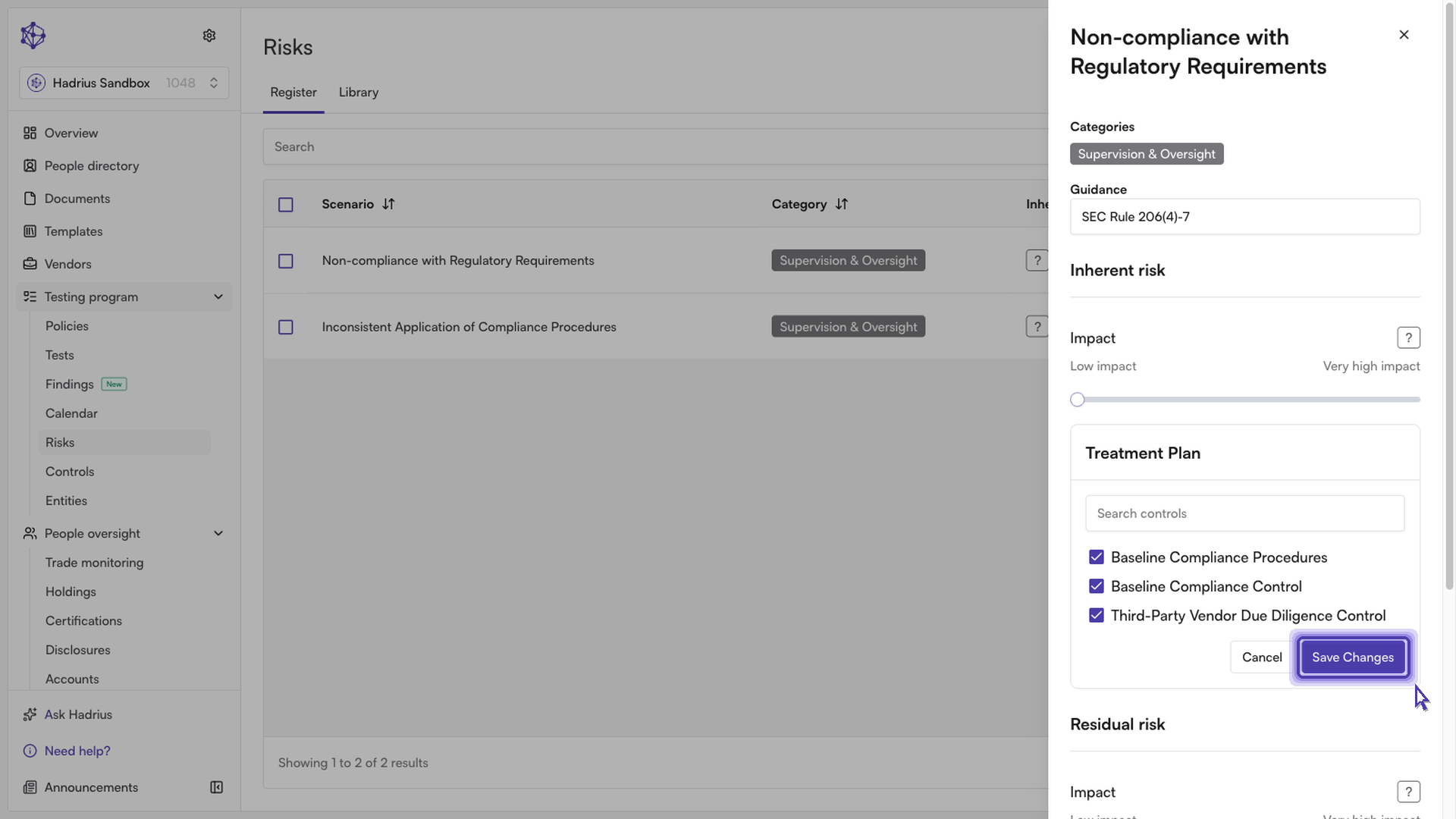
This puts the section into edit mode, showing a searchable checklist of every control in the register. Use the search box to narrow the list, then check the box next to each control that should be part of this risk's treatment plan. Unchecking a previously associated control removes it from the plan.
Step 3: Save the association
When you're done selecting controls, click "Save Changes" within the Treatment Plan section itself — this saves the control associations independently of the rest of the risk edit form. You can click "Cancel" instead to discard your selections without saving.
A note on saving
The Treatment Plan section has its own "Save Changes" button, separate from the "Save Changes" button at the bottom of the drawer that saves other fields like guidance, risk impact, and notes. Saving the treatment plan does not require you to also submit the rest of the form, and vice versa.
Once saved, the associated control appears in the Treatment Plan section as a clickable link, taking you to that control's entry in the control register. From this point on, the control is tied to the risk's treatment plan and its testing results feed into how the risk is monitored.