How to add a new control to the register
Last updated: October 17, 2026
Use this workflow when your firm has identified a compliance requirement — such as a new regulatory obligation or an internal policy — that isn't yet represented in your Controls register. Adding a control here creates a trackable record that ties together the policy it enforces, the risk it addresses, and the test used to verify it's working.
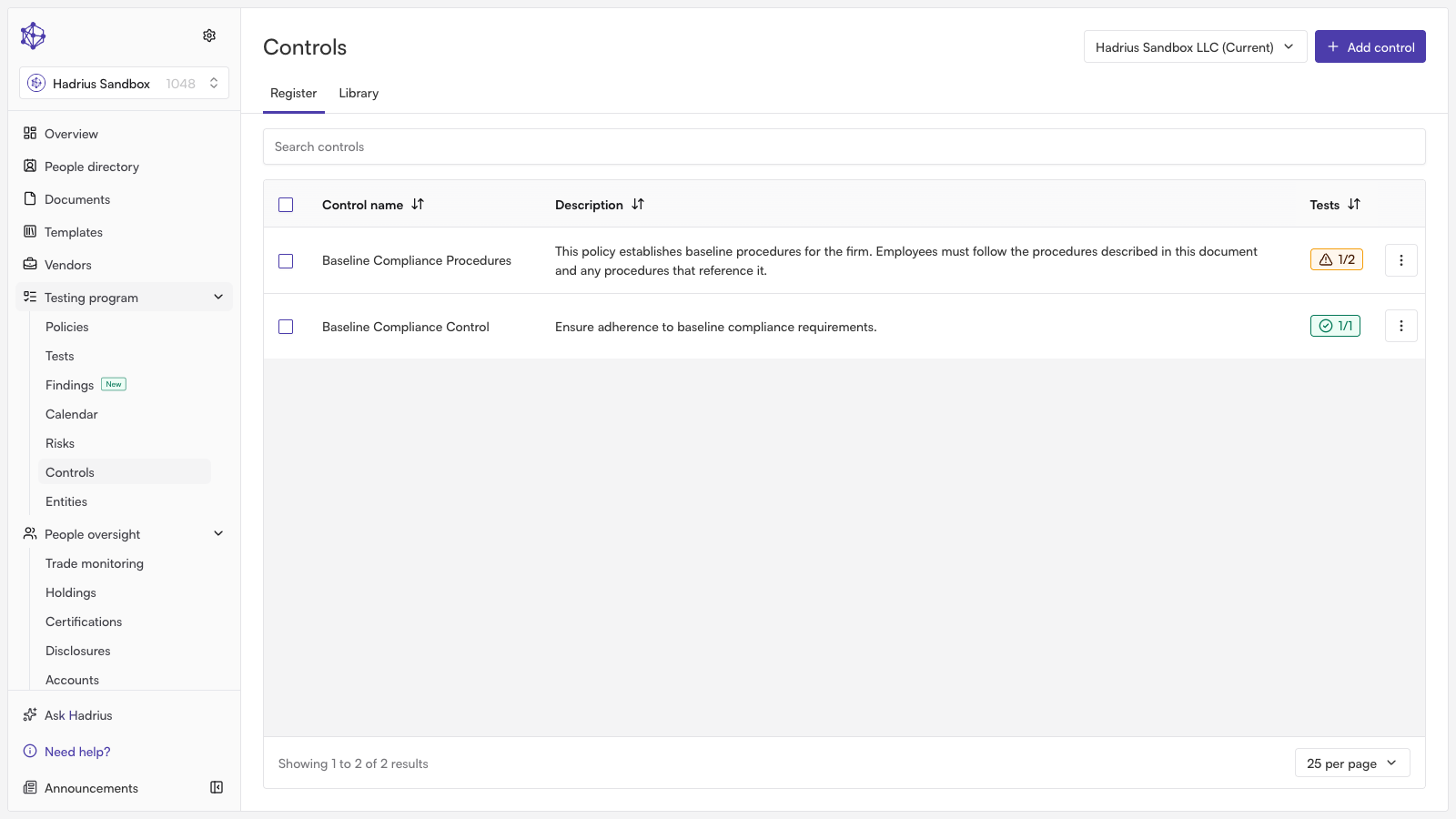
Before you start
New controls are added from the Register tab of the Controls page (the Library tab is for browsing pre-built controls instead). At the top of the Register tab you'll also see a compliance manual version selector — a control can only be added while an active manual version is selected; if the selected version isn't active, the "Add control" button is hidden.
Steps
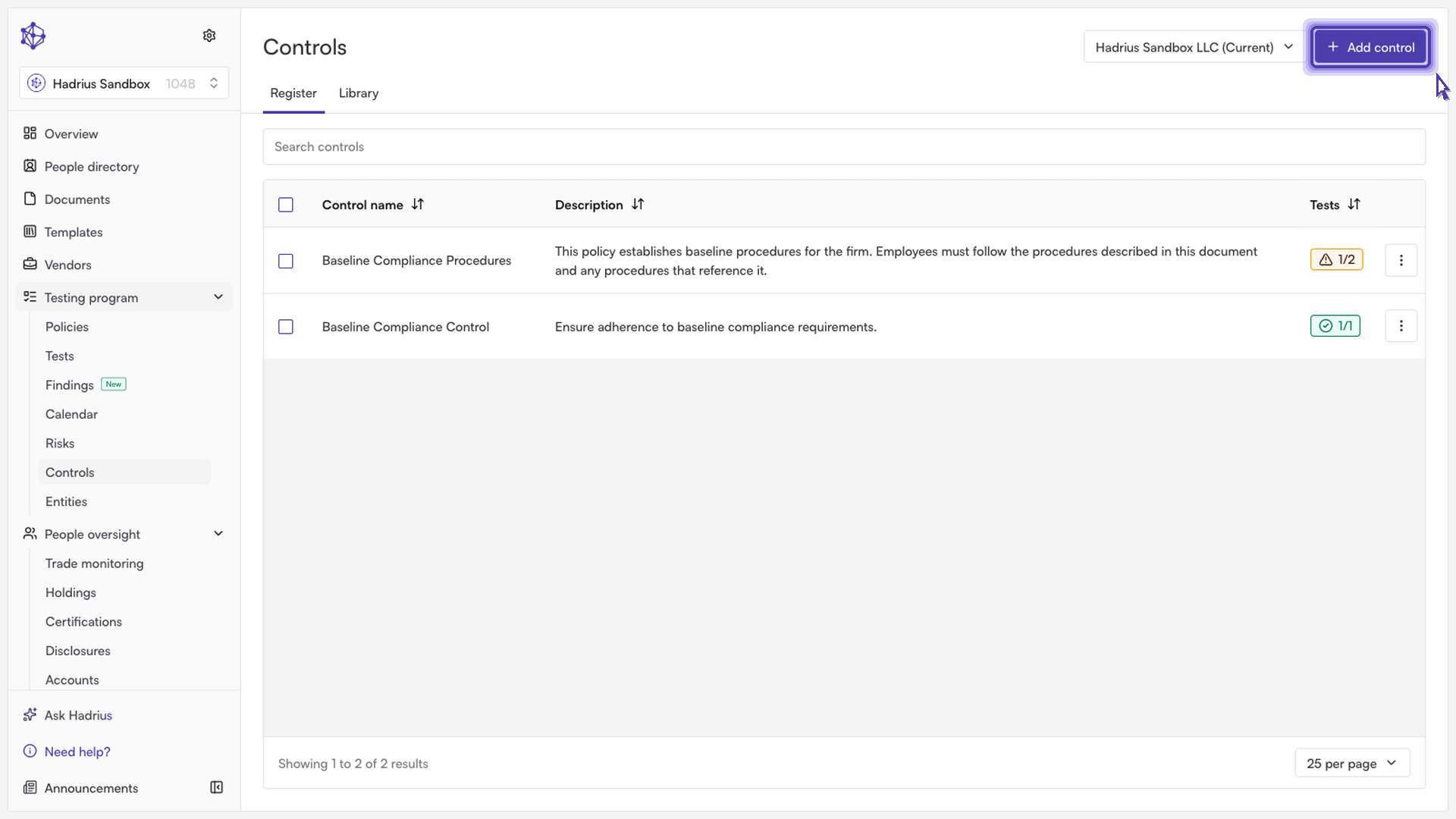
From the Controls register, click Add control. This opens the "Create control" dialog.
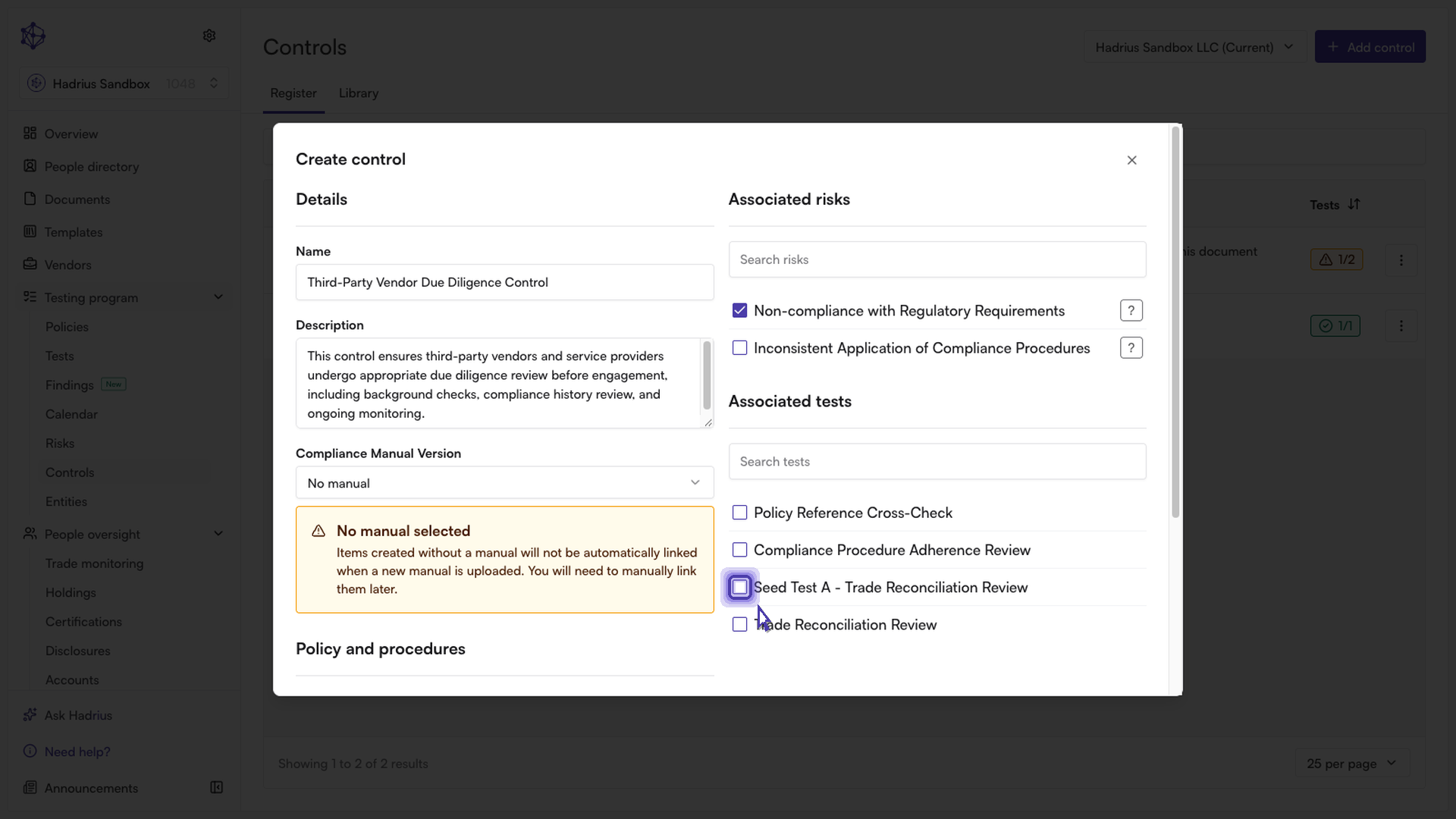
Under Details, give the control a clear Name and a Description of what it covers. If you need it associated with a specific compliance manual version other than the one already selected, you can change that here as well.
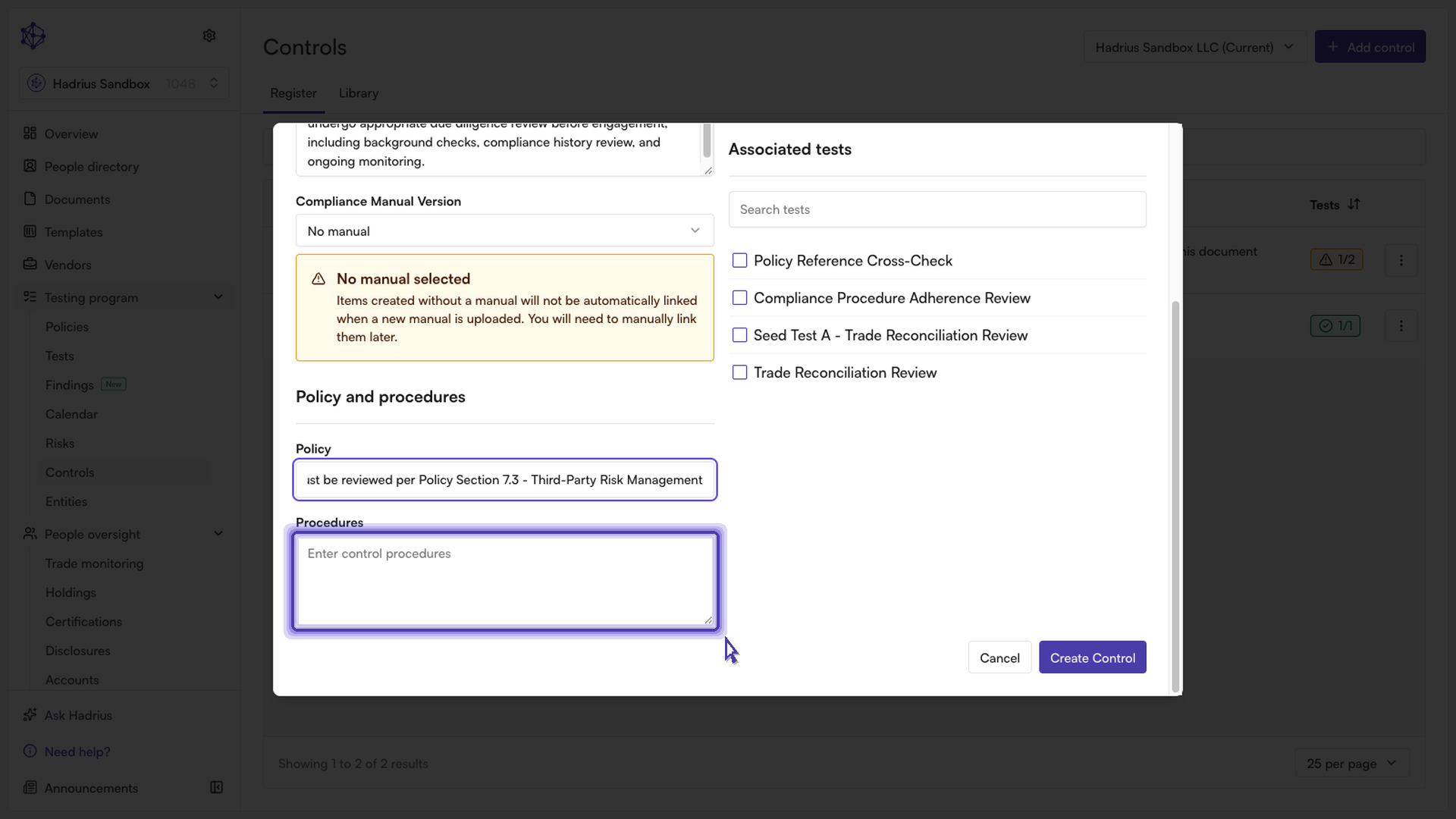
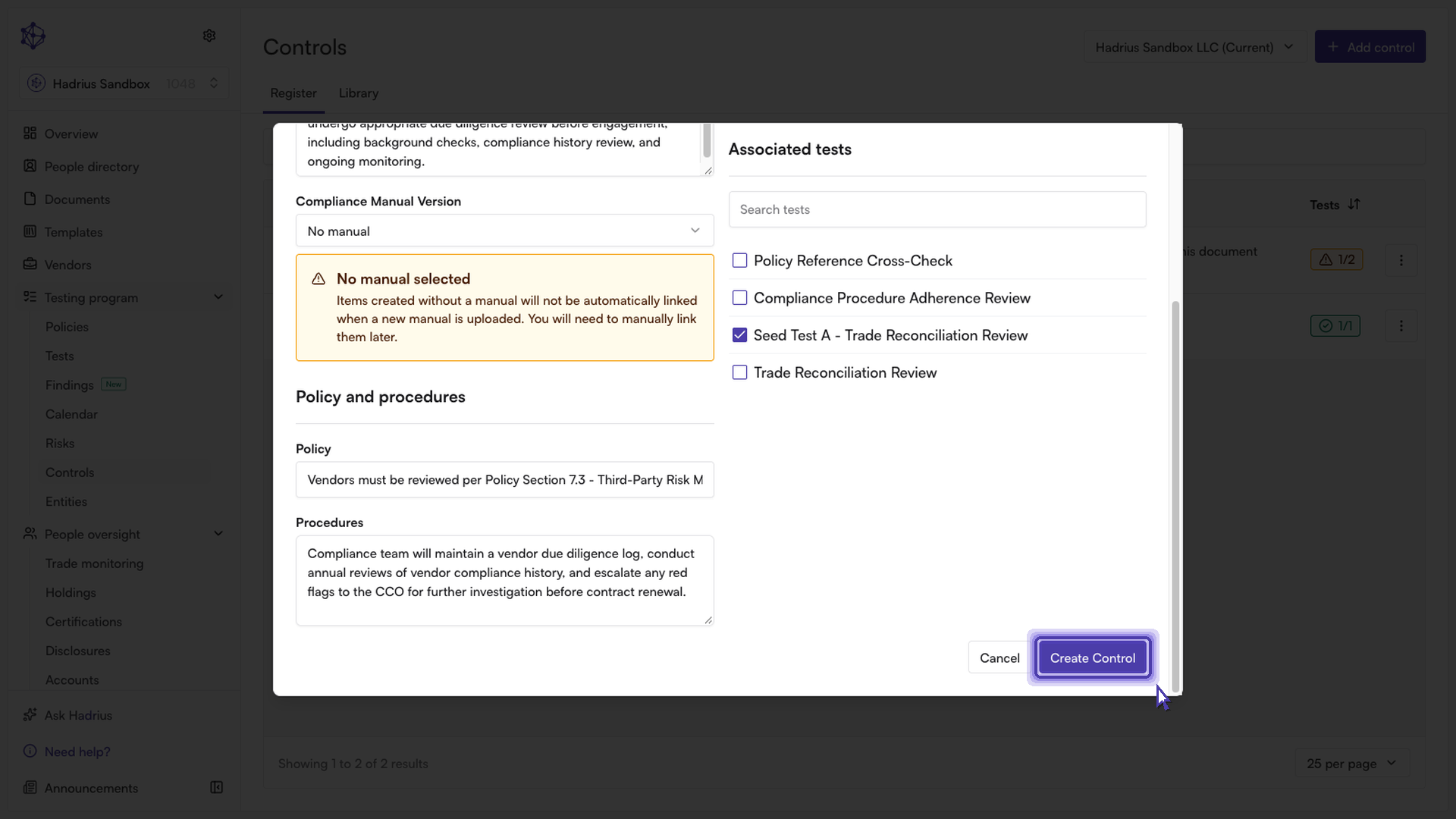
Under Policy and procedures, enter a Policy reference to ground the control in the written policy it supports, and use the Procedures field to document the day-to-day steps the compliance team should follow, including when to escalate.
In the Associated risks panel on the right, search and check off the risk (or risks) this control mitigates. Each risk is shown with a color-coded badge reflecting its residual risk impact, so you can confirm you're linking it to the right one.
In the Associated tests panel, search and check off any existing test that verifies this control. Linking a test here means the control's effectiveness will be tracked automatically going forward — the register shows a running count of completed vs. total tests for the control, rather than relying on a manual assessment.
Click Create Control to save it (or Cancel to discard your changes). The new control immediately appears in the Controls register, ready to be tracked and tested.
What's next
Once a control is created, it stays linked to whichever compliance manual version you assigned it to. If it isn't linked to a test yet, you can edit the control later to add one — until then, its test coverage will show as incomplete in the register.