How do I make edits and upload a new version?
Last updated: July 13, 2026
Edits happen outside Hadrius, in whatever tool the material was created in. Hadrius tracks the versions:
Make your edits in the original file outside Hadrius (Word, PowerPoint, Canva, etc.).
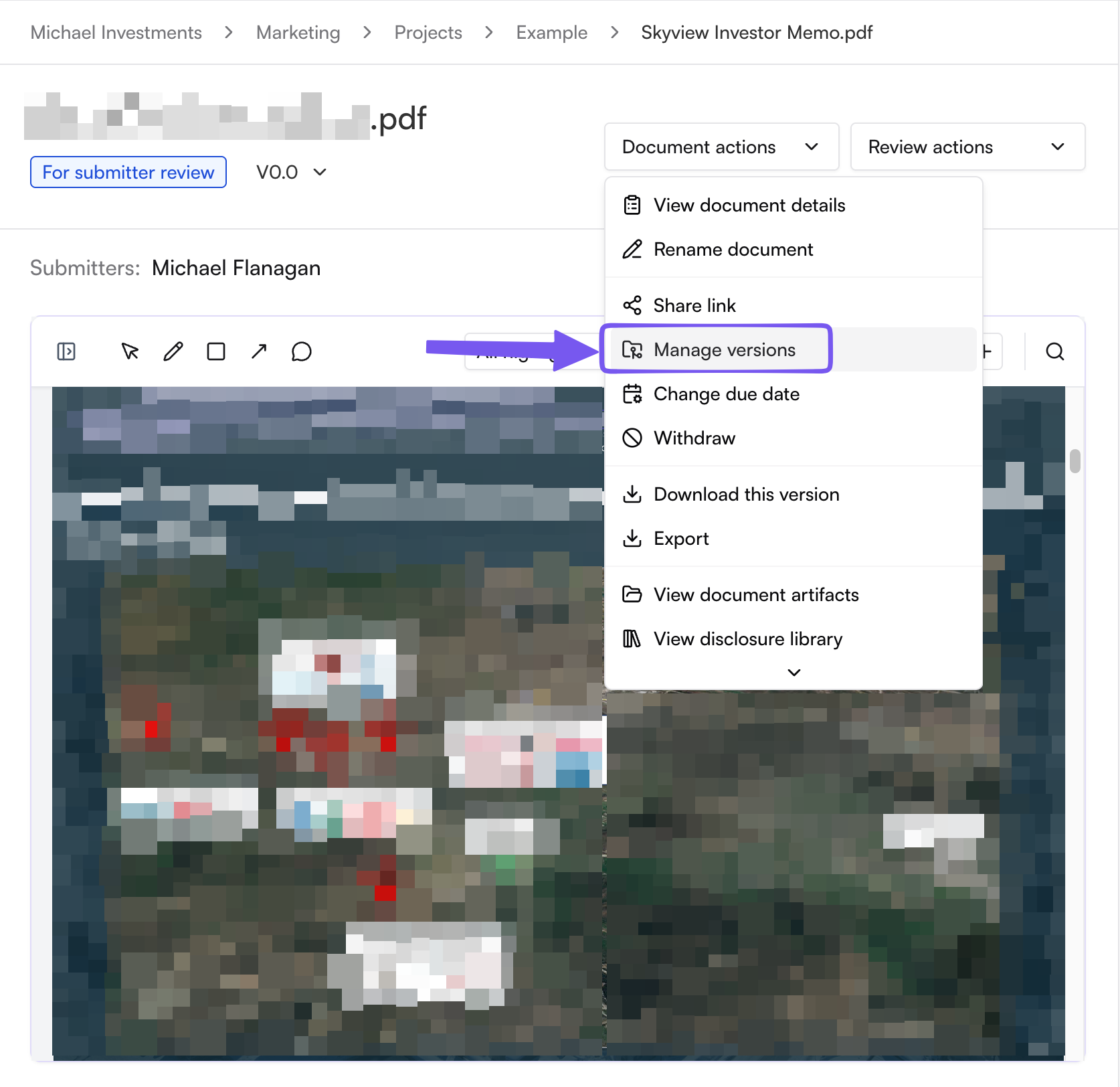
Open the document in Hadrius and click Manage versions.
Drag in the revised file. The dialog shows the full version history, and every prior version stays downloadable for your records.
If the document is back with you after approver review, you can flip the Submit for approver review toggle to send the new version straight to approver in one step.