How do I upload marketing materials for review?
Last updated: July 13, 2026
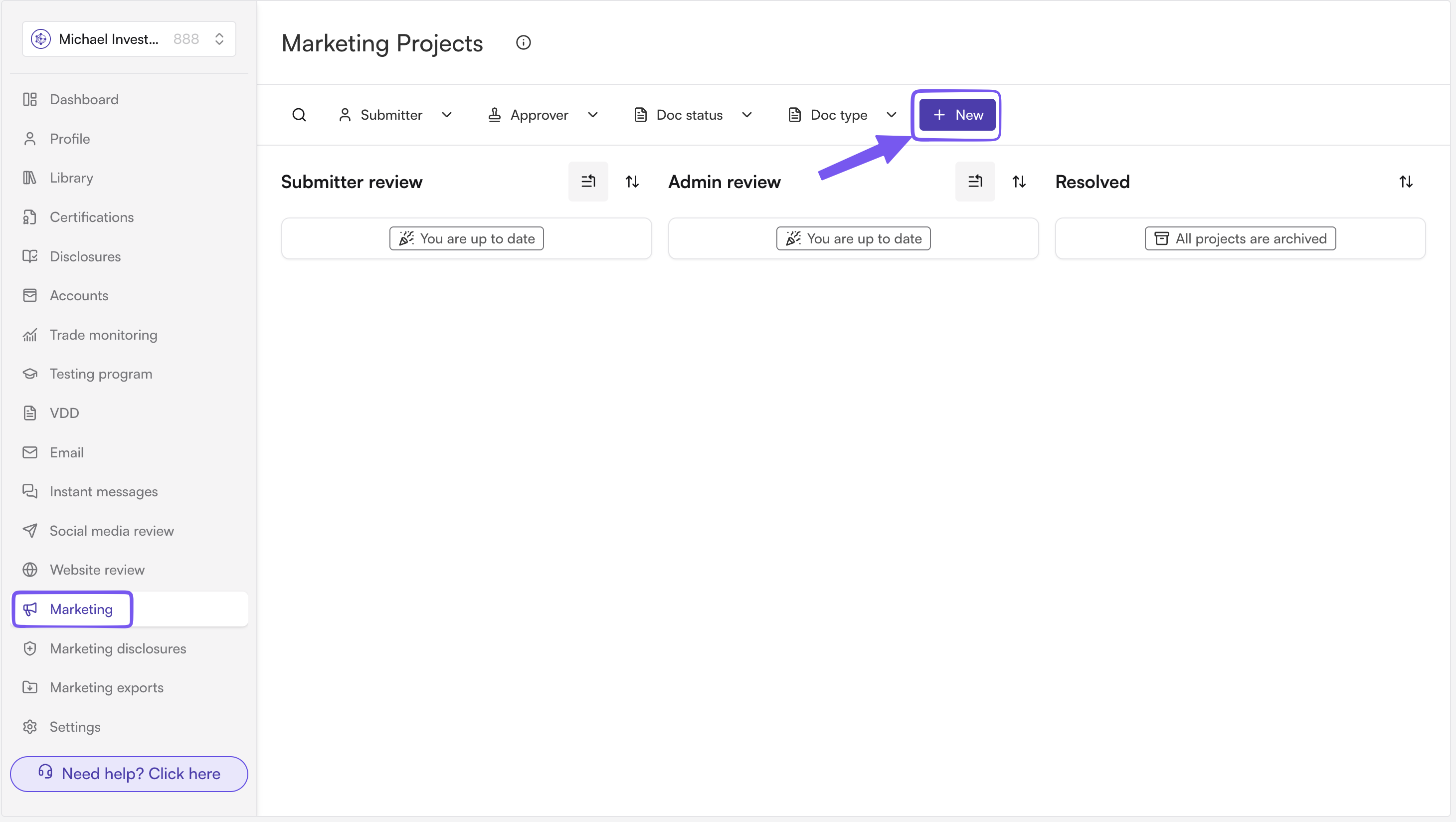
Go to the Marketing section of the Hadrius web app and click "Create new project"
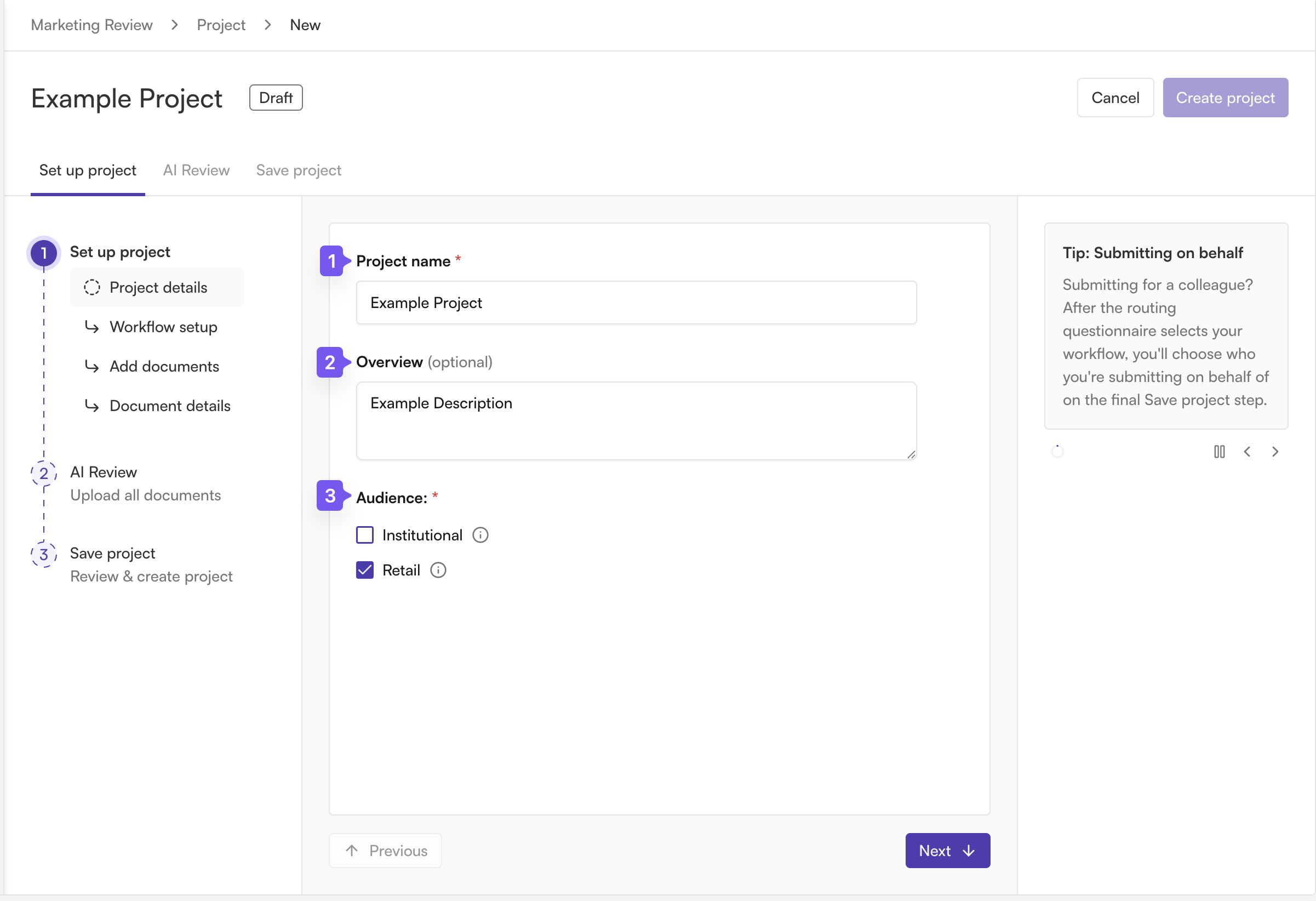
Project details: give the project a name and description, and select at least one audience type.
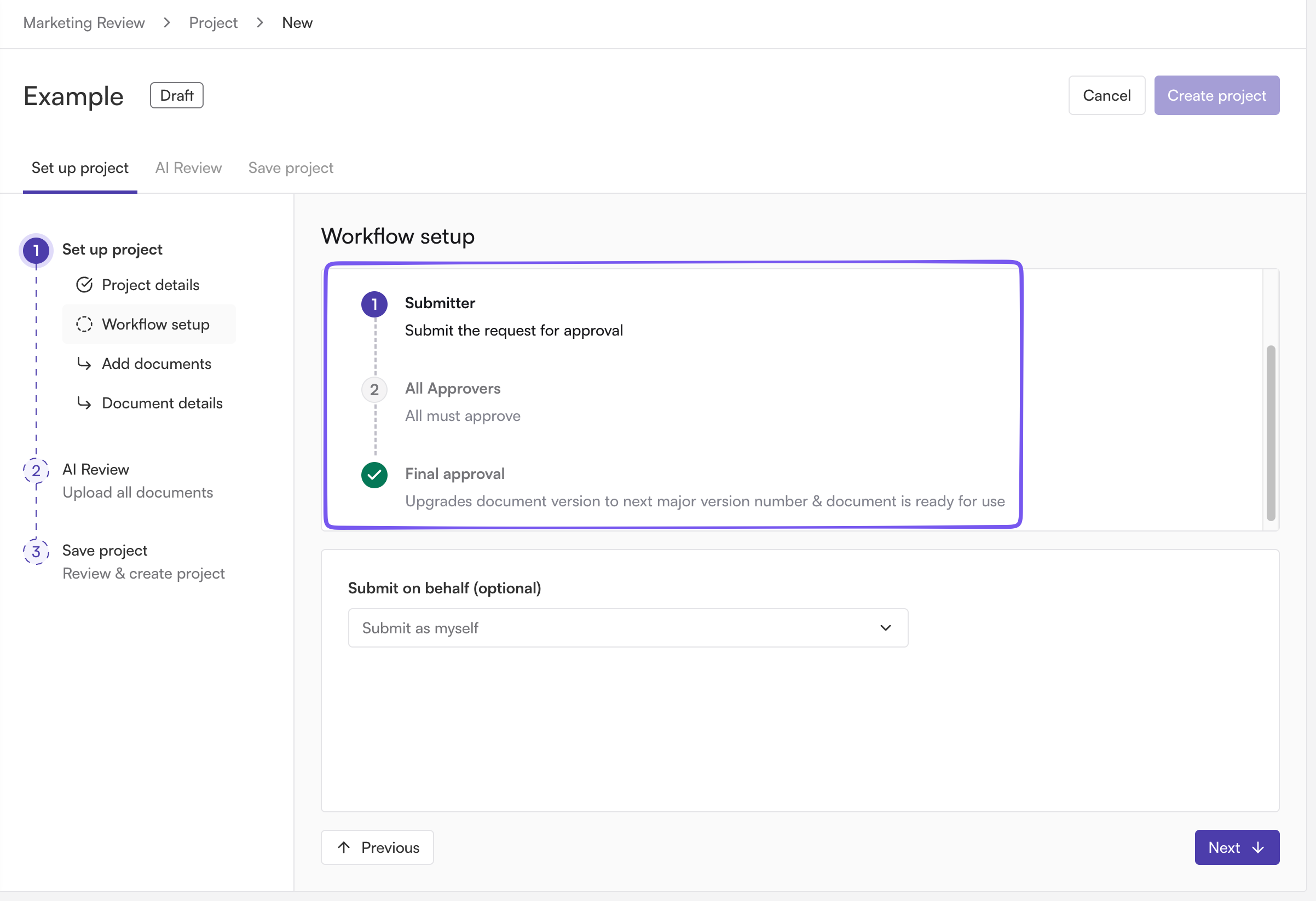
Projected workflow: Review the projected workflow that your firm is using
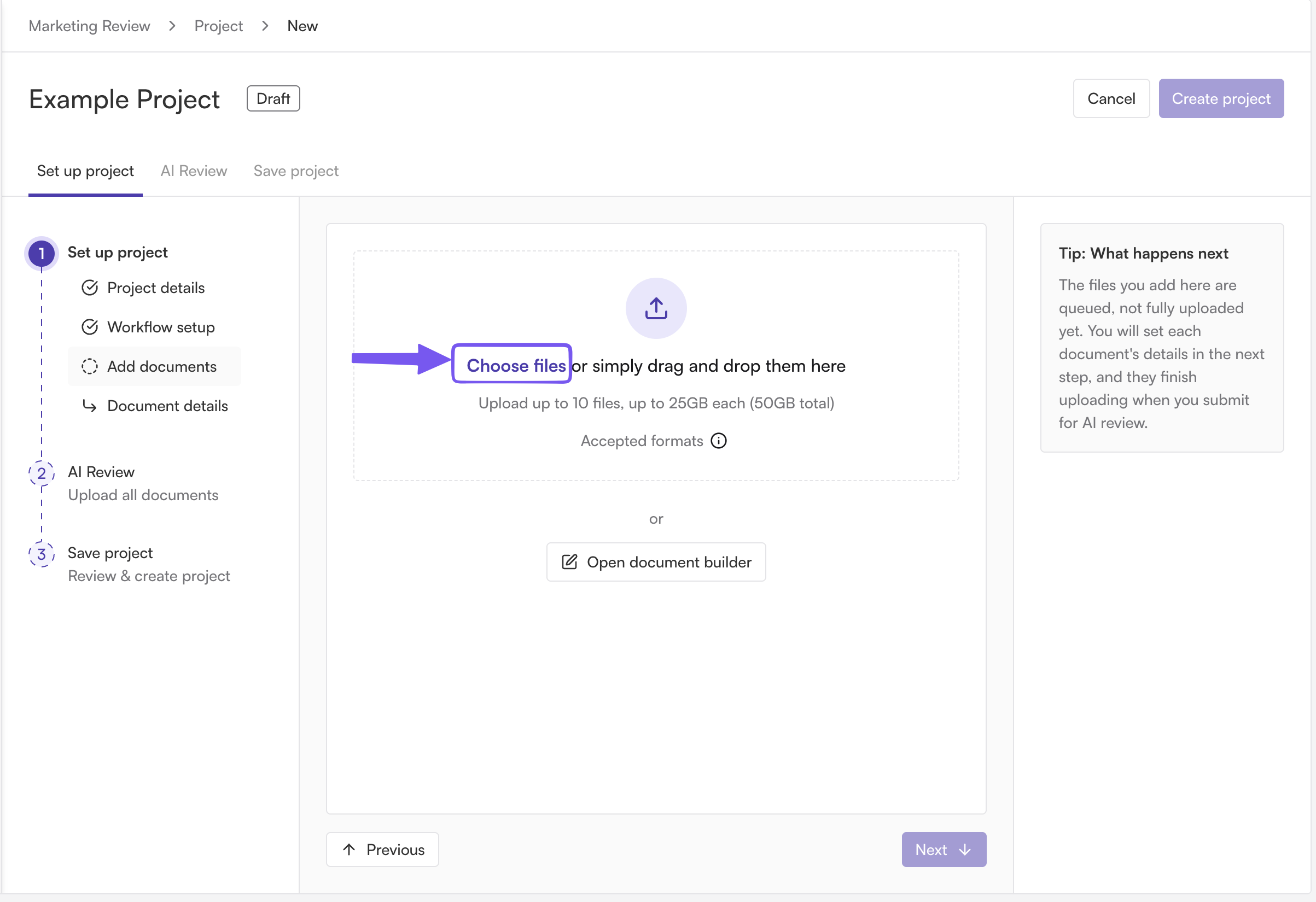
Add documents: drag and drop or browse to upload your marketing files. You can upload multiple documents to one project.
You can also use the document builder to create materials or edits directly in Hadrius
Document details: complete the required details for each document (Due date and Document type)
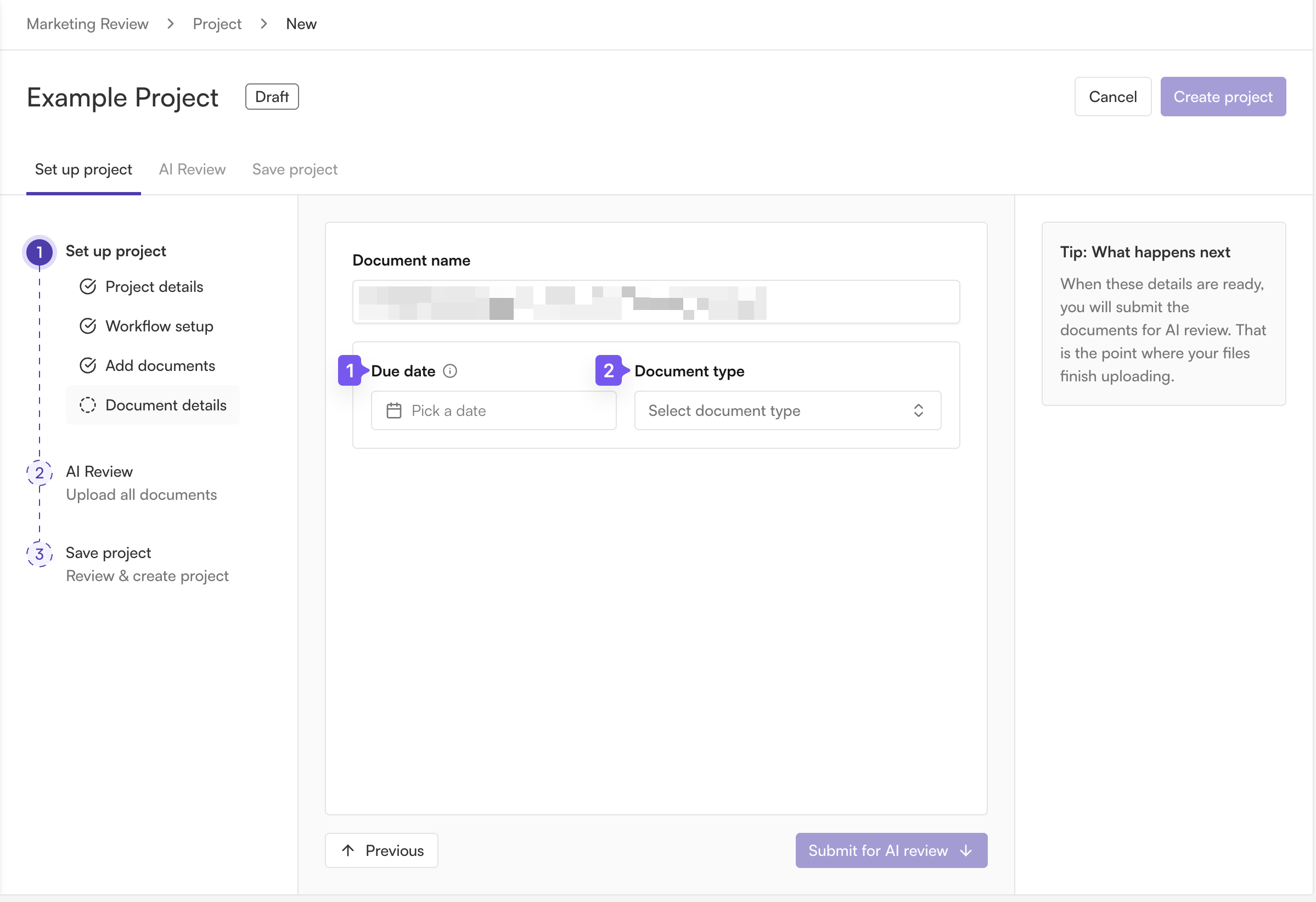
Click Submit for AI review. Your files upload and the AI analysis kicks off; you can watch processing status on screen.
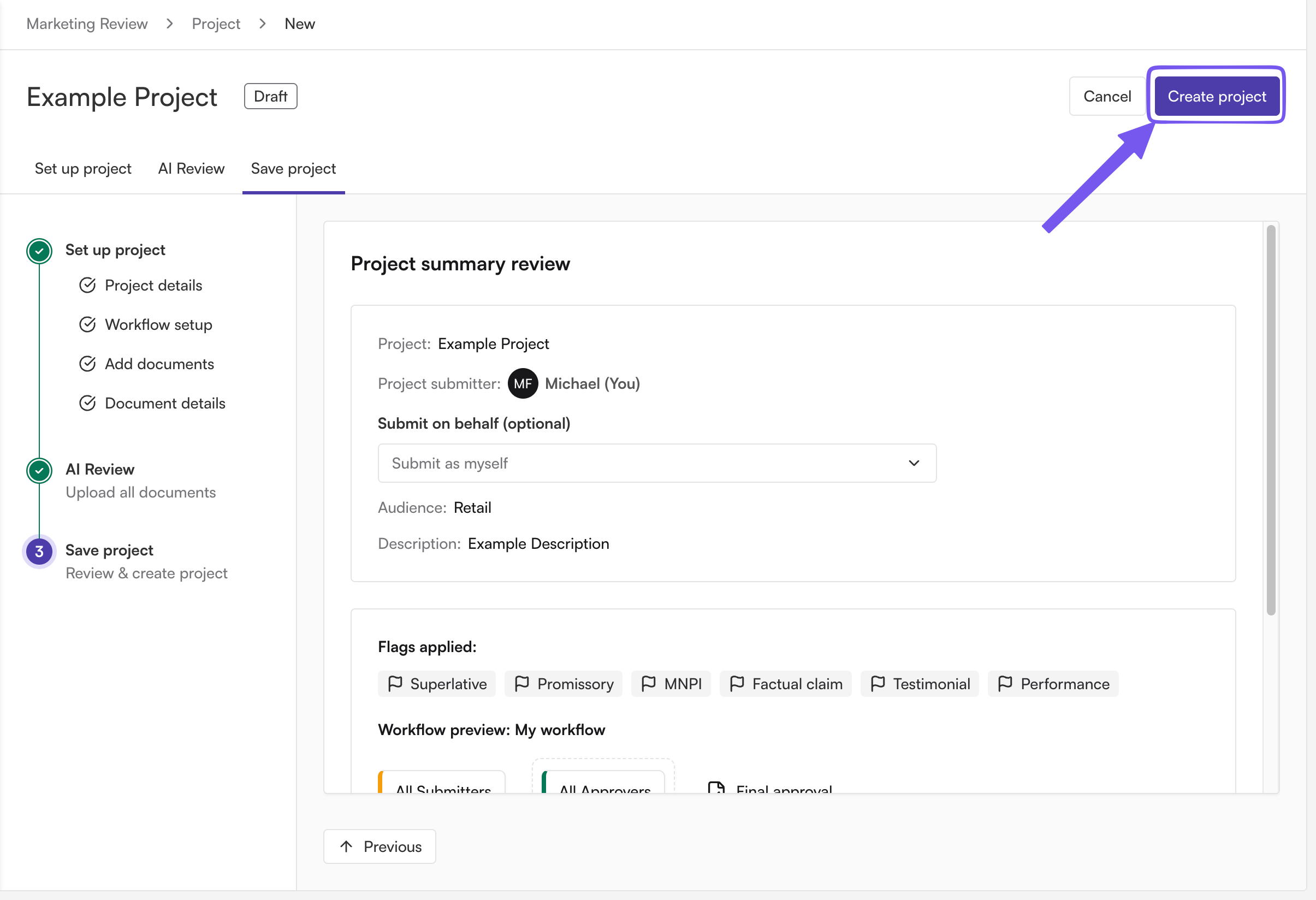
Create Project
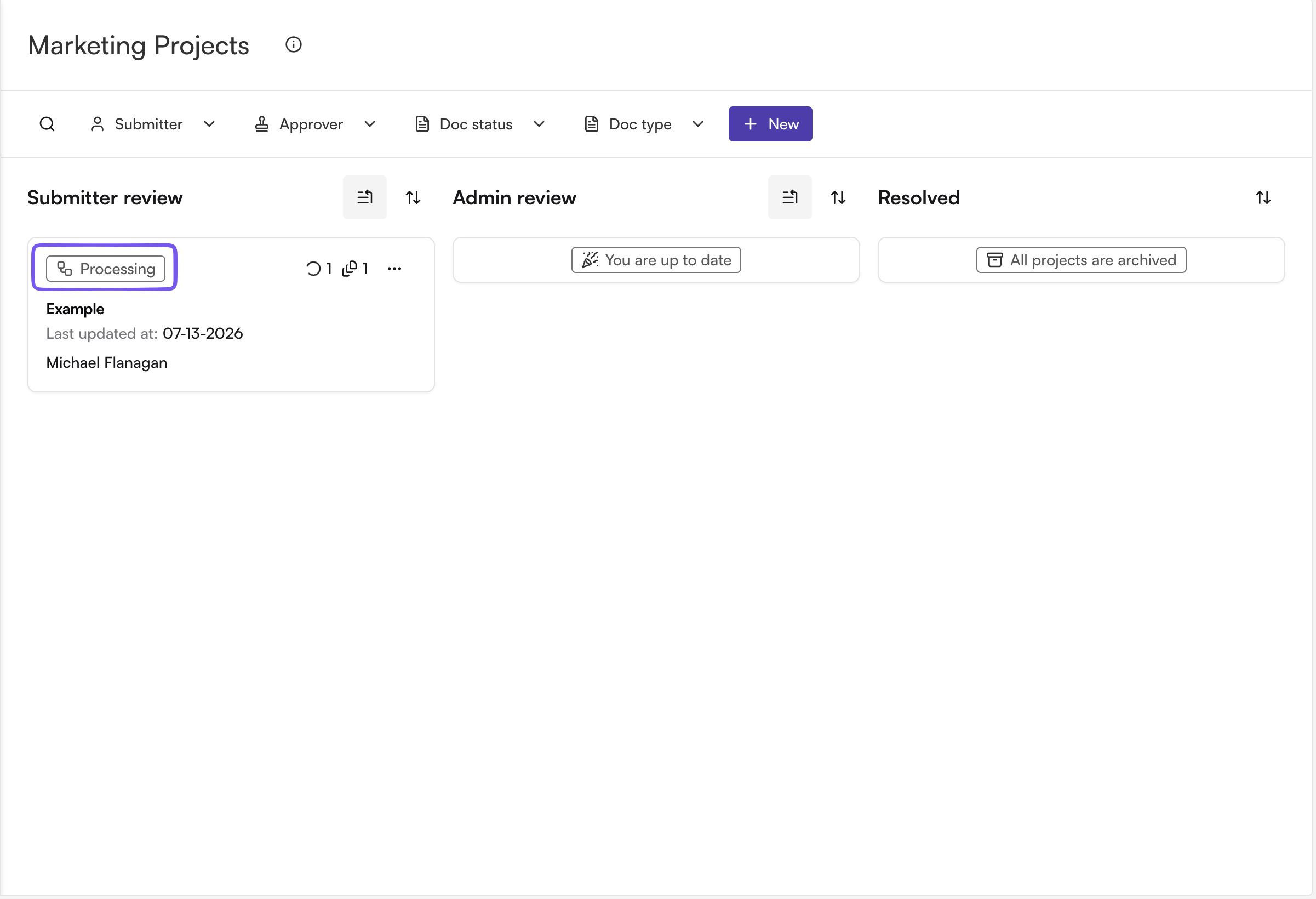
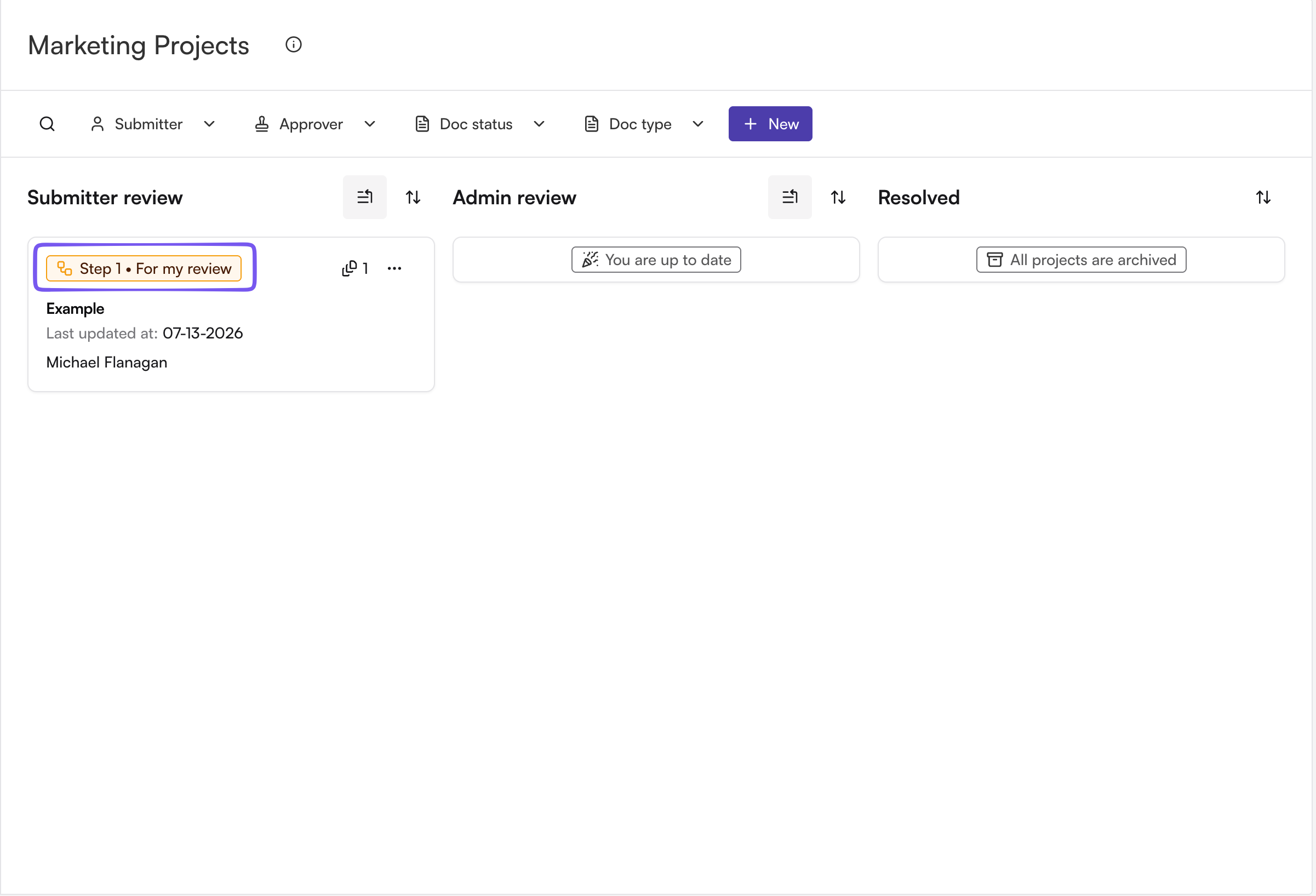
Wait until the AI finishes processing your document. The status on the Marketing project dashboard will move from "Processing" to "Pending Submitter"
Tip: group related materials (e.g., a deck plus its one-pager) into a single project so they move through approval together.