How do I connect MyRepChat for archiving?
Last updated: October 9, 2026
At a glance
Typical setup time: About 5 minutes
Who you need: A MyRepChat administrator
What Hadrius reads: Messages MyRepChat sends to its archiver
Before you begin
You'll create an SFTP login in Hadrius and enter its details in MyRepChat, so you'll need access to both.
In Hadrius
Create the SFTP login
On the MyRepChat integration page in Hadrius, click Create login. Hadrius creates the SFTP login MyRepChat delivers your exports to.
Copy the password now. Hadrius shows it only once. If you lose it, click Generate a new password; the old password stops working immediately, so MyRepChat will need the new one.
In MyRepChat
Open the archiver settings
In the MyRepChat dashboard, go to Settings → Connect to Archiver and scroll down to the SFTP option.
Enter the SFTP details
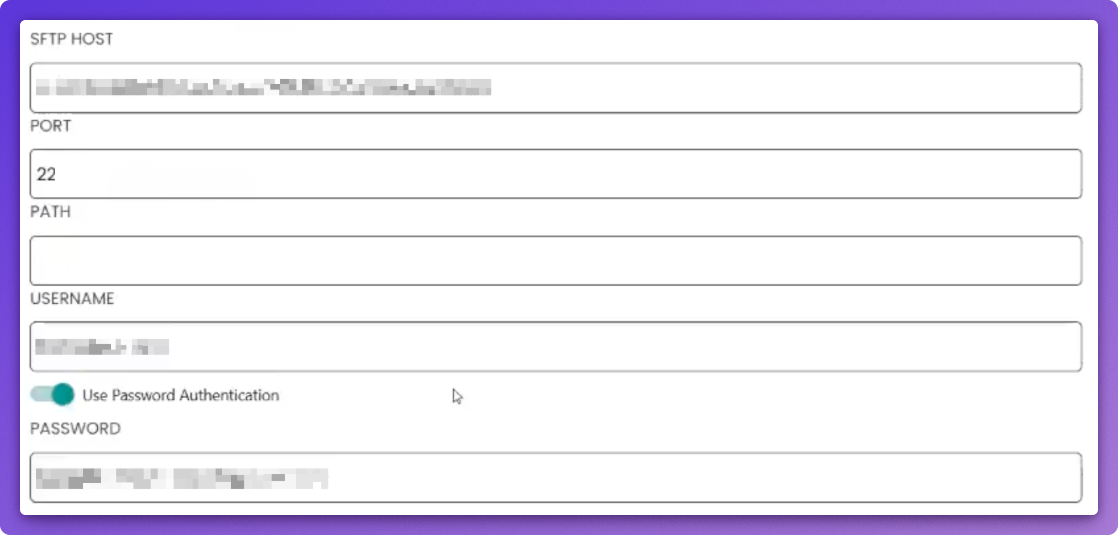
Fill in the SFTP fields with the Host, Port and Username shown on the MyRepChat integration page in Hadrius, and the password you copied when you created the login.
Turn on archiving
Scroll to the bottom of the page, switch the archiving toggle on, and click Save.

In Hadrius
Wait for the first export
Setup completes in Hadrius when MyRepChat's first export arrives. To check the login in the meantime, click Check the login.