How do I connect Quo for archiving?
Last updated: October 9, 2026
At a glance
Typical setup time: About 10 minutes
Who you need: A Quo workspace owner/admin
What Hadrius reads: Texts on the workspace's numbers
Before you begin
You need to be a workspace owner or admin in Quo (formerly OpenPhone). Members cannot see the API settings.
In Quo
Create an API key
Access your Quo account at my.quo.com and navigate to the API tab under workspace settings. Click Generate API key and give it a descriptive name (such as hadrius-archiver). Spaces are not allowed in the API key name.
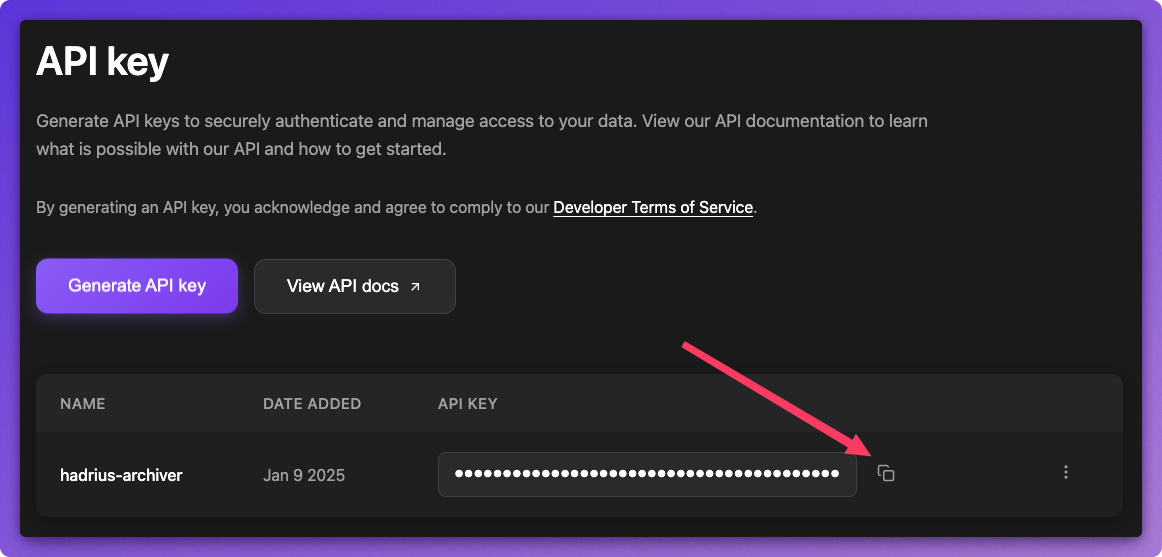
The API key grants access to your workspace's messages and calls. Treat it like a password: do not paste it into email or chat.
In Hadrius
Add the key and choose a start date
On the Quo integration page in Hadrius, paste the key into the API key field.
Set Archive start date to the earliest date you need archived. Messages sent before that date are not captured. Leave it blank to archive from today onwards.
Then click Save and verify. Hadrius checks the connection before saving.