How do I connect Intercom for archiving?
Last updated: March 24, 2026
Get Intercom access token
Visit the Intercom Developer Hub (developers.intercom.com). In the Your apps section, create a new app, and name it Hadrius Compliance. You’ll be taken to a page that lets you copy an access token. Copy this and save it for later.
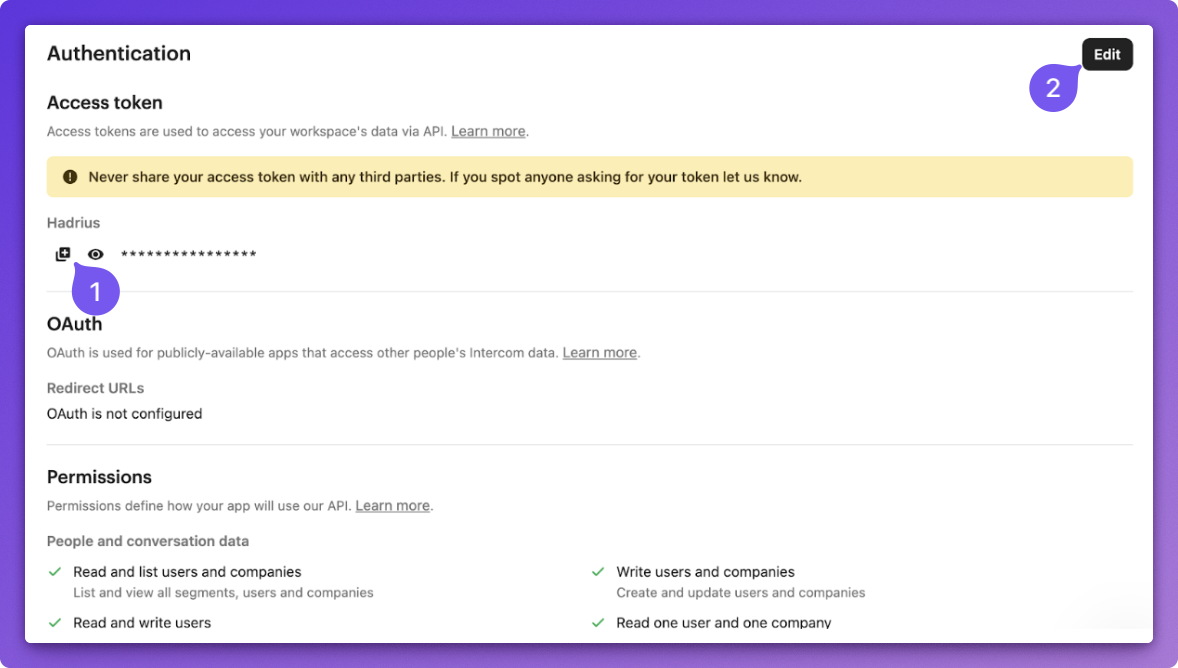
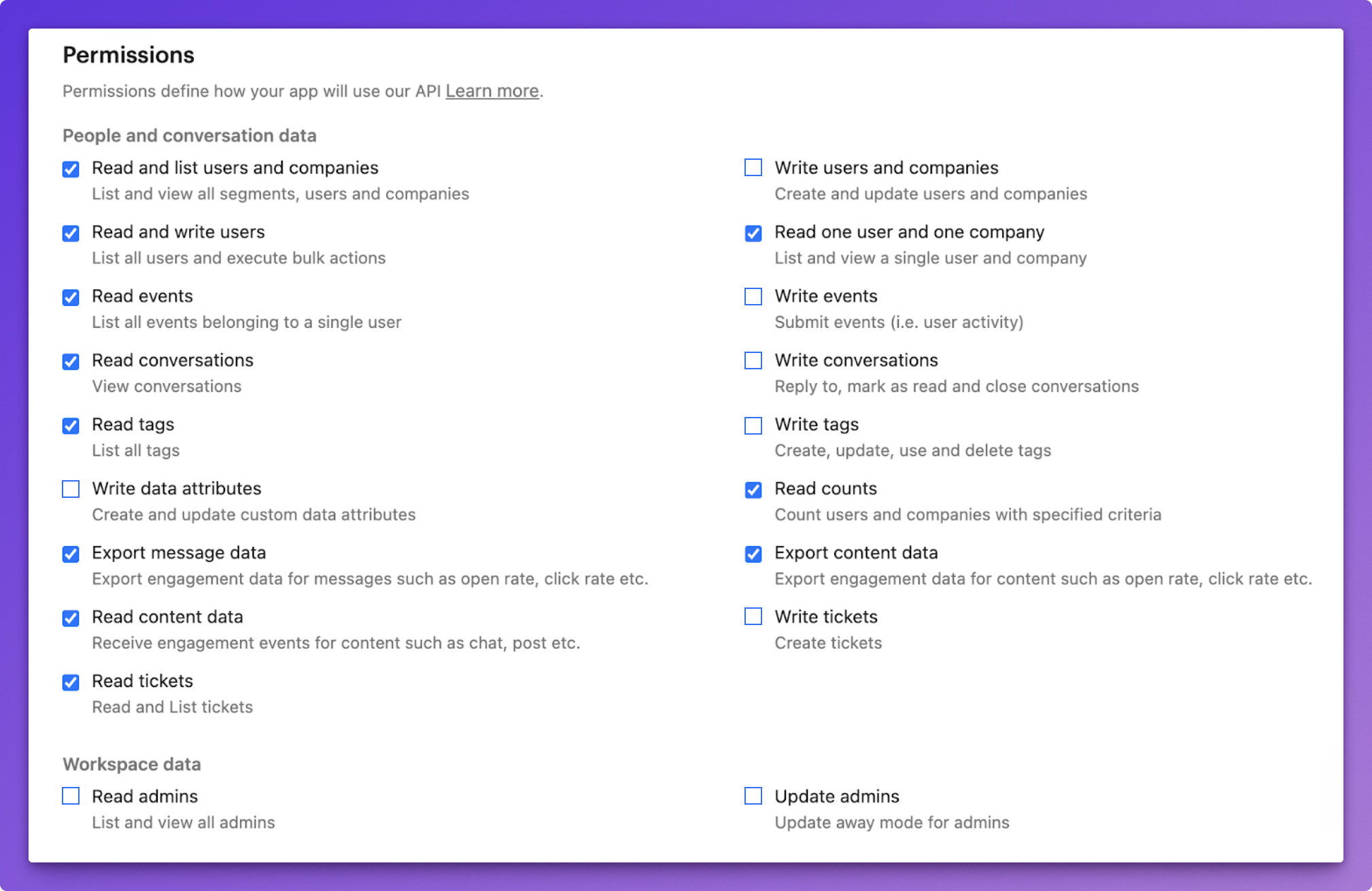
Click Edit on the top right. By default, the app will have all permissions, which we do not require. Scroll down and uncheck all permissions under Workspace data, as well as all permissions under People and conversation data that begin with the word write. Your final permissions screen should look like this:
Share the read-only access token with the Hadrius team.
The access token is sensitive information. To share it, you can use flashpaper.hadrius.com to generate a one-time use link that you can send to us.