How to Setup WebEx Capture
Last updated: June 29, 2026
WebEx Setup
Log in to the WebEx Control Hub at
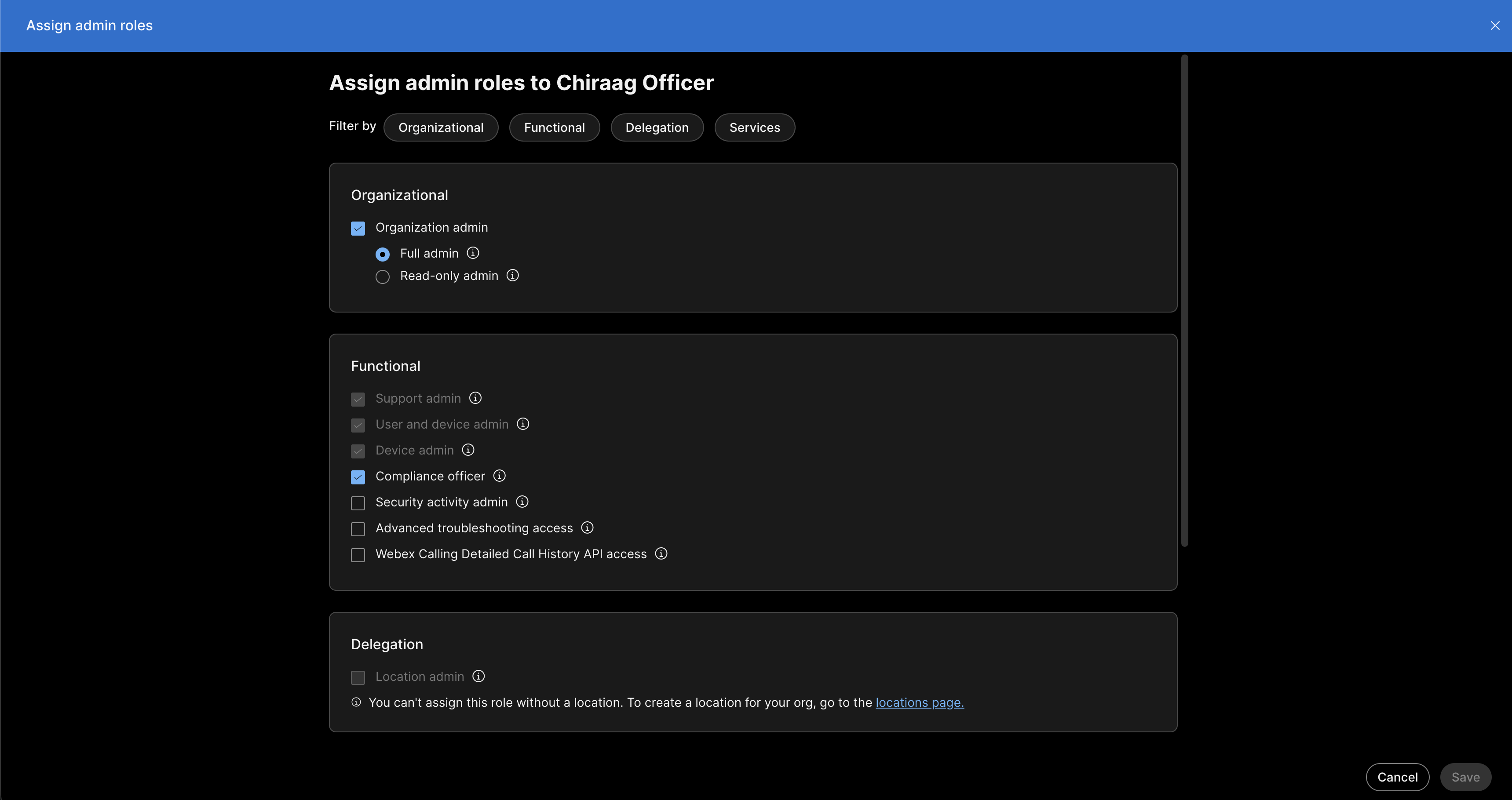
admin.webex.comusing a Full Administrator account.Assign the Compliance Officer role to a designated user. This must be done by a Full Administrator assigning it to a different user in their company, as administrators cannot assign this role to themselves.
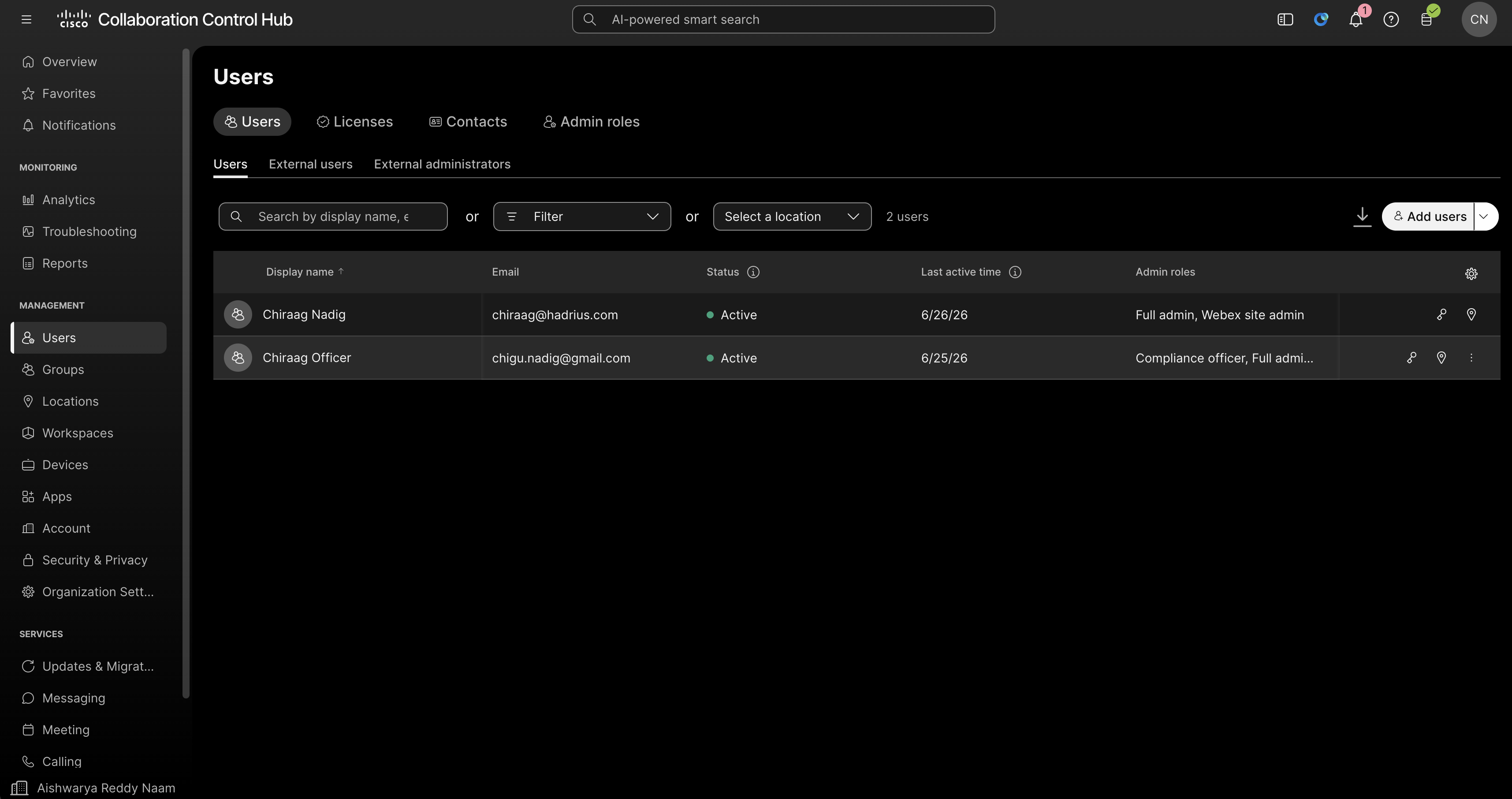
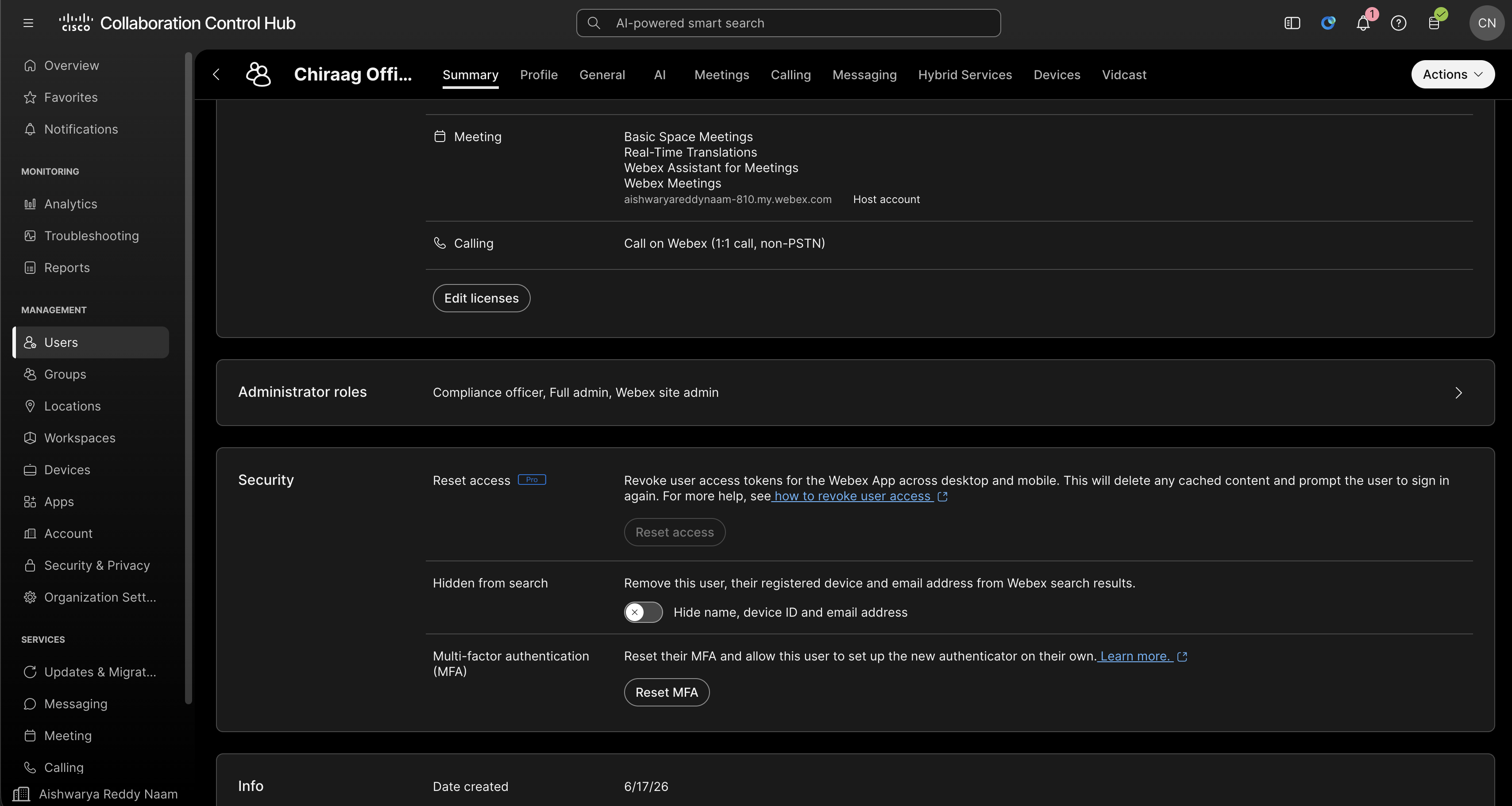
Go to WebEx Control hub, then go to Users → select the user → Administrator roles → check Compliance Officer → click Save.
Authorize WebEx for Hadrius Capture Support
Click the authorization link provided by Hadrius support. This link will open a WebEx login page. Log in using the credentials of the user who was assigned the Compliance Officer role in Step 2. This is the account that must authorize the integration, not the Full Administrator account.
Once authorized, if you see a confirmation screen, you're all set! 🎉