How to find your FINRA API credentials
Last updated: October 2, 2025
1. Log in to the FINRA gateway
Go to the FINRA Gateway using your FINRA credentials.
2. Access the API console app
Look for the API Console app within FINRA Gateway.
If you don't see it, ask your firm’s Super Account Administrator (SAA) to assign you the API Console entitlement.
3. Go to "My Credentials" tab
In the API Console, select the My Credentials tab.
This is where your provisioned API credentials are listed.
If you’re new, the list may be empty.
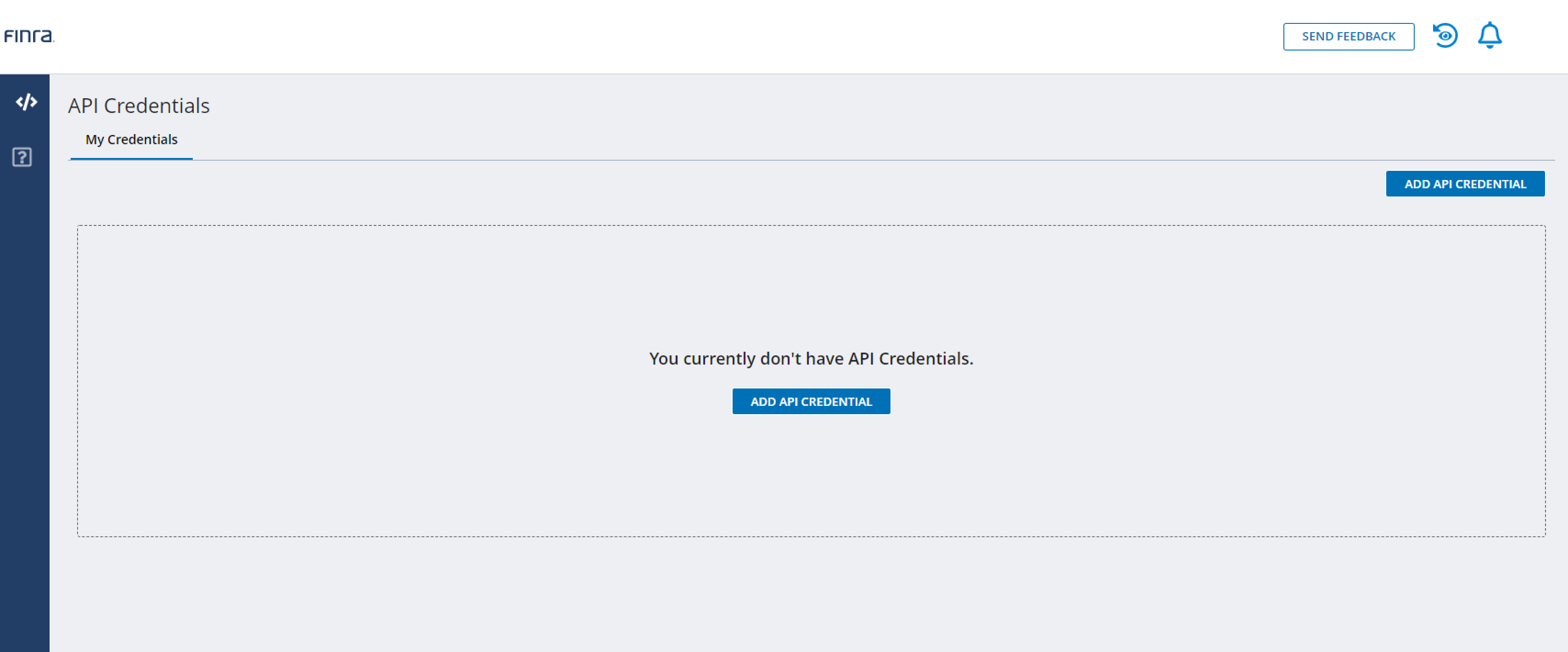
4. Create or view API credentials
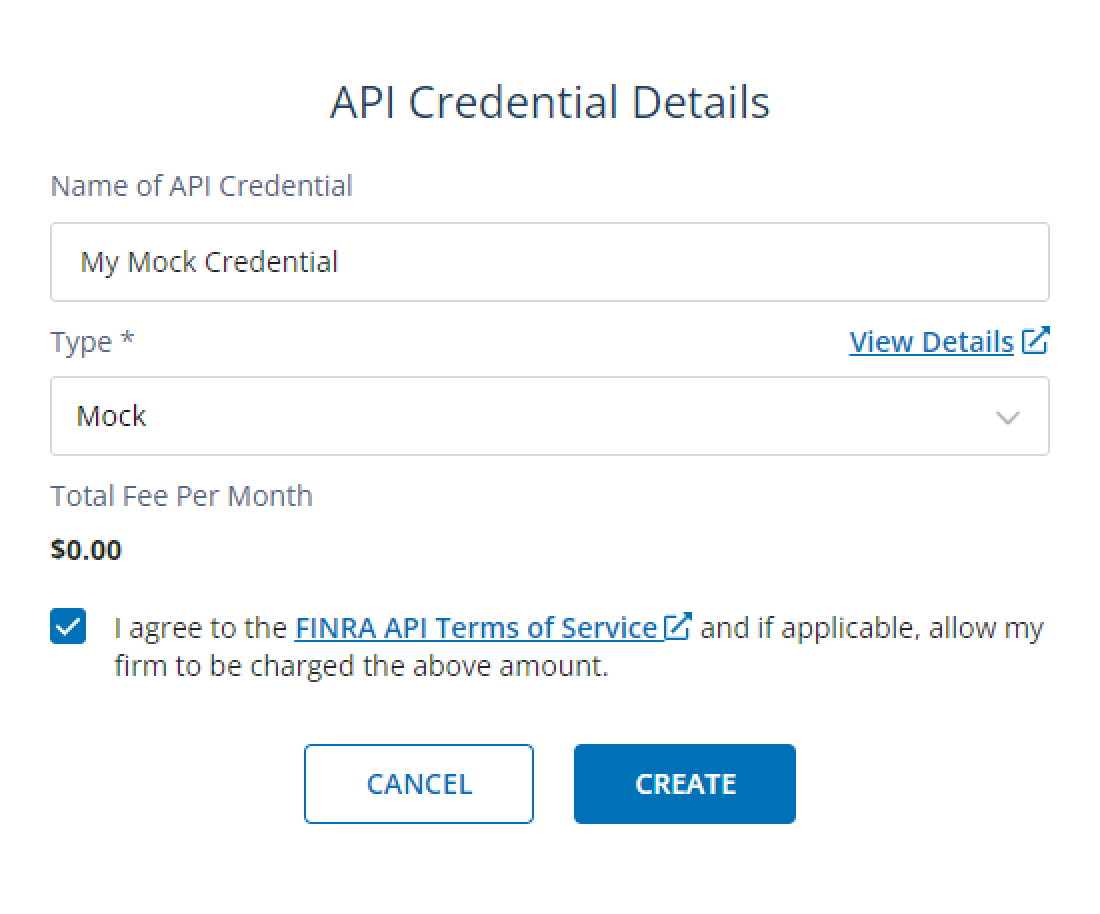
To generate a new credential, click the ADD API CREDENTIAL button.
Fill out the credential details form and agree to the FINRA API Terms of Service.
Click CREATE to submit your request.
New credentials will appear in the My Credentials tab.
5. Activate your API credential
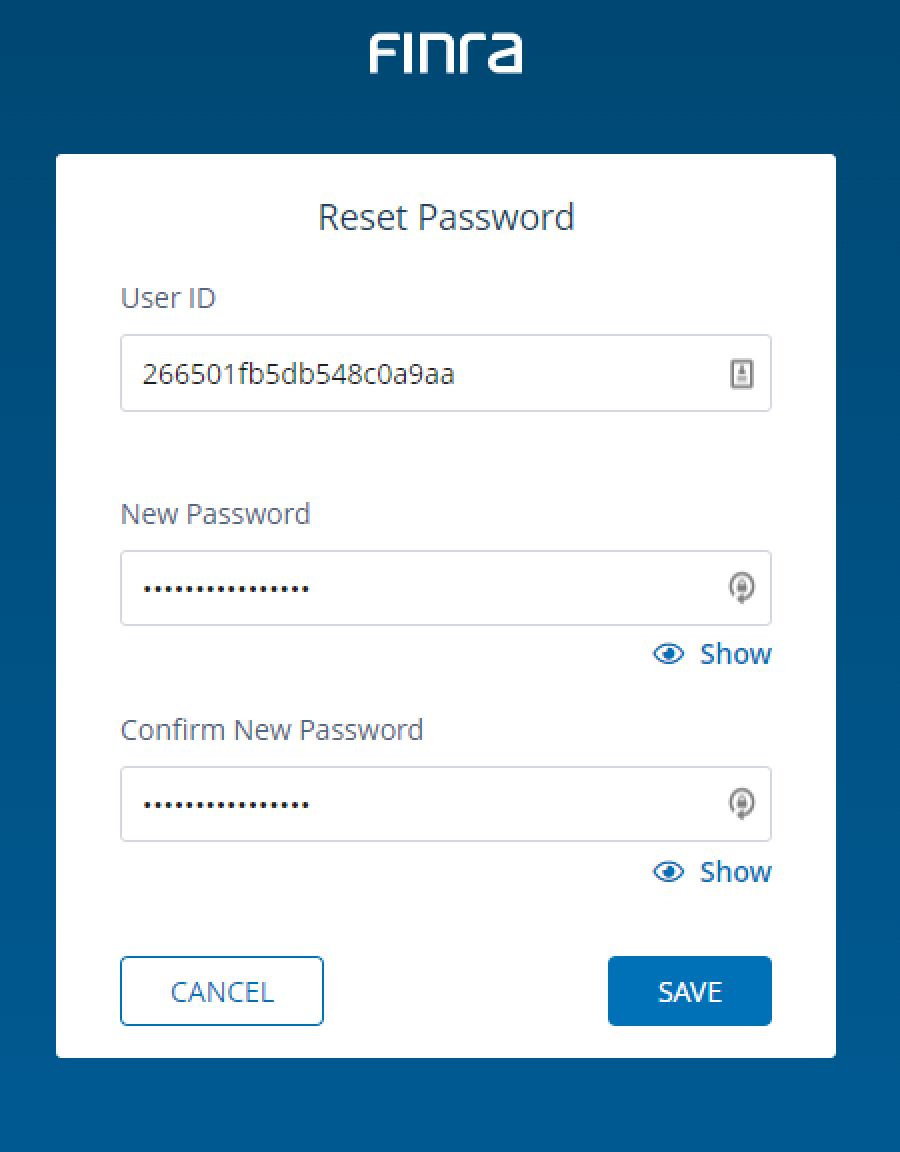
After creation, you'll get an email titled "FINRA API Developer Center – Action Required".
Click the Create API Client Secret link in the email.
On the reset password page, enter your API Client ID and the password you selected (API Client Secret).
6. Use your credentials
You'll now see your activated API credential in the My Credentials tab.
Your credentials (Client ID and Client Secret) are encrypted, stored securely, and used only for FINRA-related data synchronization.

7. Connect your FINRA credentials with Hadrius
When prompted to "Automate Your Setup by Connecting to FINRA", fill in the connection form:
FINRA account ID:
API key: Enter your API Client ID from step 6
API secret: Enter your API Client Secret from step 5
Credential expiry date: Set the expiration date for your credentials
Click "Where do I find my API credentials?" if you need to reference the previous steps
Click to verify your credentials work correctly
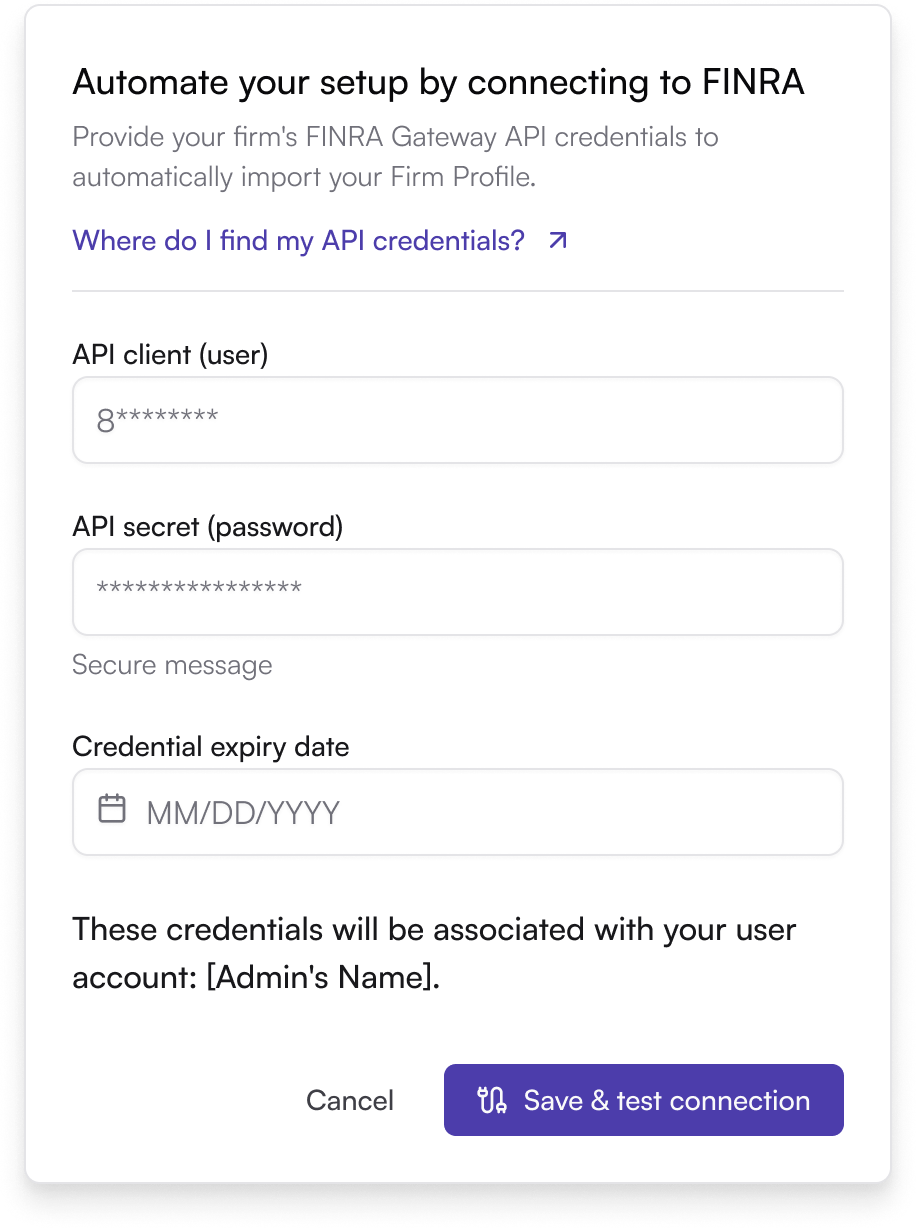
After this step, you'll see your FINRA Firm Details populated on Hadrius.
Tip: If you do not see credential-related emails within a few minutes, check your junk/spam folder. For any issues, contact the FINRA API Support Team.