How to request social media archiving
Last updated: July 14, 2026
Where do I go to request a new account?
From your employee dashboard, click Edit accounts in the social media section.
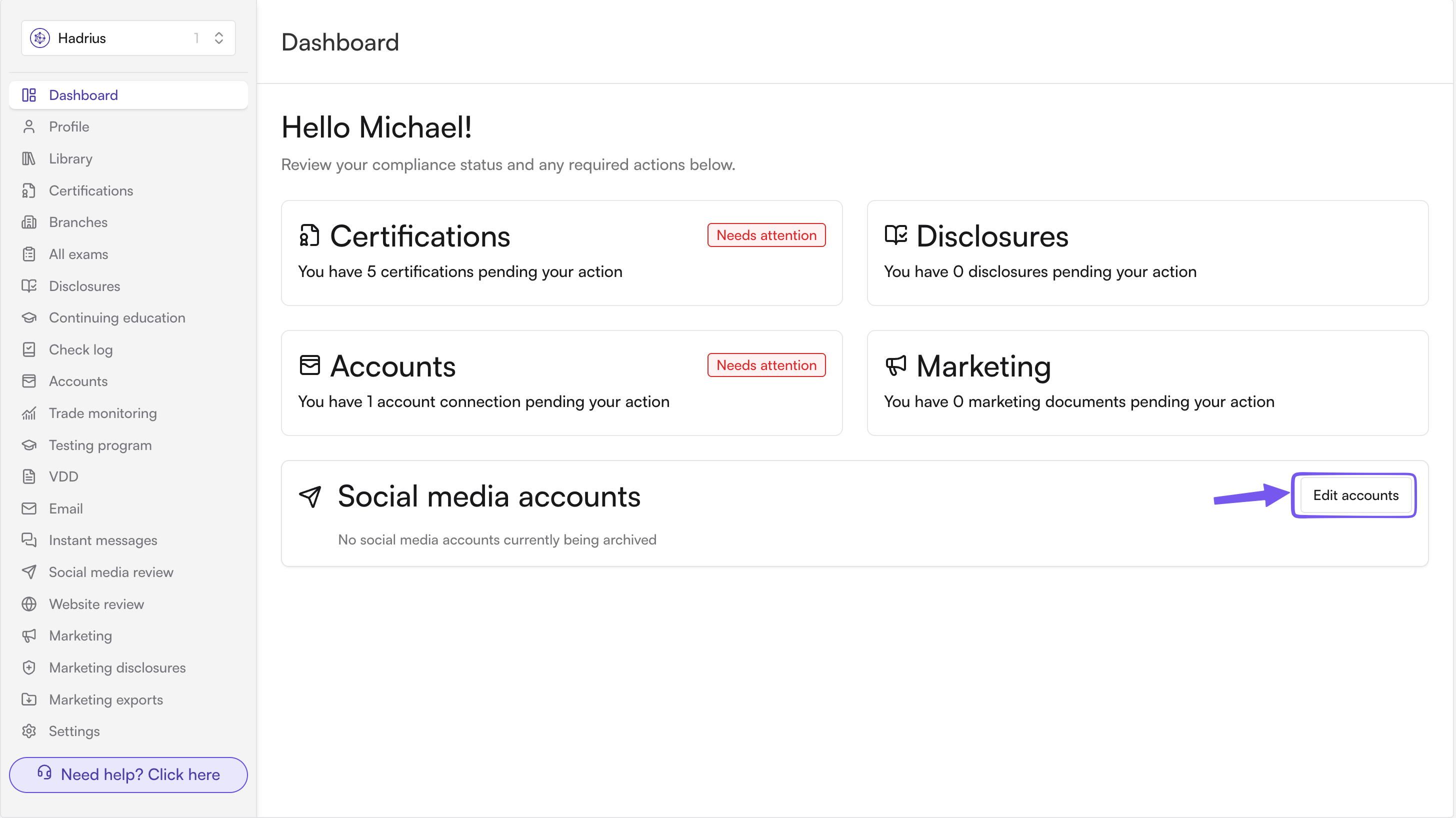
You can also find this as Edit social media accounts from your records/disclosures page. Either one opens the same request form.
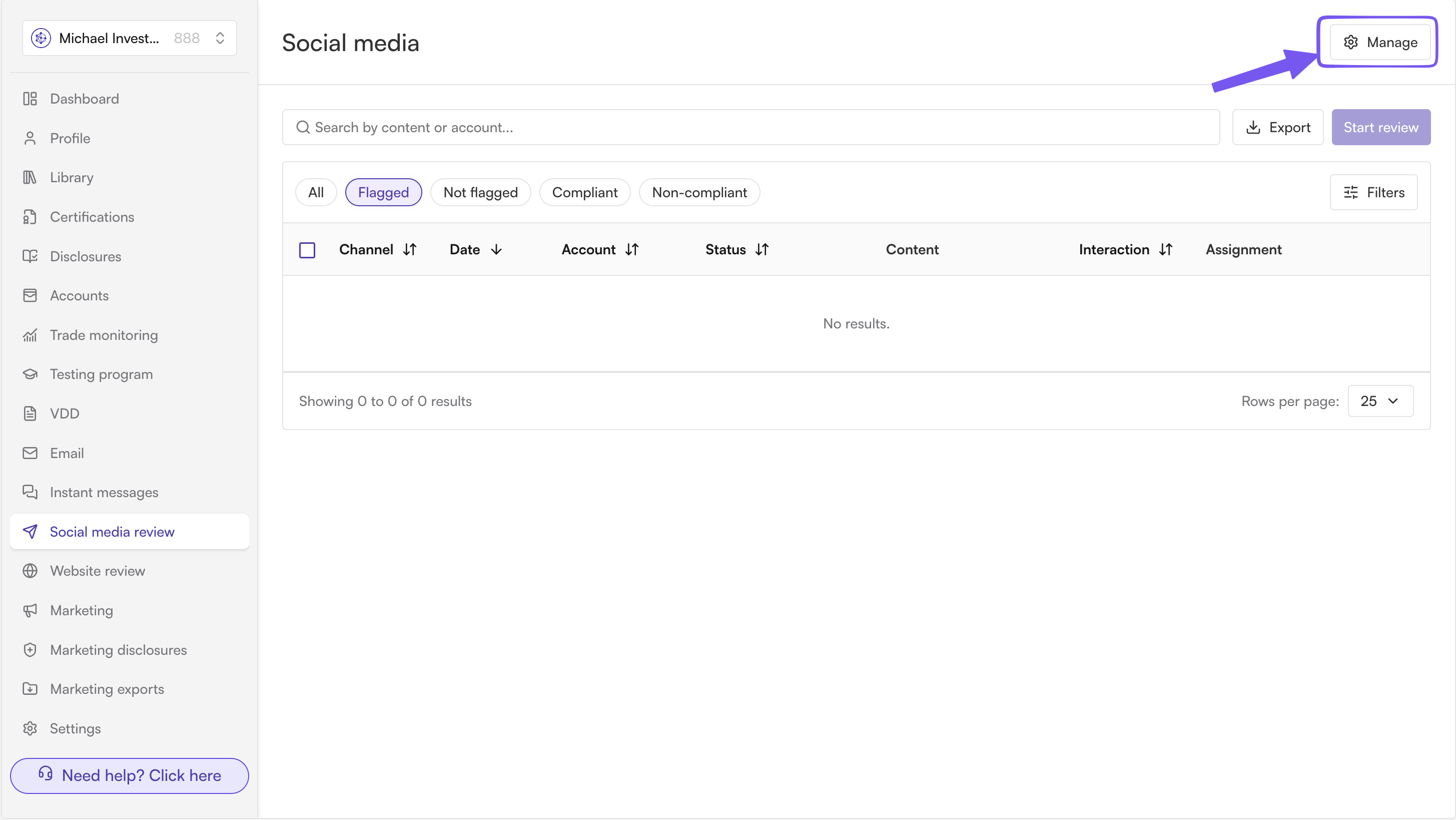
Fill out the request form with the below information:
Request type — choose Add Account.
Social media platform — pick the platform from the list (LinkedIn, Facebook, TikTok, Reddit, YouTube, Twitter/X, or Instagram).
Profile URL — the link to the account or page you want archived. It needs to match the format expected for that platform, so double-check you've selected the right platform before pasting the URL.
Description — a short note explaining the account (e.g., what it's used for, whose account it is).
Your request goes to your compliance team as a pending request, it isn't archived yet. Once a compliance admin reviews and approves it, the account becomes active and archiving begins. If it's rejected, you'll need to submit a new request if you still want it added (there's no automatic resubmission).
How long does approval take?
That depends on your compliance team's review process, there's no fixed automatic timer. If it's been a while, reach out to your compliance team directly.
Can I check the status of my request?
Yes, your account's status will show in the social media section of your dashboard once it's created. Before approval, it stays associated with your pending request rather than showing as an active account.
Can I request more than one account at a time?
The request form handles one account per submission, so if you need multiple accounts added, submit a separate request for each one.
What if I picked the wrong platform or entered the wrong URL?
You can't edit a submitted request. If you catch a mistake before it's approved, contact your compliance team so they can reject it, then submit a corrected request. If it's already approved with wrong information, ask your compliance team to remove it and you can submit a new, corrected request.