Reviewing Archived Instant Messages
Last updated: July 14, 2026
Overview
What does instant message archiving and review cover?
Hadrius continuously captures instant messages from 40+ platforms — including Slack, Microsoft Teams, WhatsApp, Zoom chat, LinkedIn, Telegram, X (Twitter), Google Chat, Google Voice, GoToConnect, RingCentral, and Bloomberg — and archives them alongside email under the Communication module. Every message is stored, indexed for full-text search, and run through Hadrius's classification pipeline to surface potential compliance violations for human review.
Refer to this guide for available platforms to archive:
Where do I go to review archived instant messages?
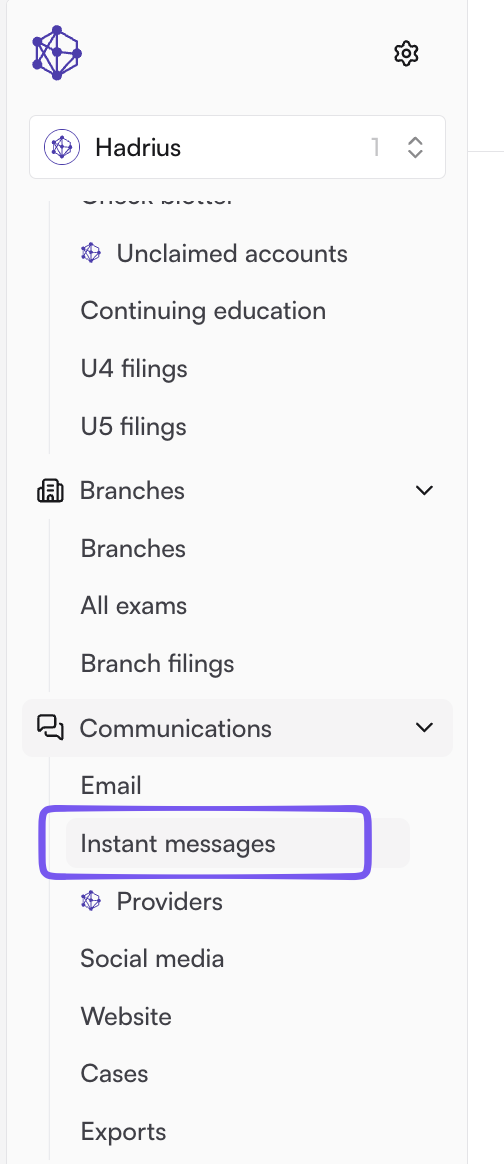
In the Hadrius web app, go to Communications → Instant Messages. From there you can search all archived conversations, jump to the Flagged queue for items awaiting review, or open a specific employee's message history.
How messages get flagged
How does Hadrius decide which messages need review?
Every incoming message passes through a two-stage classification pipeline: a fast pre-AI rule engine checks configurable conditions (keywords, participants, platform, etc.), and an LLM-based classifier then evaluates the remaining conversations for topics and potential violations, using firm-specific context (e.g. SubRules) to reduce false positives. Messages that trip either stage are queued for human review; everything else remains fully archived and searchable even if never flagged.
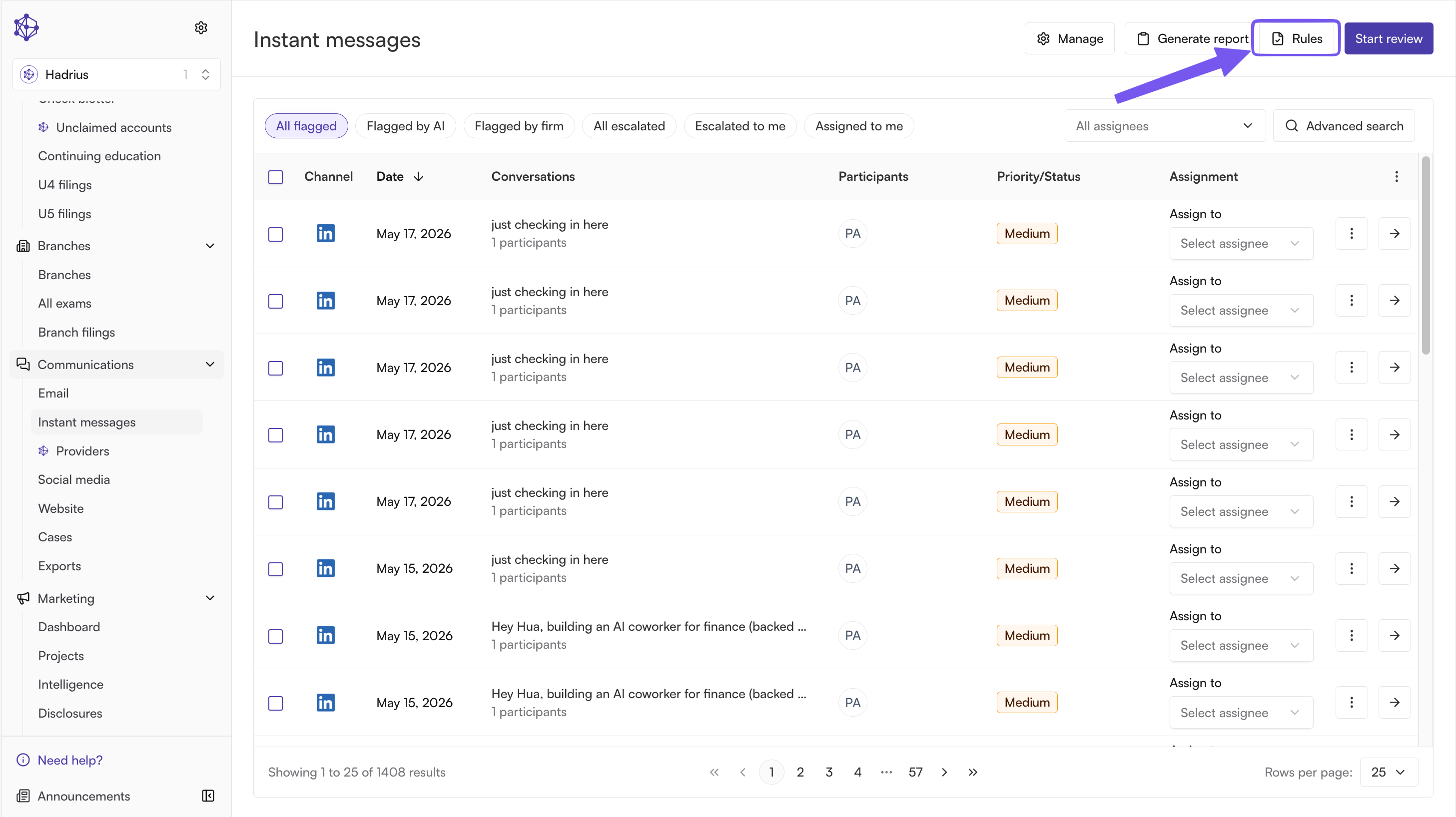
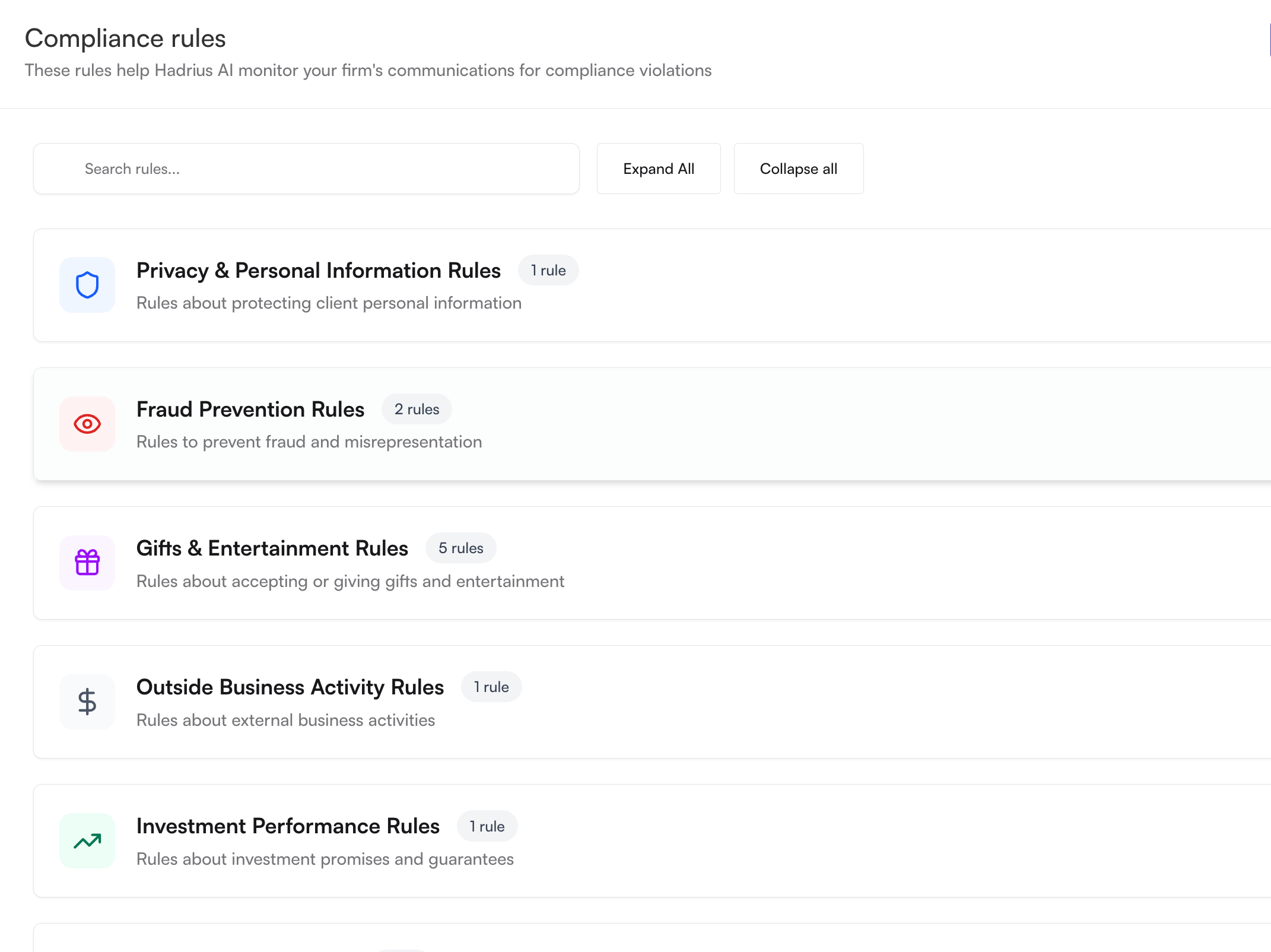
To review the rules set up in Hadrius select "Rules" in the upper right hand corner of the Instant Messages tab and then click on the rules to see what they are evaluating:
Can we customize what gets flagged?
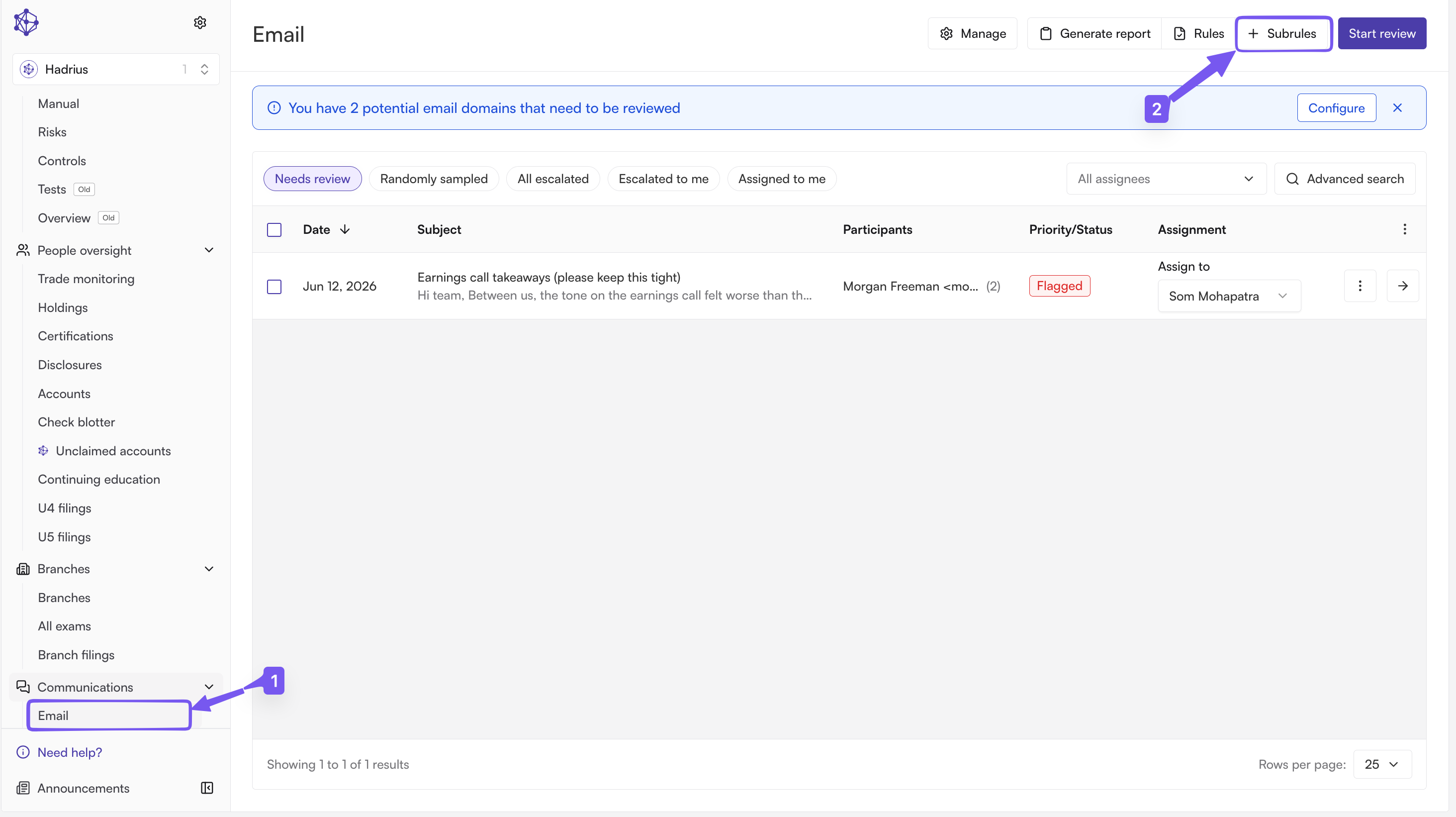
Yes. Admins with rule-configuration access can create, edit, and version the rules (Hadrius calls these SubRules) that feed the pre-AI stage. For example flagging messages containing certain terms, involving specific employees, or on specific platforms. Rule changes apply going forward and are versioned so you can see what rule was in effect when a given message was flagged.
Note: Subrules have to be accessed through the Emails tab of communications. The subrules that are created work for both emails and IMs.
What if something concerning wasn't flagged automatically? (Random Sampling)
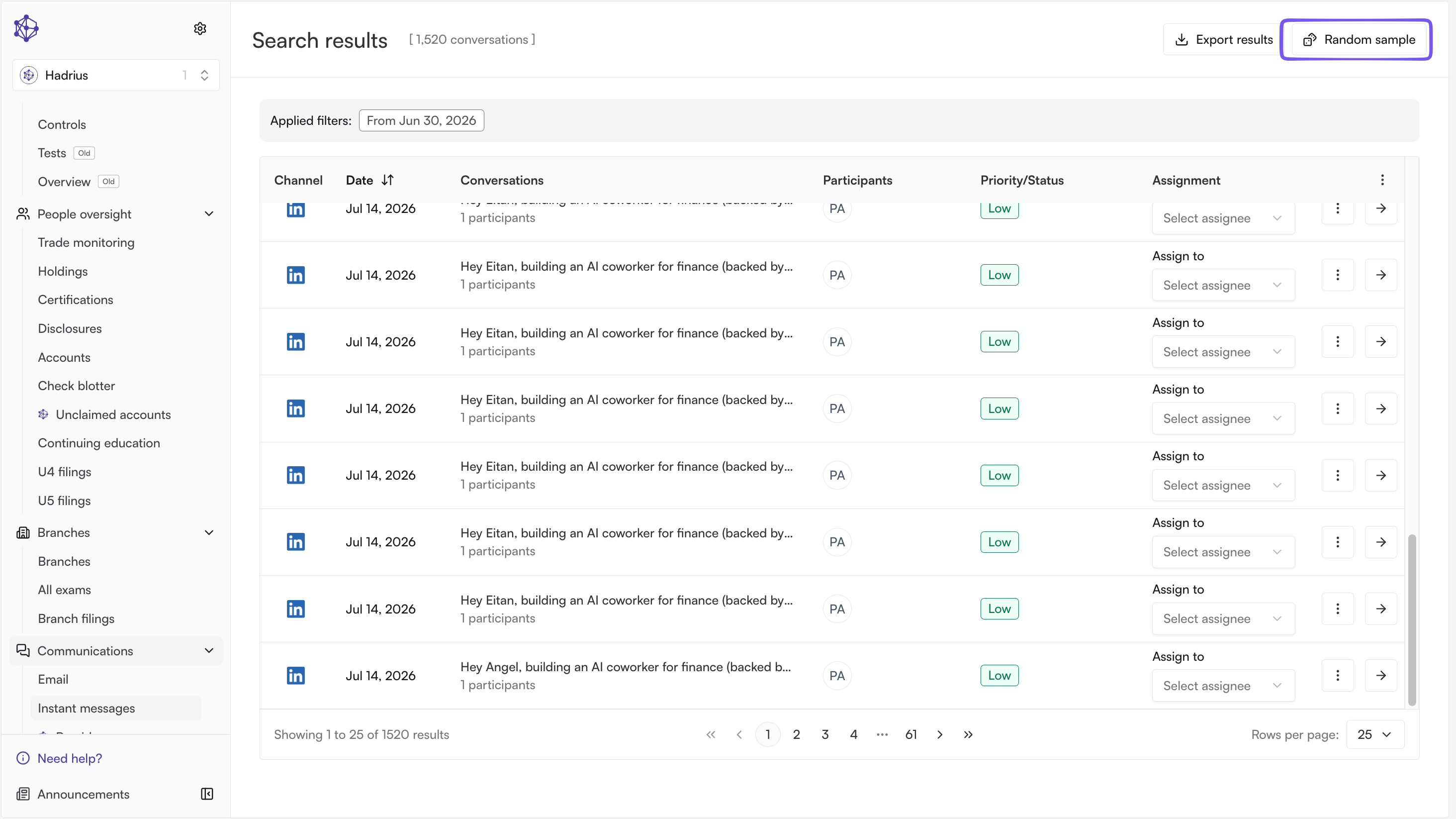
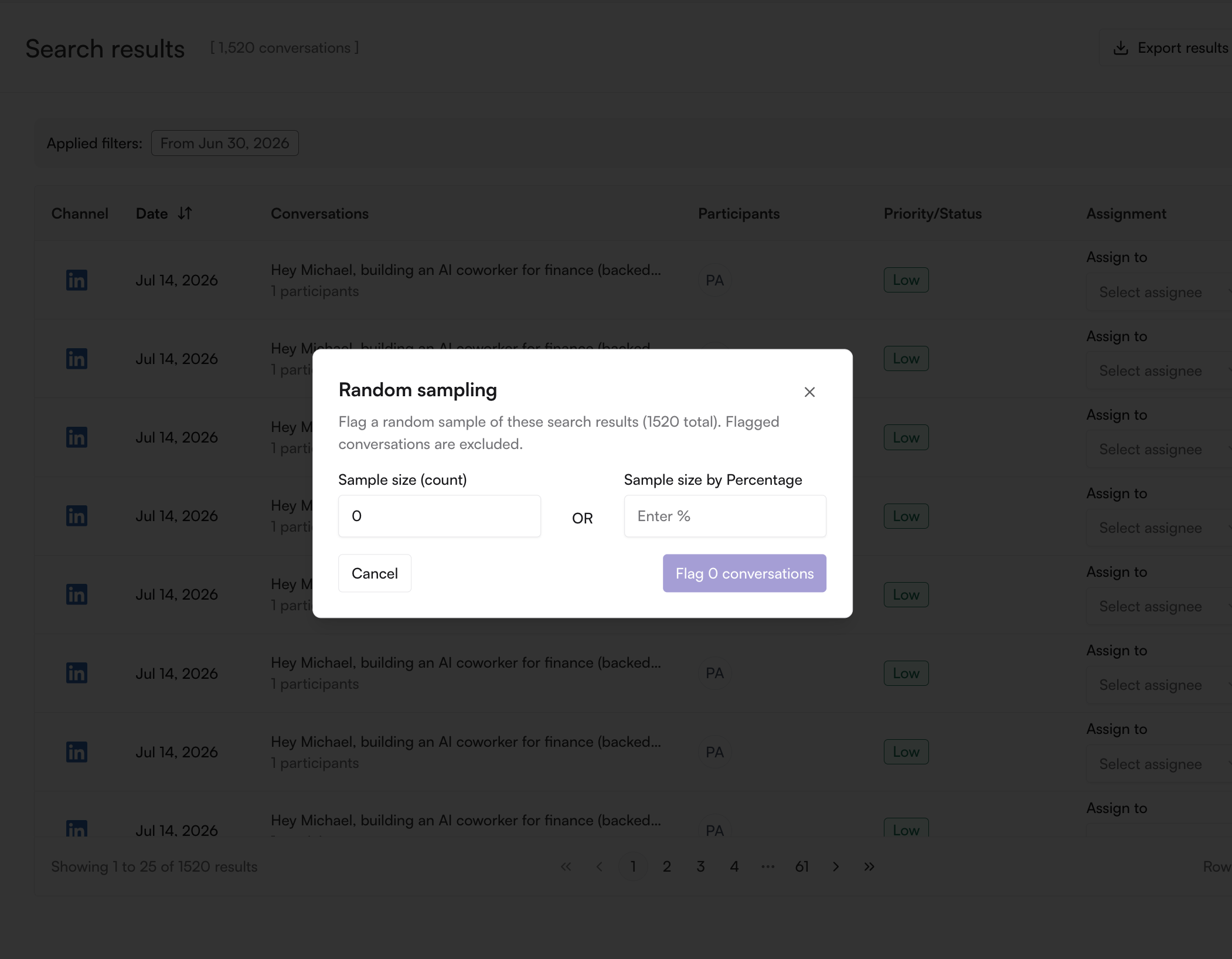
Use random sampling. From the search results view, admins can pull a random sample of unflagged conversations (you choose the sample size either by total count or percentages) and add them to the review queue — a standard supervisory procedure for demonstrating that review isn't limited to only what the AI/rules caught.
Doing the review
What does the review screen show me?
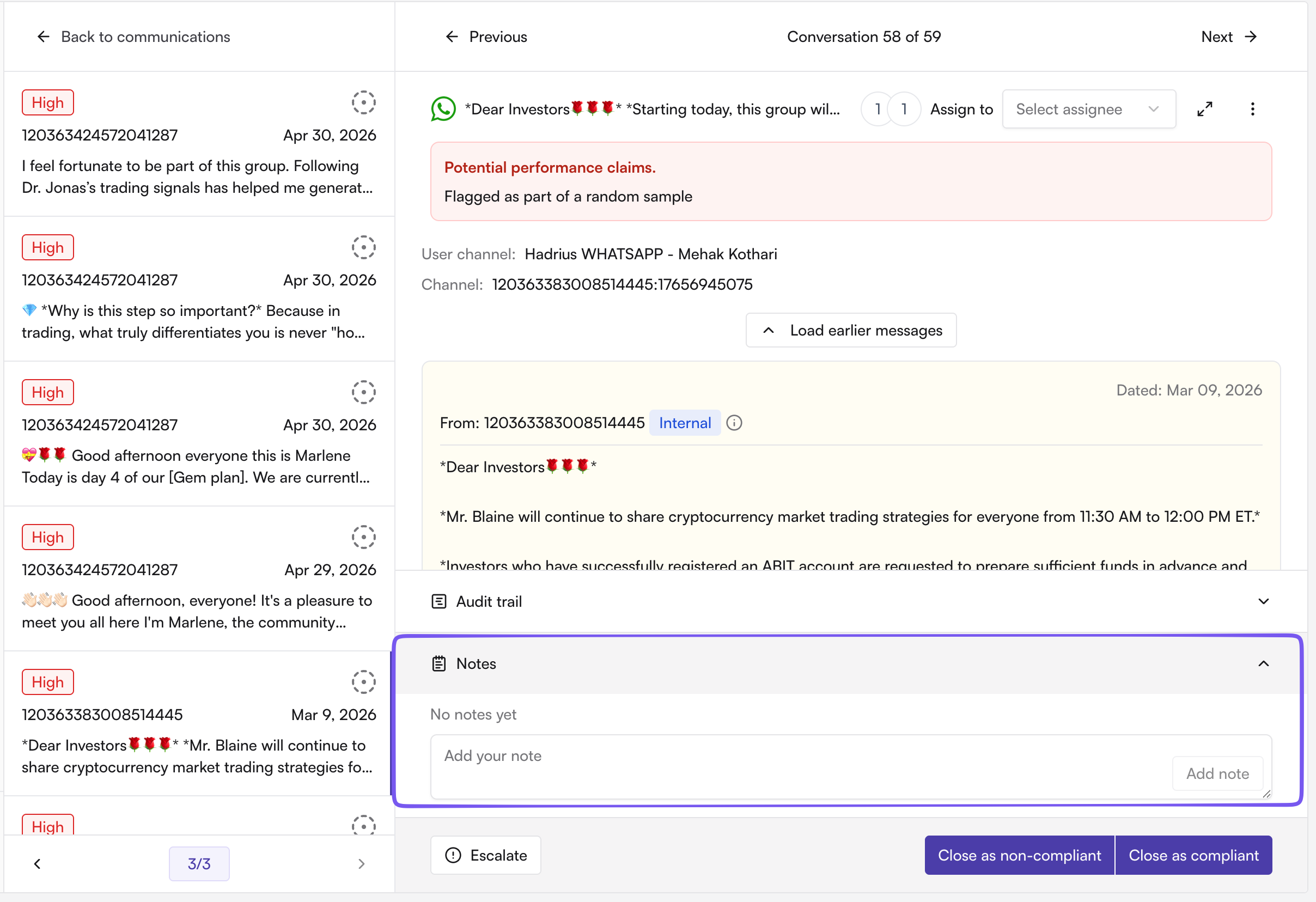
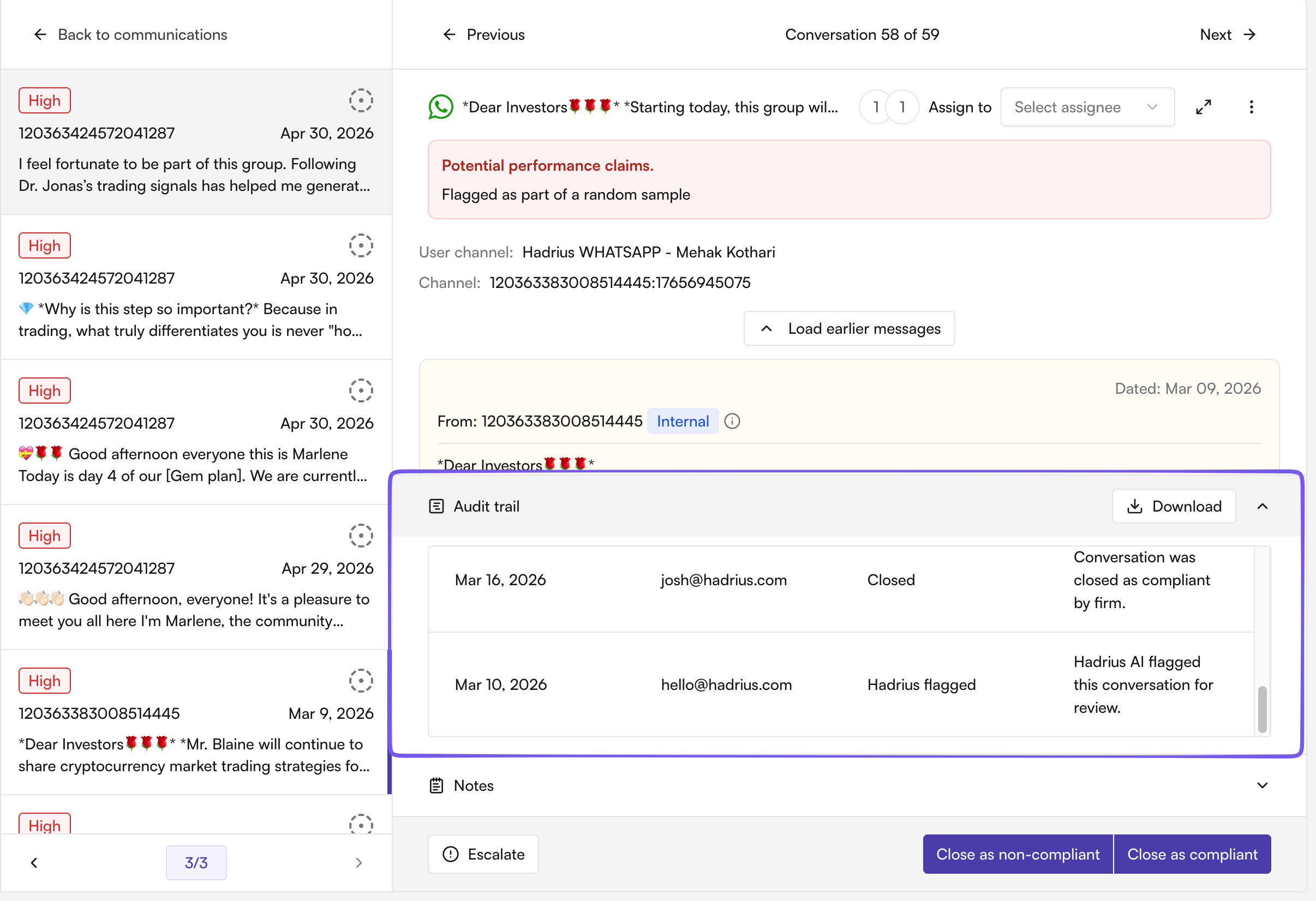
Opening a flagged conversation shows the full message thread, the participants, the platform it came from, the reason it was flagged (rule matched or AI-identified topic/violation), and a notes field. You can review adjacent messages in the same conversation without leaving the screen.
What actions can I take on a flagged conversation?
Add notes documenting your reasoning: required for most firms' supervisory procedures.
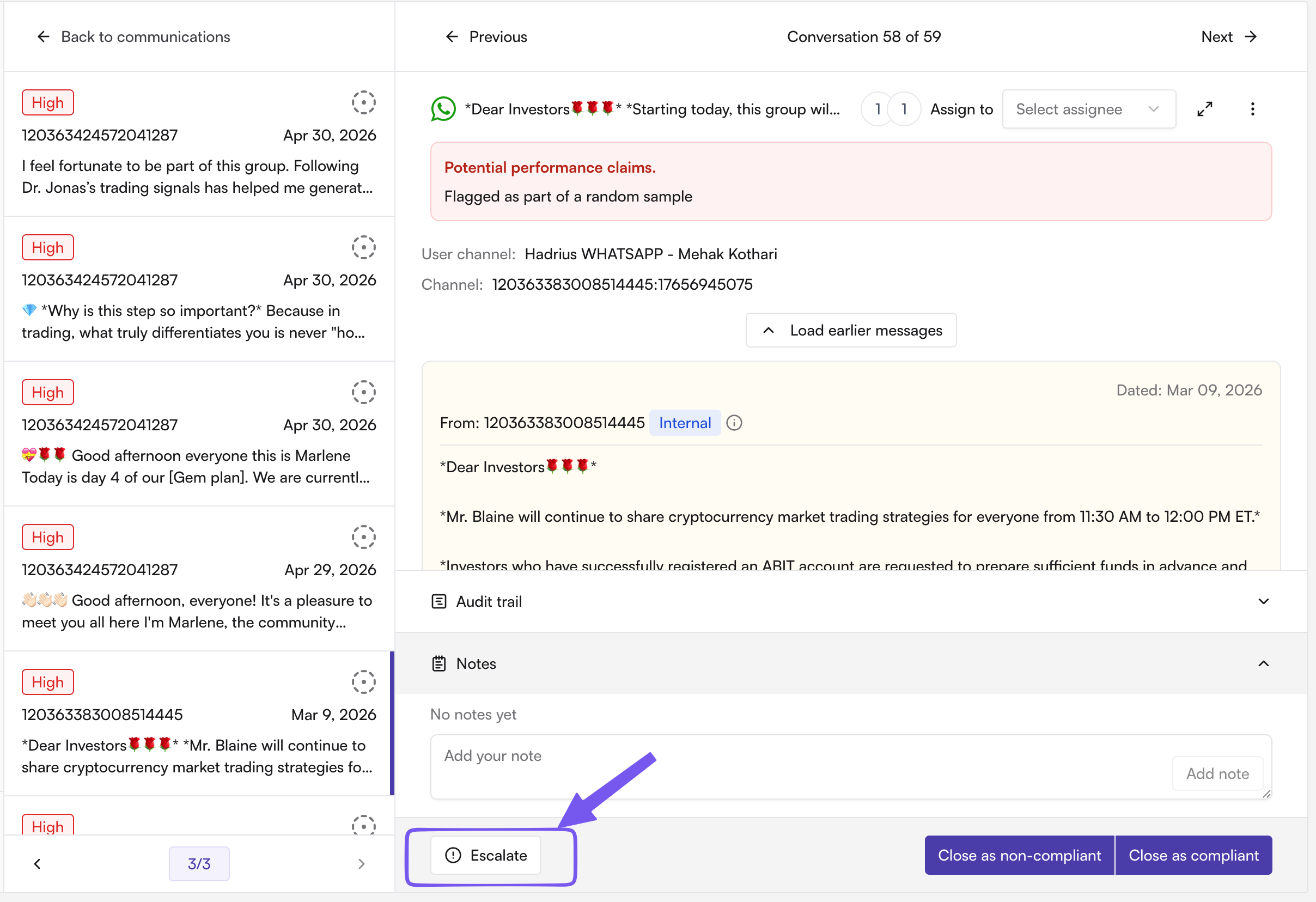
Escalate the conversation for further review by a senior compliance officer or into a case.
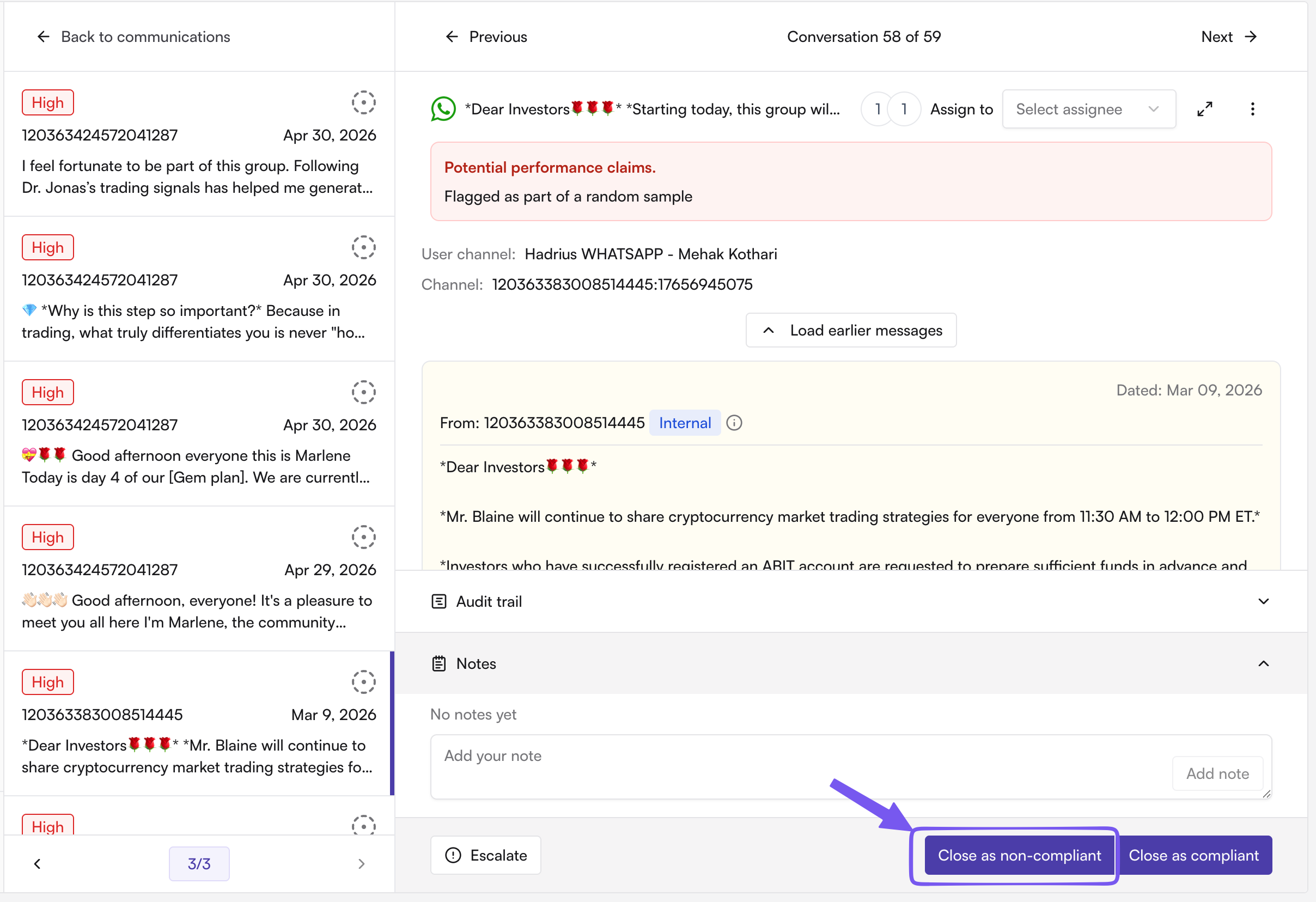
Close the conversation as non-compliant: This adds to the audit trail for when that action was taken on the IM.
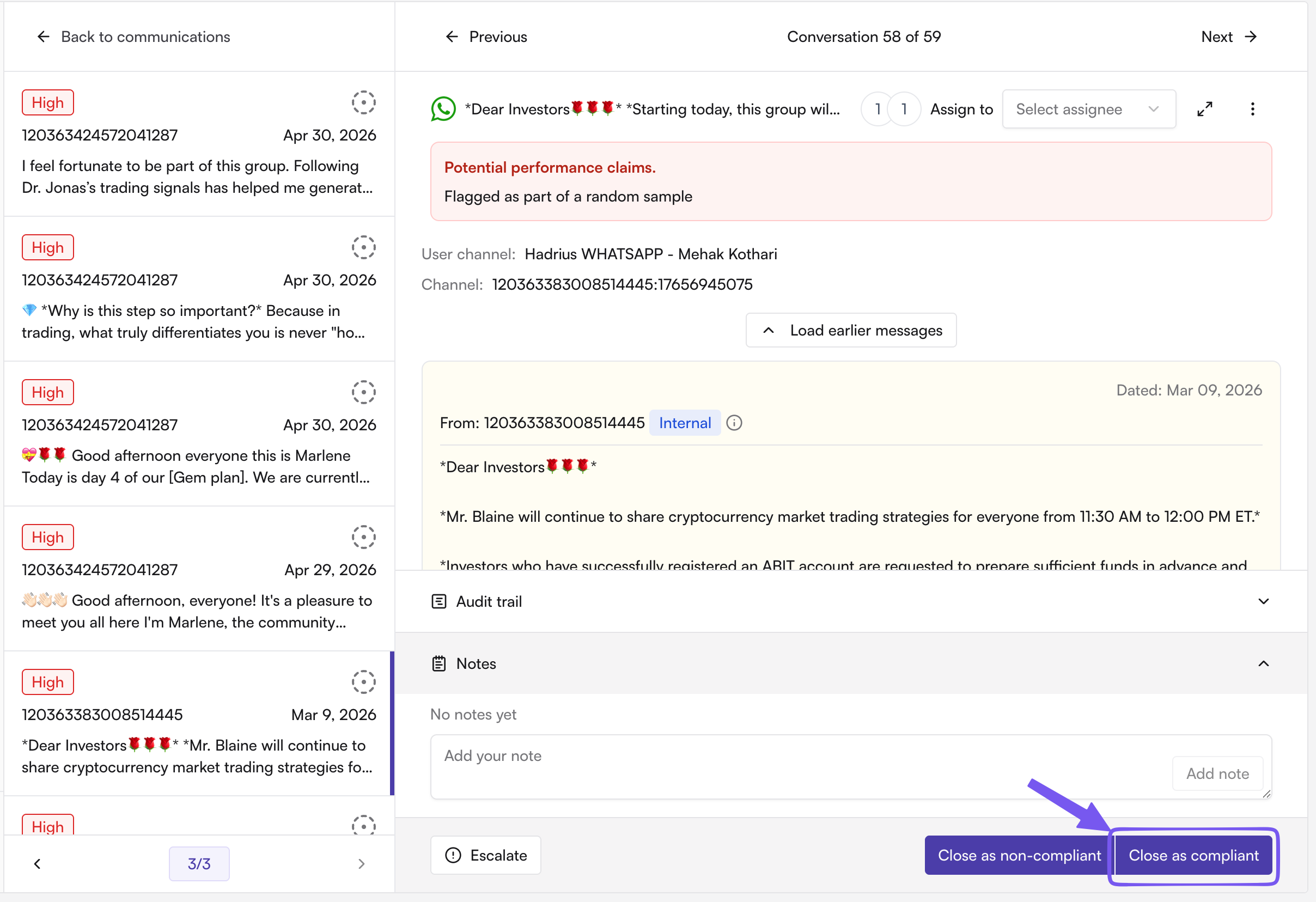
Close the conversation as compliant: This adds to the audit trail for when that action was taken on the IM.
Is there an audit trail of who reviewed what?
Yes. Every conversation keeps an audit trail of actions — message imported, AI-reviewed, AI-flagged, firm-viewed, firm-flagged, notes updated, escalated, assigned, and closed — each stamped with the user and timestamp. This is what you'd pull for an exam or internal audit to show review was performed and documented.
Getting messages into the archive
How do new platforms get connected for archiving?
Admins connect firm-wide integrations (Slack, Teams, Zoom, etc.) via OAuth under Instant Messages → Settings. For messaging apps tied to a personal device or account (e.g. WhatsApp, Telegram, personal LinkedIn/X DMs), employees authorize their own account through a magic link Hadrius sends them — admins can monitor and resend these authorization requests from the same settings area.
Notifications and exports
How do we know when something needs review?
Enable the daily compliance summary email under Account Settings → Notifications. It gives a daily count of items pending review across email and instant messages so nothing sits unreviewed.
Can we export archived instant messages, e.g. for a regulator or investigation?
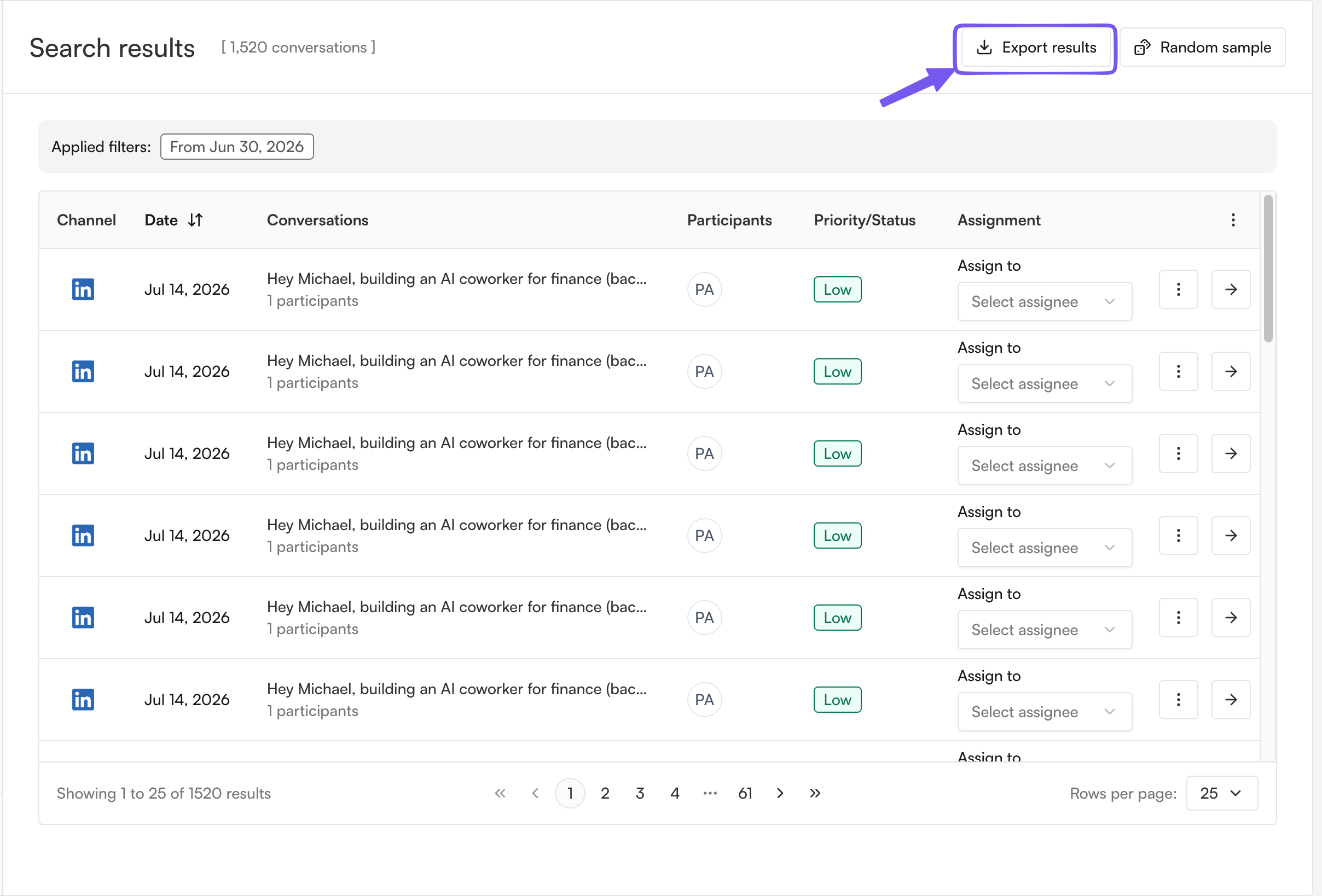
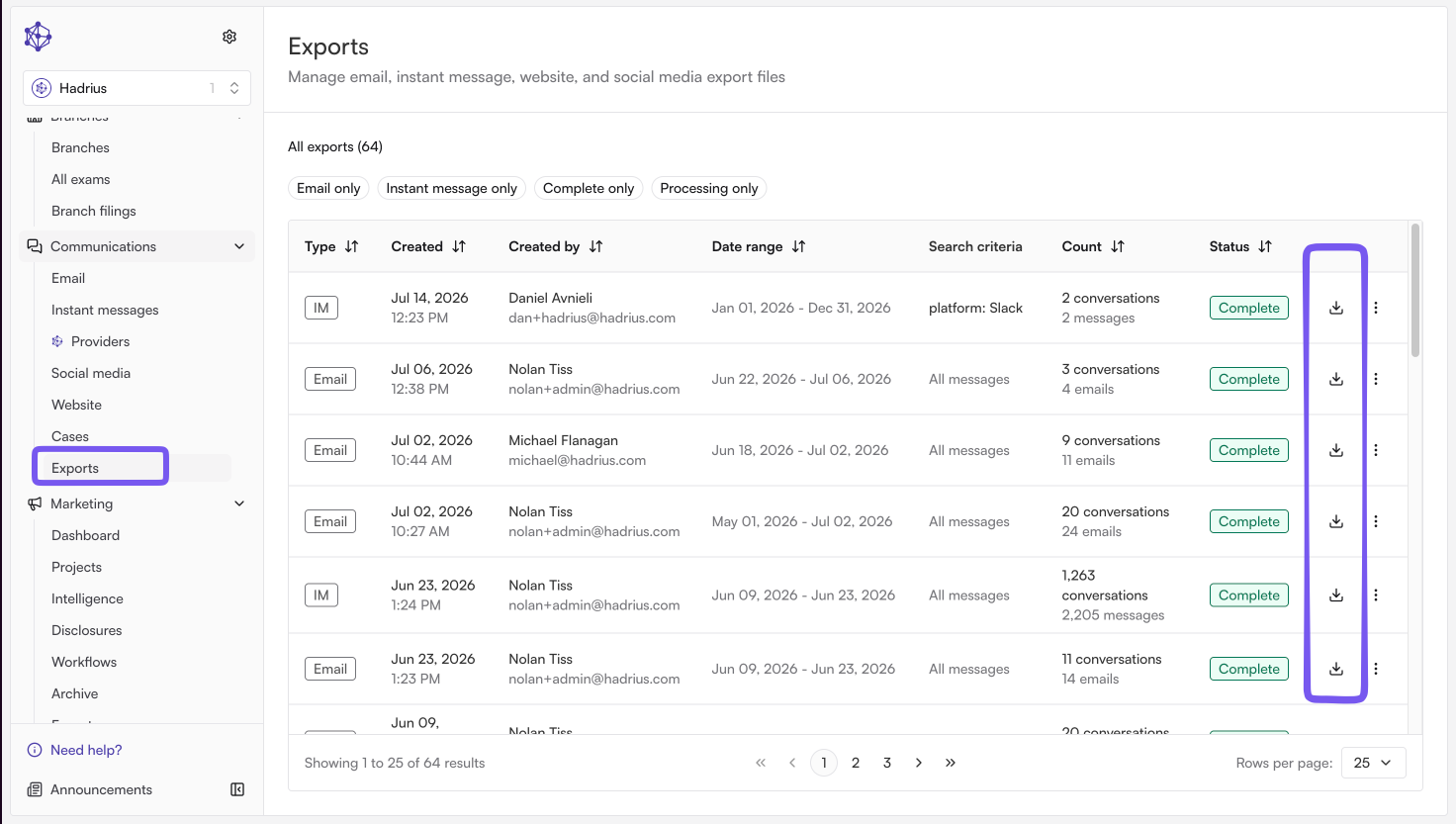
Yes. From the search or flagged queue, request an export of the matching conversations; Hadrius packages the results and, if enabled, emails you when the export is ready to download. Exports preserve the underlying messages and metadata for supervisory or regulatory production.