Why has my document been rejected in Hadrius?
Last updated: July 23, 2026
Context
When a document is submitted for compliance review in Hadrius, it may be rejected by a reviewer. Users who receive a rejection notification may be unsure why the document was rejected and what steps to take next.
Answer
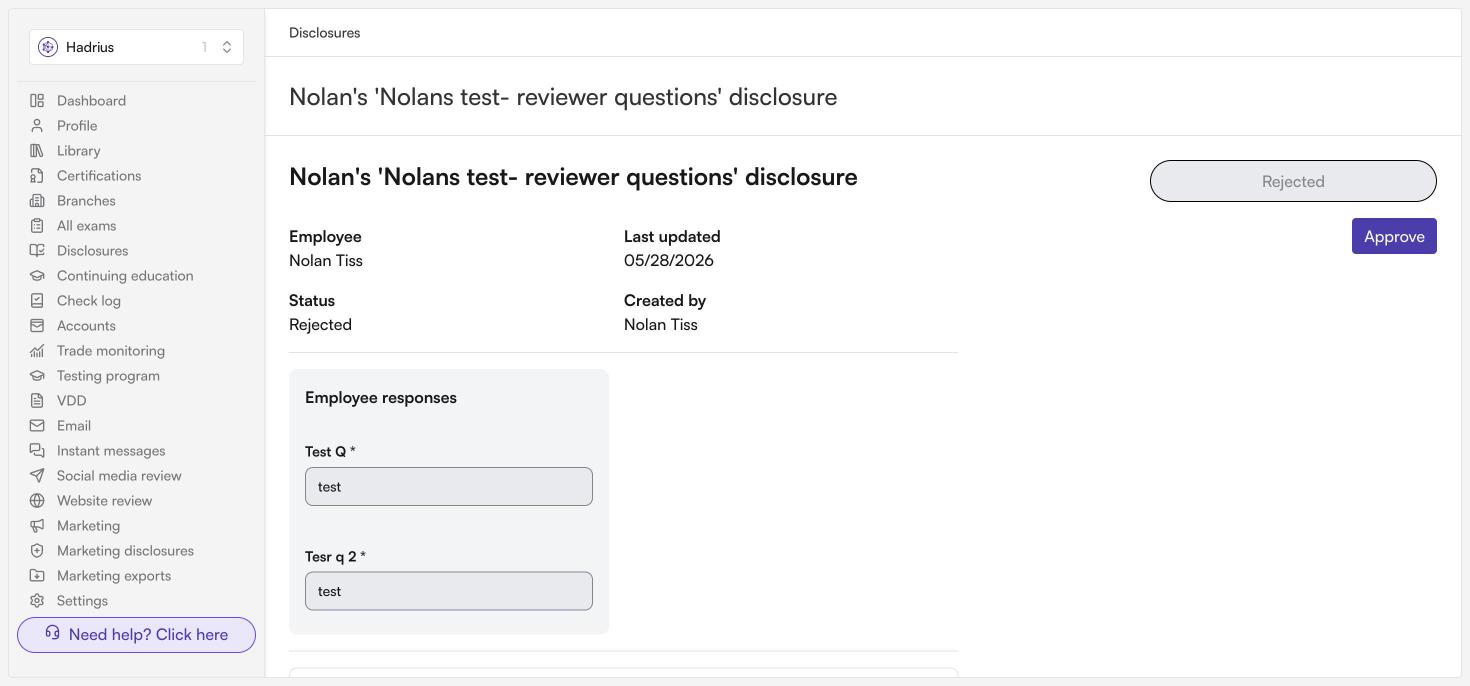
When a document is rejected in Hadrius, the reviewer will include a note explaining the reason for the rejection. You can view this note directly in the document's review page within Hadrius.
Common reasons for rejection include:
The document requires additional review (e.g., by a regulatory body such as FINRA) due to specific content, such as references to particular financial products.
The document has outstanding flags or comments that need to be addressed by the document owner before it can be approved.
To resolve a rejection, follow these steps:
Log in to Hadrius and navigate to the rejected document.
Review the rejection note left by the compliance reviewer to understand what changes or actions are required.
The document's status will show as Rejected on its review page — this is where you'll find the compliance reviewer's note.
Make the necessary edits or address the flagged items in your document.
Upload the corrected version of the document to Hadrius and resubmit it for review.
If you are unsure whether a previously submitted and approved version of the document covers the same project or event, check with your compliance team to confirm before resubmitting.
If you have questions about the specific reason for rejection or need further clarification, reach out to your compliance reviewer or contact Hadrius Support.